

krotoflik
Active member
Hey guys, I just wanted to share a video I made which entails reducing/removing video noise using my preset I designed. This method requires the download of Cartoonr from NewBlueFX, which is a completely free plugin, not a trial. Check it out, test it, let me know what you think. Its best to watch the video in 1080p which you might have to go to youtube itself to do so? Link here: http://www.youtube.com/watch?v=KjTzr4yepeE
Depending on your video you will mainly be adjusting the Smooth and Blend knobs on Cartoonr. My website is krotoflik.com and you can download the preset there in the Sony Vegas Presets tab, then at the bottom of the page. Thanks for checking it out and hope it helps some people.
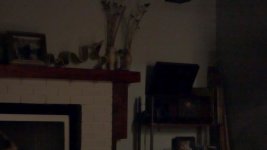
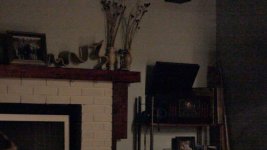
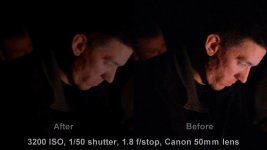
Here is a couple before and after shots. I took these screens out of a test video shot at 6400 ISO, 1.8f-stop, 1/60 shutter with a 50mm lens on a Canon T3i.

Depending on your video you will mainly be adjusting the Smooth and Blend knobs on Cartoonr. My website is krotoflik.com and you can download the preset there in the Sony Vegas Presets tab, then at the bottom of the page. Thanks for checking it out and hope it helps some people.
Here is a couple before and after shots. I took these screens out of a test video shot at 6400 ISO, 1.8f-stop, 1/60 shutter with a 50mm lens on a Canon T3i.
Last edited: