Quicktime Querry

flimflamfilms

Well-known member
Good afternoon,

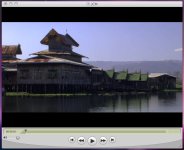
A while ago I shot some footage (DVX100B Squeeze) and edited in FCP. I exported sequence (I think using QT conversion) and got the first thumbnail.
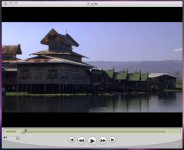
I am very happy that this video is presented in wide screen and fills the entire QT frame without letter-boxing.The problem is I can't remember how I did this.

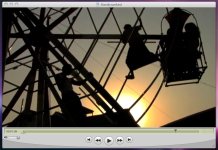
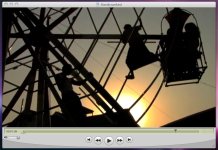
The best I've been able to do is something like the second thumbnail with letter-boxing.

I would appreciate any thoughts or help on how to repeat what I was able to accomplish in the first screen grab.

Cheers,

John
 

Attachments

  • Ferris Grab.jpg
    Ferris Grab.jpg
    127.2 KB · Views: 0
  • JCM Grab.jpg
    JCM Grab.jpg
    89.2 KB · Views: 0
QT Querry Redeux

QT Querry Redeux

moz-screenshot.jpg
moz-screenshot-1.jpg
Both films were exported using ‘QuickTime Movie’ and ‘Current Settings’.

Why is there letter-boxing on one film but not on the other?

The only difference in the settings of two films seems to be that under the 'Distort' field in 'Motion' tab of the FCP Viewer, the Aspect Ratio for the letter-boxed video was set at '-33.33' while for the full-screen the Aspect Ration was set for '0'. When I changed the -33.33 to 0 I got what I wanted.

Both films are also played with QuickTime player using ‘Conform Aperture to: Clean’ under the ‘Presentation’ tab of [Command]-J.

Why was the Aspect Ratio for these clips set at -33.33? Since I didn't set this, it must have been an automatic setting.

Cheers,

John
 

Attachments

  • Ferris Grab.jpg
    Ferris Grab.jpg
    127.2 KB · Views: 0
  • JCM Grab.jpg
    JCM Grab.jpg
    89.2 KB · Views: 0
QT Querry Redeux

QT Querry Redeux

Both films were exported using ‘QuickTime Movie’ and ‘Current Settings’.

Why is there letter-boxing on one film but not on the other?

The only difference in the settings of two films seems to be that under the 'Distort' field in 'Motion' tab of the FCP Viewer, the Aspect Ratio for the letter-boxed video was set at '-33.33' while for the full-screen the Aspect Ration was set for '0'. When I changed the -33.33 to 0 I got what I wanted.

Both films are also played with QuickTime player using ‘Conform Aperture to: Clean’ under the ‘Presentation’ tab of [Command]-J.

Why was the Aspect Ratio for these clips set at -33.33? Since I didn't set this, it must have been an automatic setting.

Cheers,

John
 
Back
Top