Question about motion graphics (examples inside)

digifruitella

Active member
For the past year, watching a ton of videos of Vimeo, I've noticed this particular kind of a motion effect "gimmick", so to speak - and I'd like to jump on that bandwagon, without any experience of doing motion graphics of THAT kind. All I have is a fierce will and utmost motivation to studying how to actually achieve it.


I'll post a few examples before I ask a few specific questions.

(throughout video)
(11 second mark)
(00:00 - 00:08) - the lines, circles (not the 3D shape in the middle)

I'm interested mostly in how this is achieved, these animations of thin lines, circles, shapes are done.

I don't mean any disrespect, to anyone but I'd like it if knowledgeable folks responded, or who have already achieved this effect in their own work. I don't care for answers like "I think that's done with...." I'm looking for "that is done with..." etc

Are there any tutorials online for this type of motion graphics? I've looked and can't find, maybe I don't know what to search for, is there a term for such motion graphics. etc

Please help. Thank you
 
As you read this keep in mind I don't mean any disrespect…

I'm confused by your post. First you specifically point out that you don't have experience in "THAT" kind of motion graphics. "THAT" being the animation of the lines, circles, etc. Well, that kinda begs the question, what kind of motion graphics experience do you have? These is very 101 stuff, like some of first stuff that you should be able to figure out on your own. At the very least you'd know enough to know how to ask a more educated question more than how to do you animate a bunch of lines.

That is, if you really have any experience with ANY kind of motion graphics.

So that takes us to this:

All I have is a fierce will and utmost motivation to studying how to actually achieve it.

This is even more confusing because if you really have a fierce motivation of studying you should be able to watch any of those examples and figure out what is happening. Once you feel like you have a solid grip on what's happening you can read the manual and figure out what all the tools are at your disposal then practice using those tools and experiment and see what happens.

Now, since most kids these days are lazy and like to skip that step you then go to any one of the tutorial sites like Video Copilot, AE Tuts, Greyscale Gorilla, etc. and spend a few hours searching, watching, and digesting tutorials. In the end this will make you weaker because you clearly don't like taking the time to learn on your own, but it's a shortcut most people use.

(also, I know you said you searched, but c'mon, I Googled "motion graphics tutorials" and the very first result has links to every tutorial site out there, which out of that list at the end of the post actually has a few tutorials exactly on the subject you are requesting)

So, you either go watch some tutorials or spend a few mind-numblingly frustrating hours messing around in AE with the manual to figure it out. You have clearly done neither because if so you would have either figured it out or had made enough progress to ask a more specific question rather than "how do I do this?".

And the most mind-blowing part of your post:

I don't mean any disrespect, to anyone but I'd like it if knowledgeable folks responded, or who have already achieved this effect in their own work. I don't care for answers like "I think that's done with...." I'm looking for "that is done with..." etc

Really man? I know you probably didn't mean to be rude, but c'mon, you have to know better than that. That's like saying, "well, those of you who try to help me on your own time out of the kindness of your own heart, if you're not 'knowledgeable' enough I'm not listening". Not quite the way you should treat people. Maybe someone isn't knowledgeable enough and maybe that same someone has never "achieved" the effect but maybe they stumbled across the perfect tutorial for you. What would compel them to tell you when you act like that?

Furthermore, what if someone who is new to motion graphics but has enough experience to know those effects are simple animations of scale, rotation, position, motion tracking, & shape layers knows enough to tell you that. Anyone with basic motion graphics experience can tell you that.

So, in summary, what you've done here is belittle strangers in advance of their reply, shown that you really haven't done your legwork, and have prompted someone with over 5 years experience with AE and who does professional work as an animator, designer, and director to write this lengthy post instead of spending that same time helping you, which he normally does.
 
Thank you for your post, I appreciate the criticism.

As for motion graphics experience.

If this counts (opening/closing titles)

the first of which was a tutorial, the second of which I did on my own, nothing complex.
 
oneinfiniteloop +1

It doesn't seem that you know After Effects, this is pretty basic stuff in the videos. You need to start learning AE from the ground up, the answers will come quickly to you once you know the tools (you probably won't need any help from here by that point). If we were to tell you how its done without you knowing the tools, the information will be useless (ie. Track the motion on your main comp, and parent your "lines video" comp to the track data). If we were to walk you through it step by step this post will be a small novel by the time we are done.

Start here. http://www.videocopilot.net/basic/

Edit: Just browsed the link and scrubbed video 5 "Motion Tracking", it will probably answer 80% of your questions.
 
Last edited:
Start here. http://www.videocopilot.net/basic/

Edit: Just browsed the link and scrubbed video 5 "Motion Tracking", it will probably answer 80% of your questions.

I just got done watching that piece, I've done motion tracking before, but not the kind I raised the question about. He did cover it a bit with the "thinking box" example very mildly. I'm happy with that for now, to test it out on my own - however I'm still puzzled whether, some of the examples I posted above, are all done in AE, or whether things like, thin lines, circles, shapes, etc.. are created in Photoshop, or in C4D - and animated in AE. The actual tracking process isn't that complicated - that is, in AE. But the animation and design of these things, where and how they're done is what I'd like to know as well.
 
...but not the kind I raised the question about. He did cover it a bit with the "thinking box" example very mildly...

That is where it is. Instead of a solid layer you nest a comp with a movie that contains your animations.

...things like, thin lines, circles, shapes, etc.. are created in Photoshop, or in C4D - and animated in AE....

You can create them from those programs and import them into AE, but if you need to make adjustments you have to go back to those programs make the changes and re-import them back (pain in the butt). You can create all those shapes, lines and animations in AE. Shapes and circles you make with the masking tool or the shape tool. Lines you can do with a mask and the stoke effect.

For example, in the tutorial the video where they track his head replace the thinking box with a comp, in that comp make circle with the masking tool, subtract a smaller round mask in the middle (making a donut). Animate it with a Radial wipe across the timeline. Animate a line with the masking tool and the stroke effect, put some words on the end of it. For the most part recreated the airplane example in the 3rd video.

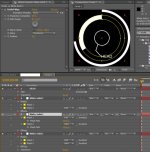
screen-cap.jpg Made this in about 5 minutes. the outer circles are animate-able with the radial wipe so they can wipe on an off like the airplane example.

Most of the videos you posted can be made a number of ways, and all inside of AE. The only video you posted that would be easier to make outside of AE was the last video, since there were 3d objects in it.
 
Mr Blue, thank you so much. That is exactly what I wanted to know. That this could also be made in AE, without having to import it from PS, or other softwares. Do you know of any good material that I can read, or watch that has a basic rundown on shapes and things of that nature. You've already described which tools can achieve this and such. Is there more I can read about and practice that goes in depth about these tools or creating and animating shapes/lines, etc.
 
Digitfuitella, had you posted your question like you did over on mograph.net you'd be in much better shape. Though, they're really snarky over there so you've seen how that thread has gone.

Anyhow, read up on shape layers, you can do a lot with them. Also masks, you could do anything with those two together. Illustrator makes these things easier, but you can do it in AE if you had to.

Check out some of these tutorials, they should get you started (note: I haven't watched any of these, maybe a few minutes here and there, but they make sense)

http://ae.tutsplus.com/tutorials/motion-graphics/quick-tip-creating-additional-interface-elements/

http://ae.tutsplus.com/tutorials/motion-graphics/create-a-techie-math-animation/

http://ae.tutsplus.com/tutorials/motion-graphics/quicktip-find-your-way-with-shapes-and-modifiers/

http://ae.tutsplus.com/tutorials/motion-graphics/make-a-glitchy-interface-animation/

http://ae.tutsplus.com/tutorials/vfx/tracking-a-futuristic-high-tech-floating-interface-day-1/

http://ae.tutsplus.com/tutorials/vfx/terminate-your-footage-with-expressions/
 
Digitfuitella, had you posted your question like you did over on mograph.net you'd be in much better shape. Though, they're really snarky over there so you've seen how that thread has gone.

I kept you in mind when I was writing the post on mograph. Thank you for the tutorials, I appreciate it. I didn't mean to instigate anyone with how I worded my post here. So forgive me if anyone got offended.

by the way oneinfiniteloop - the very first video you posted, is what I'm talking about. I looked through AETuts for this type of tutorial but never could find it, plus not to mention this is dated January of this year, so it's brand new. I also didnt know what keywords to look for, so "interface" and "elements" sounds about right.
 
Last edited:
Threads like these make people productive don't they? Awesome animation, I'll use your file to study how you've achieved some of this. Thank you. When I do create my own animation I'll resurrect this thread

EDIT: I'm looking at the "Editable line" keyframes, and thank you so much for doing this, as I was wondering how this was achieved. The length of the line, and how to do it. I'm glad you illustrated this in the animation. I see that the "Ending Point" is what makes it 'extend'

however I am perplexed as to how you have made the second Editable line connect to the first so flawlessly. It doesn't seem like it's "tracked" these are two seperate lines, yet how did you connect one endpoint to the other?
 
Last edited:
however I am perplexed as to how you have made the second Editable line connect to the first so flawlessly. It doesn't seem like it's "tracked" these are two seperate lines, yet how did you connect one endpoint to the other?

They are the same effect people use as the light saber effect. I attached the end points using expressions so that one in point always follows the other. Learning to use expressions really help cut time down on animating. Making tweaks to the animation are quicker and easier when things are dynamically connected.

Glad you like it. I created it because I think people would learn more from messing with it and seeing how it's constructed rather than reading about it in a post.
 
They are the same effect people use as the light saber effect. I attached the end points using expressions so that one in point always follows the other. Learning to use expressions really help cut time down on animating. Making tweaks to the animation are quicker and easier when things are dynamically connected.

Glad you like it. I created it because I think people would learn more from messing with it and seeing how it's constructed rather than reading about it in a post.

I did guess that that was done with expressions, I'll dissect it a bit more.
 
Don't mean to hijack this thread, but I'm more interested in the flicker/frame offsets in the first couple of videos the OP posted, can anyone inform me on how that effect is achieved?

Thanks in advance.
 
This Kramer tutorial will help you immensly too with the lines and the motion tracking:
[video]http://www.videocopilot.net/tutorials/futuristic_hud/[/video]

atlfokus:
[video]http://www.videocopilot.net/tutorials/energy/[/video]
speed up the camera wobble here, add a solid and you might just get a flicker
 
Back
Top