I have had this issue happen with 2 different projects in the past week. One was a 720x480 standard def 30 second spot. This new project is a 720p 4 minute slide video with no audio.
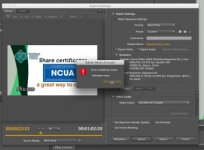
The export in Premiere either exports but cuts the export short. Or it exports and I get an error in Premiere saying that the export failed 'unknown error'. Then I export in Encoder and it freezes in Encoder after a certain point and won't export the whole file. Please help, I have just switched to Premiere from FCP 6. This is driving me nuts.
Premiere Pro CS5.5
Model Name: iMac
Model Identifier: iMac12,2
Processor Name: Intel Core i7
Processor Speed: 3.4 GHz
Number of Processors: 1
Total Number of Cores: 4
L2 Cache (per Core): 256 KB
L3 Cache: 8 MB
Memory: 16 GB
Boot ROM Version: IM121.0047.B1E
Hardware UUID: 05FC1EC8-4A2B-5401-B746-608C10E8F889
The export in Premiere either exports but cuts the export short. Or it exports and I get an error in Premiere saying that the export failed 'unknown error'. Then I export in Encoder and it freezes in Encoder after a certain point and won't export the whole file. Please help, I have just switched to Premiere from FCP 6. This is driving me nuts.
Premiere Pro CS5.5
Model Name: iMac
Model Identifier: iMac12,2
Processor Name: Intel Core i7
Processor Speed: 3.4 GHz
Number of Processors: 1
Total Number of Cores: 4
L2 Cache (per Core): 256 KB
L3 Cache: 8 MB
Memory: 16 GB
Boot ROM Version: IM121.0047.B1E
Hardware UUID: 05FC1EC8-4A2B-5401-B746-608C10E8F889