Premiere CS6 Relink Media Problem - Pleasee help

ryangschultz

Active member
So I decided to make the switch from FCP to Premiere CS6. I am currently beginning to edit my first project in Premiere, a recent shoot I did for a client. I noticed one problem so far that I can't solve. I imported my footage, the .MTS files, right into Premiere (which was great, no transcoding for hours on end!), then I renamed them all to the specific shot. Well, I want to move the source footage, and when I go to relink the media, because I renamed them in Premiere, they don't match the original .MTS file names so it doesn't know what to link. Also, if I'm using two cards (which I am) some of the .MTS files have the same name, which could present a problem. Any suggestions for relinking after moving source footage? I had such a great FCP workflow and now it's like I'm starting over.

I would really appreciate somebody helping me out.

Thanks,
Ryan
 
Renaming them in Premiere should have no effect on the link between the source file and the file in the project.


What have you tried? Explain further... :)
 
...I'll take a quick stab, though.

If you have a file you imported into Premiere called 1001TU.MOV, found on your computer on V:\Videos, and then you rename the file in Premiere's project window to Bob.mov, then when you move the file 1001TU.MOV to V:\Stuff, Premiere will open a dialog box that asks you to locate the file. Even if the dialogue box says, "Where is file Bob.mov," when you go to V:\Stuff the 1001TU.MOV file will be emboldened, meaning Premiere knows that's the file it's looking for.

Changing the name of an asset inside Premiere should not matter - it's the moving of a source file to a new directory that will always generate the "Where is..." dialogue box, but it knows to look for the original name of the file.
 
Renaming them in Premiere should have no effect on the link between the source file and the file in the project.


What have you tried? Explain further... :)

Well renaming the file in Premiere doesn't effect the link, but moving the source files to a different location affects the link. When I go to relink, it makes me navigate to the folder where they are located, but they show up as the original file names 0001.MTS, 0002.MTS, etc., but Premiere is expecting the names that I renamed them as inside Premiere. What's going on???
 
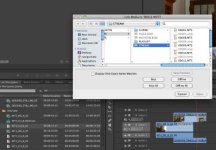
Ok, when I go to relink the files, even individually, it let's me select more than one source file. I attached a screenshot. I find this really weird because shouldn't it, like you said, just recognize it as the original file?

Screen shot 2012-07-14 at 3.23.26 PM.jpg
 
Last edited:
Wow, nevermind, I figured it out and now feel dumb for posting this. I didn't realize at the top of the finder menu it states the name of the original .MTS file. The problem I was having was relinking the real source file name to the same file name, but in a different footage folder. I had two folders of backed up media from my two cards (different angles recorded) that contained the same file structure and names. I just had to move each folder one at a time to make sure i didn't mix up the names and relink to the wrong source footage
 
When I'm working on a project where I know I will likely be moving media around a lot or renaming things, I will often use the Log notes/description fields in the project window rather than renaming the media in Premiere. This also helps with projects where you want to keep everything in chronological order based on sequential filenames.
 
Back
Top