Hi!
I have a client that wants me to shoot a commercial that will be aired on TV.
He said that he wants the finished production to be a H.264 codec and in .mov format.
I'm working on a Windows version of Premiere CS5.5... Is the quicktime .mov format supported in the windows version? I've found that I can choose QuickTime format instead of the H.264, but that isn't right since he wanted it to be H.264 with .mov...
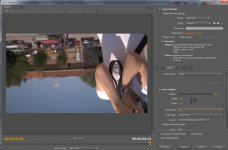
I tried to transcode a clip in quicktime format and got a .mov file, but even though it should be in 16:9 format, it still ended up as 4:3 for some strange reason? I dubble checked everything before exporting. The output window clearly shows a 16:9 picture. I'm feeling lost right now!
If it isn't possible, is there any program than can transcode it to the .mov format once exported from Premiere?
Please this it quite urgent, I really need help with this one!
I have a client that wants me to shoot a commercial that will be aired on TV.
He said that he wants the finished production to be a H.264 codec and in .mov format.
I'm working on a Windows version of Premiere CS5.5... Is the quicktime .mov format supported in the windows version? I've found that I can choose QuickTime format instead of the H.264, but that isn't right since he wanted it to be H.264 with .mov...
I tried to transcode a clip in quicktime format and got a .mov file, but even though it should be in 16:9 format, it still ended up as 4:3 for some strange reason? I dubble checked everything before exporting. The output window clearly shows a 16:9 picture. I'm feeling lost right now!
If it isn't possible, is there any program than can transcode it to the .mov format once exported from Premiere?
Please this it quite urgent, I really need help with this one!