PC Laptop won't run UHD Prores in PP or Resolve - transcode ?

Shirozina

Well-known member
Shooting with an A7s +Shogun producing very nice looking UHD ProRes 4.2.2 files. I recently bought what I thought was a fast laptop to do some basic editing on in the field in Davinci Resolve and PP;
Dell XPS 15 (9530) with UHD screen
i7 4712HQ
16gb RAM
GT 750m GPU
500 gb mSATA boot drive for windows 10 + appas
1tb SSD in 2nd HD space for media.

Neither PP nor resolve will play back anything smoothly ( resolve won't even play HD smoothly) I'e tried every possible optimisation setting but nothing worked apart from overclocking the GPU which only helped resolve to play HD properly. I'm thinking now that maybe it's the ProRes files that are the problem - what can I transcode them into that will work better on a PC -NLE but won't suffer any image data loss?
 
Can you put a faster graphics card in that machine? Will cost you another $300 plus, but might solve the issue. I'd go for a high end Quadro, as high as my money would allow, too bad you can't rent something to make sure it would work.

If the computer has an Express card slot, or thunderbolt, you might try a desktop card in an enclosure. The enclosure rig might be something you could rent.
 
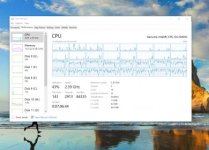
Just loaded the project onto my desktop machine with a GT 650 GPU and it plays fine without any Nodes - as soon as I apply a node it seizes up to 10-15 fps.
 
Last edited:
My workstation won't play back UHD files back smoothly, apart from the new win10 picture/video viewer and the 'movie' viewer....VLC is a stutter-fest. Can forget about h.264 files from my old samsung s5 mobile. Mind you on an old gtx 770 video card (albeit 2 x8-core xeons on the mobo). Even resorted to Cyberlink powerdvd, hoping that would help. Have a feeling, transcoding to prores/dnxhd/cineform is the way to go. After all, plenty of people were doing fine with RED footage 3-4 years ago with weaker gpu's (damned if i'm going to shell out for a quadro, tho would be nice for 3d programs)....

Need to go pretty high-end in the quadro segment too before they start supporting 4k..(well at least a grand or so)....so unfortunately that sort of rules out a lot of previously high-end quadros from 2-3 years back on ebay....(or you can try the hard-modding route if you have a lot of cojones, but so far only really good for virtualization/video pass-thru)...

On an older 2.3ghz workstation, but even after upgrade from cc 2014 to cc 2015 today, still a lot of wasted cpu resources....footage going from ssd-cached hdd to ssd....


Edit: I would seriously look at WIN10 media players as being a possible solution (as well as transcoding)..although be aware my upgrade to win10 cost me my raid5 array...so backup backup etc!:zombie_smiley: Just as well I had it online as well....transcoding to cineform from gopro protune.jpg

Edit 2: Resolve seemed to like my 1080p DNxHD files, playing back really smoothly....just starting tonight on transcoding 4k gopro and samsung files from last trip...be aware converting to dnxhd in media converter apparently? can result in strange results...
 
Last edited:
Back
Top