Hi,
I have a problem with On Location and Liquid.
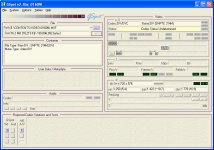
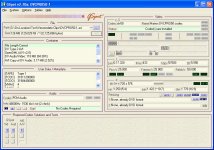
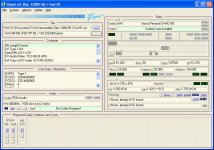
I hooked up the HVX200 with firewire to the computer. With the record button I start recording on P2 card and on the hard disc with on Location.
I only recorded two short 10 second test clips, using DVCPRO50 and DVCPRO HD 1080i 50i.
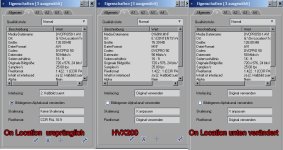
On Location saves the files in the AVI format.
There is no problem playing the files back in On location.
I imported the OL files into Liquid 7.2 and put it on the timeline. Nothing more.
When playing back, the frame rate drops and the clips stops after a few seconds. If I clip on the clip again, it plays again for a few seconds but then irt will stop again..
Also, the sound is most of the time not there and it is cracking like 5 times a second.
If I import the same clips, that I have recorded simultaneously on the P2 card with X receive from the P2 card, everything is fine.
DVCPRO50 keeps the frame rate and the sound is perfect.
In HD 1080i 50i the frame rate drops, but the clip continues to play and the sound is there as well.
First, the time line was set to DV, but then I individualized the time line so a DVCPRO509 setting for those and a 1080 setting for the HD clip. Nothing changed.
The hard disc has still 325 GB free space and is formatted with NTFS.
This is, what the computer looks like:CPU: Intel Q6600
Mainboard: Asus P5WDH Deluxe
Ram: 4 GB
Grafic card: ATI Radeon X1650 Pro 512 MB Ram
Anybody an idea, what I have to do to make it work properly?
I have a problem with On Location and Liquid.
I hooked up the HVX200 with firewire to the computer. With the record button I start recording on P2 card and on the hard disc with on Location.
I only recorded two short 10 second test clips, using DVCPRO50 and DVCPRO HD 1080i 50i.
On Location saves the files in the AVI format.
There is no problem playing the files back in On location.
I imported the OL files into Liquid 7.2 and put it on the timeline. Nothing more.
When playing back, the frame rate drops and the clips stops after a few seconds. If I clip on the clip again, it plays again for a few seconds but then irt will stop again..
Also, the sound is most of the time not there and it is cracking like 5 times a second.
If I import the same clips, that I have recorded simultaneously on the P2 card with X receive from the P2 card, everything is fine.
DVCPRO50 keeps the frame rate and the sound is perfect.
In HD 1080i 50i the frame rate drops, but the clip continues to play and the sound is there as well.
First, the time line was set to DV, but then I individualized the time line so a DVCPRO509 setting for those and a 1080 setting for the HD clip. Nothing changed.
The hard disc has still 325 GB free space and is formatted with NTFS.
This is, what the computer looks like:CPU: Intel Q6600
Mainboard: Asus P5WDH Deluxe
Ram: 4 GB
Grafic card: ATI Radeon X1650 Pro 512 MB Ram
Anybody an idea, what I have to do to make it work properly?