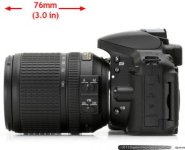
Nikon D5300 shoots 1080p60

Samuel H

Major Contributor
I didn't think they would bring an update to the very nice D5200 so soon, but here it is:
http://www.dpreview.com/previews/nikon-d5300/

Other changes:
* 20% lighter
* no OLPF (like the D7100) (I really don't like this trend, but with the pixel density these sensors have it's not as bad as it would have been a few years ago)
* slightly bigger screen with a few more pixels

What would make this camera really shine would be a picture style that can use the full DR from the sensor in video mode. I know 8 bits is not enough for the 14 stops of DR that the D5200 sensor has, but with external recording it could work.
 
Samuel can you explain me how is dynamic range related to bit depth (8 bit in this situation)? I mean i always thought that if there is...lets say 13 stops of dynamic range, with 8bit you probably will get banding, but no loss in dynamic range.

thanks!
 
You can have as much DR as you want and still use an 8-bit codec, but you'll run into banding issues. 8-bit means 256 values from your noise floor to your clipped highlights. If the camera records 10 stops of DR, you have on average 26 values per stop. If it records 14 stops, you have 18 values per stop on average.
 
Glad I bought the D5200, it's already plenty light....wouldn't like a lighter body. Plus the photos are sharp as it is, the removed OLPF seems like overkill.
 
You can have as much DR as you want and still use an 8-bit codec, but you'll run into banding issues. 8-bit means 256 values from your noise floor to your clipped highlights. If the camera records 10 stops of DR, you have on average 26 values per stop. If it records 14 stops, you have 18 values per stop on average.

What matters is not the range of the sensor but of your display. Your computer screen or television probably has five or six stops of range. Your eye can discern, at best, 70 shades per f-stop. In darker regions, it may drop to 30. This is why 8-bit images and video (256 total shades) look fine on your screen, if done properly.

Banding happens when you shoot 8-bit and stretch the heck out of one or two zones in postproduction, leaving them with just 5 or 10 shades. So if you're gonna get crazy with the color correction, it's best to start out with 10-bit log.

But bear in mind that the real, daylight scene (usually around 11 stops) will get remapped to about a 5-stop range on your TV set. As long as each of those stops end up with 30 or so steps, you're good.

http://www.dvxuser.com/V6/showthrea...ease-in-2010&p=2075820&viewfull=1#post2075820
http://www.normankoren.com/digital_tonality.html#Human_vision
http://carltonbale.com/the-truth-about-inflated-hdtv-contrast-ratios/
http://www.projectorcentral.com/contrast_ratios.htm?page=Projector-Central-Measurements
http://www.film-tech.com/ubb/f1/t009867.html
http://www.da-lite.com/education/angles_of_view.php?action=details&issueid=56
 
Given you're likely to push and pull your footage heavily in post, display range is not the most important variable. It matters to define what's the threshold for banding, after you've pushed your footage. But wherever that is, 10-bit will always be 4 times better than 8-bit (in terms of how much you can push the image before you see banding), and similarly for 8-bit 14 stops vs 8-bit 10 stops, if your end image is going to be the same except for, say, better highlight detail (yes, I know, it's not a minor "except").
 
Given you're likely to push and pull your footage heavily in post

The funny thing is... people have been doing that ages without any banding. I've seen extreme amounts of color grading (and done it myself) with 8bit stuff, without any problems.

Offcourse, even if you do 16-bit raw grading, when it gets to bluray, it will get banding as the h264 encoding drops the bits to the equivalent of 6. For example, smooth fog scenes without any grain, even in bluray, look quite bandy.
 
^ True, there are plenty of examples where 8 bits is enough. But even if most H.264 implementations are awful (most DSLRs) there are some great ones too (C100). There's nothing wrong with H.264 per se, the spec even allows 14-bit 4:4:4 intra-frame encoding. But noone has implemented that, AFAIK.
 
Samuel and others, exactly how many shades values are in 10bit and 8bit?
I worked in 10bit prores with Log gamma curve and I had more room to play in post and a robust signal.
but 8bit aren´t so bad, I was carefully seeing right and left histogram or waveform IREs values to avoid low and high light issues.
 
The number of shades is 2 to the power of the number of bits.

8 bit is 2^8, which is 256.
10 bit is 2^10, which is 1,024.

My point is this. Banding happens when there are too few shades in a given f-stop. I think you need around 30-70 shades per f-stop to be safe from banding. The thing is, this is a human factor. An alien with better eyesight might see banding unless you have 100 shades or more per f-stop. What matters is how many shades are spread across the picture that the end viewer is viewing. So that's why it matters what the display dynamic range is, not what the dynamic range of the original scene or of the sensor is.

It also makes huge difference if the bits are ascribed linearly or logarithmically. 10-bit log is more immune to banding than 12-bit linear. 10-bit log evenly distributes its bits across f-stops, because f-stops themselves are logarithmic, not linear. 10-bit log would allow 70 shades across 14.5 f-stops. Yet it's less storage space than 12-bit linear.

The end result of course will probably be an 8-bit distribution medium, with a REC 709 gamma curve (which is not perfectly linear), on a TV set or computer screen with around five stops of dynamic range. What matters is not tearing up the picture so much in post that one of the stops has just 20 steps even after being downsized to the five stop range. It happens. So yes, some of us are stretching the heck out of our pictures in post. But if you stare too hard at the math you might get misled, because it's confusing.

It's easier just to remember this. 8-bit: get it mostly right in camera. 10-bit: you're probably safe no matter what.

Lot's of folks report no trouble even when originating with 8-bit, like the C300. On the other hand, we've all seen banding. But I don't know if I've ever heard of someone getting themselves into trouble with something originated in 10-bit log. I could be wrong.
 
Last edited:
It's easier just to remember this. 8-bit: get it mostly right in camera. 10-bit: you're probably safe no matter what.
All you said above is true, and this is a great summary.

I want 14 stops and 10 bits because some scenes require that much DR, but also because having this makes it really difficult to screw up.
 
All you said above is true, and this is a great summary.

I want 14 stops and 10 bits because some scenes require that much DR, but also because having this makes it really difficult to screw up.

I learned a lot from this still short thread (thou i made it a little bit offtopic hehe), thank you all!
 
Back
Top