Need advice an on-camera HD monitor

percoplus

Active member
I have an XHA1s, notorious for grainy footage esp. in low light situations. The problem is that I never know it until I get back to studio - then I cringe when I play back. I need a great monitor so that I can detect noise and other problems before I record. The viewfinder and flip-out are both worthless in this regard.

I am thinking about 7" and as lightweight as possible. HD quality res component inputs. I was about to order the SmallHD DP1x until I saw this article: http://www.cinema5d.com/viewtopic.php?f=16&t=3742 that talked about poor rendering of blacks and inability to show noise in the image. I am anxious to know how other monitors stack up and what you Canon people are using.

I have read up on all the threads on how to avoid noise, i.e., lighting, AGC off, -3 db gain, custom presets, etc. I still get noise because i cannot see it on the gig.
 

Attachments
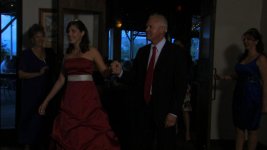
  • Grand Entry 2329.jpg
    Grand Entry 2329.jpg
    35.1 KB · Views: 0
  • Grand Entry 32525.jpg
    Grand Entry 32525.jpg
    34.8 KB · Views: 0
  • Grand Entry 131000.jpg
    Grand Entry 131000.jpg
    50.4 KB · Views: 0
Last edited:
i have my 720p Manhattan lcd that works great , i just rented it out and the customer hooked up the power backwards and blew it up . the guys at manhattan were great they send a new bord up to canada that day , spent lots of time with us on the phone great customer service . its up and running perfect again. great product great guys.
 
I shot a lot of stuff with the XHA1 and I have never known it to be anything like grainy. Those images look like they're from DV footage. I'd guess something isn't right with your settings.

Are you sure the camera is not set to any auto settings? You sure you're not shooting DV with that thing?

If not, then yeah, you do need some light to get clean footage. Maybe buy some lights instead of a monitor...

As for the monitors, IMO, ALL the $1,000. 7 inch ish units are crap, unfortunately.

.
 
Nope, I am definitely shooting HDV. And I had plenty of light that night. I have two XHA1s so I don't imagine both cameras to have technical problems. Granted the room is dark, but it was lit enough to get a decent picture. I am recording to tape. Could that be my problem?

I have had these cameras for a year and have yet to get footage that doesn't make me cringe. Even in broad daylight, the footage is better but just doesn't seem like I imagine high def to look like. The most frustrating thing is that I cannot tell how bad it is while I am shooting.

So, do I have to go out and buy a monitor that costs as much as the camera just so I can see what I am doing? Please tell me there is a solution out there.
 
Last edited:
Simple answer is yes. I've yet to see a single LCD monitor in the $1k range that can accurately reproduce the entire range of the image. Usually blacks are always too crushed and noisy, and colors are inaccurate even after calibrating.
 
-- Learn how to use zebras for exposure.
-- Calibrate your LCD so it more or less resembles picture (in your case if it looks bright on your LCD and you get those results then your LCD might have its brightness turned all the way up).
-- HD monitor is great but for the focus more so then for color reproduction or exposure judgement.
-- Learn how to use your gear. Shoot plenty of test so you familiarize yourself with the camera and know that what you see with LCD actually looks like X Y and Z in real life.
 
+1 on what Patryk said. I don't know too much about the Canon cams, but lots and lots of wedding videos are shot with them, so that says something about the cams ability in low light.

There are a couple of user boards that do more with Canon cams than you'll see here. You might want to seek out some user settings from those boards.

Have you viewed your footage direct from cam to a HDTV to make sure your footage hasn't been degraded in post? Find a similar darkened room situation and view cam direct to a TV so you can immediately see what tweaking different settings will do in real time. A good production monitor would be better for this, but a decent TV will help a lot. Then when you are ready for the real deal, you'll have camera settings you can be confident with.

Grant
 
--
-- Calibrate your LCD so it more or less resembles picture

-- HD monitor is great but for the focus more so then for color reproduction or exposure judgement.

I don't have an LCD to calibrate. That's why I started this post. I need recommendations. I am currently looking at the SmallHD DPX1x

I need to know what specs have to do with color repro and exposure judgment. Is it the resolution? contrast ratio? signal to noise?
 
Percoplus

Chroma, coring, gamma, knee, pedestal, and matrix have a huge effect on your outcome. In the Panna world, these parameters and a few others make up a scene file. Canon has similar image control and can be saved once you find good settings.

"I have read up on all the threads on how to avoid noise, i.e., lighting, AGC off, -3 db gain, custom presets, etc. I still get noise because i cannot see it on the gig."

"I need to know what specs have to do with color repro and exposure judgment. Is it the resolution? contrast ratio? signal to noise?"

Comparing your first and last comment left some doubt in my mind about what you are doing with the cam presets. When I suggested that you look at your image on a TV and tweak your cam settings, this is what I was talking about.

The Canon cam you have is a little dated shooting tape to HDV, but is very capable of capturing some great images, so keep searching.

Grant
 
Percoplus,

Just a few more comments:
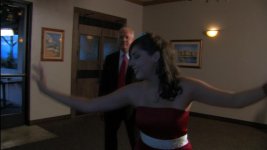
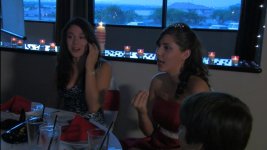
In the screen shots, your subjects are underexposed which is part of the problem. Shooting the young women against the daylite windows creates more problems with color correction since it looks like you have done white balance for the tungsten interior lighting. Color issues aside, if you are shooting -3db wide open, you need more light on your subjects and avoid shooting into the daylight windows so they don't blow out when you get the gals properly exposed.

If your zebras were on when you shot this, the backlighting from the windows gave you a bad exposure setting.

Grant
 
Patryk, I salute you if you can make adjustments on that tiny screen. You must have very good eyes. I have not touched my LCD display settings. Brightness was at "0" as out of the box, but I guess the color bars look better at about -15. My zebras are at 85, but I read somewhere that they should be set for 95 in low light. Apart from that, I agree that I should spend more time learning to customize.

Anyway, now that I have a monitor on the way, I can play with my settings with some more confidence. I will at least have an easier time focusing.
 
Percoplus,

Just a few more comments:
In the screen shots, your subjects are underexposed which is part of the problem. Shooting the young women against the daylite windows creates more problems with color correction since it looks like you have done white balance for the tungsten interior lighting. Color issues aside, if you are shooting -3db wide open, you need more light on your subjects and avoid shooting into the daylight windows so they don't blow out when you get the gals properly exposed.

If your zebras were on when you shot this, the backlighting from the windows gave you a bad exposure setting.

Grant

Thanks Grant. I was full manual - white balanced for tungsten. I tried to stay away from that window because it was facing west and I knew I would have problems. By the way it was early evening about 8:00 PM. I shot 0 db 60 shutter and went to 30 later in the evening when we had to dim the lights. I pretty much rode the aperture ring close to wide open the whole night depending on proximitiy to the lights.

I sure would like to know what the secret is, because there doesn't seem to be much room for error with this camera. Anything more than 10ft. from a studio light is underexposed and grainy. Otherwise faces are easily blown out.
 
There is no other way to say it but you have to educate yourself more so that you can shoot with confidence rather then aim in the dark. Cameraman can make pretty close exposure call based on their experience with the gear and their zebra setting. It seems you don't fully grasp the concept of zebras (there is no set setting but rather what will help you get the best possible exposure - i set mine at 100 so i know when i'm totally over exposed, so that i open up/gain up until i see zebras then turn the gain down/close the f-stop).
 
Thank you Patryk. I did have my zebra at 85 so maybe I was stopping down too early. Even though, I never went above f 2.4 so I was still pretty opened up. I still believe it is the camera - poor in low light or I am missing something very important. Customizing should be only for fine tuning in my opinion. I will keep trying.

I like your work on your website.
 
Last edited:
I have an XHA1s, notorious for grainy footage esp. in low light situations. The problem is that I never know it until I get back to studio - then I cringe when I play back. I need a great monitor so that I can detect noise and other problems before I record. The viewfinder and flip-out are both worthless in this regard.

I am thinking about 7" and as lightweight as possible. HD quality res component inputs. I was about to order the SmallHD DP1x until I saw this article: http://www.cinema5d.com/viewtopic.php?f=16&t=3742 that talked about poor rendering of blacks and inability to show noise in the image. I am anxious to know how other monitors stack up and what you Canon people are using.

I have read up on all the threads on how to avoid noise, i.e., lighting, AGC off, -3 db gain, custom presets, etc. I still get noise because i cannot see it on the gig.


Keep in mind the review of the monitor is a year old...the DP1x is improved from the DP1. Focus (sharp) is what this monitor brings to the table.
 
Yeah, I understand the new model has improved quite a bit. I can't wait. Then I can finally see what I am doing on a gig.
 
Percoplus,

Zebras can be set up anyway that works for you, and of course every cam is different. For my HPX170, I use 90% on the first ones, and open the aperture until they just show. Something different might work for you. The important part is to find that mojo to get it right.

You never did mention how you were viewing your footage to judge the final result. If you are viewing in your editor, that will be a poor representation of what the footage actually looks like. It IS likely to look grainy, noisy, poor color, etc. Until you render it out, or view it on a monitor or corrected TV, you won't know what you have.

Grant
 
A professional editing monitor is on my wish list for when I mortgage my house. For now, I have a very inexpensive 23" HDTV connected to a Matrox MX02 Mini. Samsung SyncMaster P2370HD - I think I paid $300 for it new. It has component and HDMI inputs and supports full HD supposedly. Matrox has a basic calibrating tool, but the picture quality is no better than what I see in the Premiere editor. Just bigger.

Pretty sad. I see poor quality on both ends of my workflow.

On the bright side, I found a good plug-in from Neat Video that removes a lot of the noise in my clips. It is saving my neck, but I find myself using it on everything. It is probably the best $100 bucks I ever spent, but very time consuming.

As for my monitor, I can see the difference after noise has been removed from a clip.
 
Last edited:
So, I checked out the SmallHD DP1x. Beautiful monitor, except it is just too big and heavy to attach to my Canon XHA1s. I sent it back and now waiting on their smaller DSLR model, 5.6" display. I can't understand why, but it costs more than the 8.9" model. Does anyone have another suggestion? I have not seen another 5.6 monitor out there. Can you really tell resolution at that size?
 
Back
Top