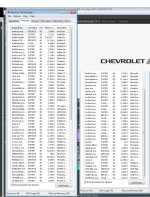
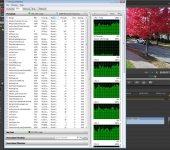
My computer just isn't as fast as it once was running Premiere Pro CS6. My computer does a frequent "cycling" / "throttling" I'm not sure what to call it but the fans clearly kick up and down in speed frequently and they didn't use to do that. I did recently replace the rear fan with a new one in push/pull config on my 120mm cooler. It's not running hot according to coretemp (around 52 C with all cores at 100% during 3ds Max renders). But Premiere is sluggish and there is delay clicking and selecting and moving things quite a bit, especially when using TGA sequences and DJI 4K UHD footage. I've been editing using TGA sequences since I bought it and DJI footage since 2016 and I'm sure it handles it worse than before. I'm not sure where to even start so I'm asking here since you guys do video. All my drives are SSD and configured according to this thread.
My CPU runs at 3501.57 MHz.
i7 3930K 6 core
I am running WIN 7 Pro 64.
MB is ASUS P9X79 Pro
64GB RAM
3GB GTX 780
Matrox MX02 mini w/max
My case is a HAF-X with some massive fans that moves a ton of air. Even when my original rear cooler fan failed a while back the other fans still moved so much air it ran
The system was new in 2013 and not long afterward I used Acronis Disk director on my main C: to adjust the main partition after I hardware cloned my C: SSD to a larger C: SSD. I have always wondered if that adversely affected performance.
One of my SSD is running Samsung Magician. All 5 my SSD are Samsung EVO.
Do I have too many SSD? Is that bottlenecking?
C: Samsung 850 EVO 1TB Boot
L: Samsung 860 EVO 4TB Media
M: Samsung 860 EVO 4TB Export
N: Samsung 860 EVO 4TB Media
O: Samsung EVO 1TB Media
S: drive - scratch (is a mandatory partition of C after cloning original drive to larger drive so ignore it)
D DVD drive
E Blu-ray drive
Not long ago I added this Add in card because my old MB was limited on SSD speed for some of the SSD connections and this add in card gave me the ability to run all SSD at full bandwidth plus even add another ( O:/ drive) .
https://www.ebay.com/itm/Genuine-LS...073375?hash=item215f9d6d1f:g:-10AAOSw8PpdOUrs
Any suggestions are appreciated as I can't take this computer to a shop, they won't know what to do, so I'll have to try things step by step to hopefully get it running better.
My CPU runs at 3501.57 MHz.
i7 3930K 6 core
I am running WIN 7 Pro 64.
MB is ASUS P9X79 Pro
64GB RAM
3GB GTX 780
Matrox MX02 mini w/max
My case is a HAF-X with some massive fans that moves a ton of air. Even when my original rear cooler fan failed a while back the other fans still moved so much air it ran
The system was new in 2013 and not long afterward I used Acronis Disk director on my main C: to adjust the main partition after I hardware cloned my C: SSD to a larger C: SSD. I have always wondered if that adversely affected performance.
One of my SSD is running Samsung Magician. All 5 my SSD are Samsung EVO.
Do I have too many SSD? Is that bottlenecking?
C: Samsung 850 EVO 1TB Boot
L: Samsung 860 EVO 4TB Media
M: Samsung 860 EVO 4TB Export
N: Samsung 860 EVO 4TB Media
O: Samsung EVO 1TB Media
S: drive - scratch (is a mandatory partition of C after cloning original drive to larger drive so ignore it)
D DVD drive
E Blu-ray drive
Not long ago I added this Add in card because my old MB was limited on SSD speed for some of the SSD connections and this add in card gave me the ability to run all SSD at full bandwidth plus even add another ( O:/ drive) .
https://www.ebay.com/itm/Genuine-LS...073375?hash=item215f9d6d1f:g:-10AAOSw8PpdOUrs
Any suggestions are appreciated as I can't take this computer to a shop, they won't know what to do, so I'll have to try things step by step to hopefully get it running better.
Last edited: