
Hi fellas,
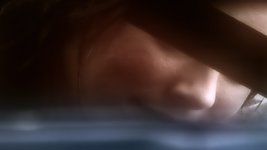
I shot a low-budget music video and I'm cutting it now. We're happy with the way everything's turning out except that the one close-up on the "Girl" shows some bumps/acne on her cheek.
The total running time of the two shots is 8 seconds, 17 frames. (...x24fps = pain.)
What are my options, if any, to cover it up? This is a fairly important moment in the video and really the only close-up on her so shaving down the time of the clips isn't an option and I think a simple gaussian blur is just going to detract. Photoshopping all those frames seems tedious but would it even work? (Wouldn't the surface of her face end up looking like its moving, since each frame's airbrushing would look different than the one before and after it?)
Her face moves into position and then is mostly still until the end of the shot, when it moves out of frame. There are a couple of seconds where a thin chain dangles in front of the cheek in question.
Attached is a png for review.
Thanks guys,
J
I shot a low-budget music video and I'm cutting it now. We're happy with the way everything's turning out except that the one close-up on the "Girl" shows some bumps/acne on her cheek.
The total running time of the two shots is 8 seconds, 17 frames. (...x24fps = pain.)
What are my options, if any, to cover it up? This is a fairly important moment in the video and really the only close-up on her so shaving down the time of the clips isn't an option and I think a simple gaussian blur is just going to detract. Photoshopping all those frames seems tedious but would it even work? (Wouldn't the surface of her face end up looking like its moving, since each frame's airbrushing would look different than the one before and after it?)
Her face moves into position and then is mostly still until the end of the shot, when it moves out of frame. There are a couple of seconds where a thin chain dangles in front of the cheek in question.
Attached is a png for review.
Thanks guys,
J
Attachments

Last edited:




 .
.