KuriousJorj
Active member
Just upgraded to Vegas 12, from Vegas 8. (XP to Win 7)
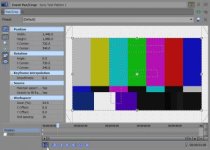
I notice when I drag the 'cursor' over the timeline, it no longer simultaneously moves the cursor over the Pan/Crop window. This makes it very difficult to precisely place keyframes (in the Pan/Crop window), making me have to guesstimate where they should go, then exit the Pan/Crop window, and continuously play the clip over, then open the Pan/Crop window and move the keyframe, to adjust where I want the effect or re-sizing to occur. Extremely time-consuming.
Is there a way to re-enable the function how it used to be? So that if I have a Pan/Crop window open, and I move the cursor over the timeline, the cursor moves simultaneously on the Pan/Crop window again, so I can EXACTLY place keyframes where I want them?
tnx
I notice when I drag the 'cursor' over the timeline, it no longer simultaneously moves the cursor over the Pan/Crop window. This makes it very difficult to precisely place keyframes (in the Pan/Crop window), making me have to guesstimate where they should go, then exit the Pan/Crop window, and continuously play the clip over, then open the Pan/Crop window and move the keyframe, to adjust where I want the effect or re-sizing to occur. Extremely time-consuming.
Is there a way to re-enable the function how it used to be? So that if I have a Pan/Crop window open, and I move the cursor over the timeline, the cursor moves simultaneously on the Pan/Crop window again, so I can EXACTLY place keyframes where I want them?
tnx