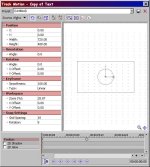
Motion Track oddity on Parent Track

Mark Seibert

Well-known member
I’ve ran into what seems like a strange behavior using motion tracks that I was hoping someone could explain to me. I have several tracks of still images that were all running at 720x480. As soon as I made them child tracks and set the parent track to 720x480, I had to change all the child tracks to 400x480 to get them to display correctly. Can anyone explain this behavior?

 
BTW - I've found that this strange scaling of the image is also resulting in blurring. Check it out - the top is from a copy of the track move out of the parent child grouping, the bottom part is the same source material grabbed out of the child track. Really weird. Am I doing something wrong? I can't imagine that using parent and child tracks should be introducing this kind of artifact.
 

Attachments

  • Image1.jpg
    Image1.jpg
    11.6 KB · Views: 0
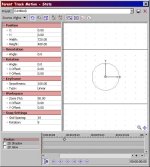
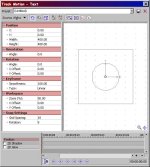
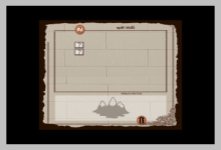
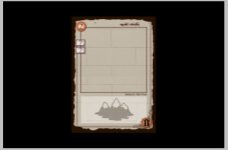
I'm trying to use the Parent Motion control to manage the motion of all the child tracks. As soon as I set the Parent motion to 720x480, which is what I had the single tracks set to, all the child tracks changed how they were being displayed. I had to reset the child tracks width and height to 400x480 in order to get them to display correctly, which I assume is introducing the blurring. I've attached some images that might help explain what is happening.
 

Attachments

  • Parent Track.jpg
    Parent Track.jpg
    75.1 KB · Views: 0
  • Child Track.jpg
    Child Track.jpg
    74.7 KB · Views: 0
  • Both Set to 720x480.jpg
    Both Set to 720x480.jpg
    13 KB · Views: 0
  • Child set 2 400x480.jpg
    Child set 2 400x480.jpg
    10.1 KB · Views: 0
  • Single Correct Track.jpg
    Single Correct Track.jpg
    79.5 KB · Views: 0
Well, I can't replicate the problem -- all of my tracks remain 720x480.

HOWEVER, there's no need change the dimensions of the parent motion control.

In general, though, it's better to resize using pan/crop, because it'll take advantage of subpixel processing and everything scales better.
 
My source material is 750x1050 - png image files and I have multiple layers as multiple files. I'm using pan/crop to set how they appear default on the screen, but was hoping that by using the parent control I could easily move all the layers with the single Parent Motion track. For some reason this seems to not be working without introducing a lot of artifacts. I have been able to do this using individual tracks as layers, but it would be WAY move convenient to be able to have a single parent control that could manage all of this. Anyone have any suggestions on how to do this?
 
You whould be able to do it that way. Try not resizing the parent track control. If you want your top layer to be smaller, do it within the individual track control or with pan/crop.
 
Back
Top