Media Composer | First

Greg_E

Veteran
Anyone playing with this yet? If you didn't know, it is out and it is free. I just downloaded it today and grabbed the user manual... From the manual it seems fairly complete in many respects, even has some limited multicam functions. No idea what kind of files it will take, didn't look for that in the manual yet but I'm going to assume h.264 in a few different flavors and hopefully AC3 audio to go with that since a lot of lower end and consumer cameras use both of these codecs. Is it as good as Resolve free? Maybe not, but might be worth a look for some people who have never edited with Media Composer and want a rough into to that application. Windows and Mac, all you need is a valid email account to register and log in to run it.

Put the thread in here because it will get more traffic than hidden in the Avid section, can be moved if needed.
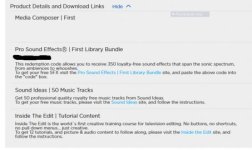
 
So today I get an email from Avid with a bunch of free resources, some decent production music from Sound Ideas (we own a lot of their libraries at work), some free sound effects from Pro Sound Effects which includes a few that are decent, a bunch of the typical synthesizer junk, and a few others that are just not very good. Also in this are some free lessons in editing and video/sound files to go with the lessons from Inside The Edit that actually look pretty decent. All in all a lot of stuff for a free application. Still haven't installed it yet, but I've collected all the free stuff they are going to offer to see if it is anything decent.
 

Attachments

  • MCFirst_bonus.jpg
    MCFirst_bonus.jpg
    18.9 KB · Views: 0
Trying to keep this somewhat alive... I watched the first couple of Inside the Edit videos... enough said. Maybe I'll watch the others but I'm certainly not going to be buying the series.

Very sad thing (unless this has changed), while the Media Composer Essentials book (MC101) is still available, the MC110 book (the second part) is available ONLY through Avid Learning Partners (ALP members) which means there is no real hope that you could go through the books with First and get certified from an Avid partner like you used to be able to do. First appears to be able to do about 80+% of what you need to pass the certification exam., The rest you might be able to get from just reading the chapters. Something that I hope Avid will fix, and something that I'll eventually contact them about. Maybe they need to restructure the MC101 certification to cover the things that First can do (basically leave out Marquee that NO ONE uses) and figure out a way to offer the cert. from one of the many different computer based certification testing centers (most decent sized cities have at least one in the USA). Adobe has this set up, which was a very smart move on their part. You take the test in a little room with a computer, same room for Cisco testing, NY State Nursing certifications, etc (for my local center). The Avid exam (based on the trial tests) is all multiple choice and browser based (no need for special software).

Now all that said, the MC101 book is only up to version 8.4. This is old and no longer current for a few things like asset import/link because it is before the media browser. If you take the book and follow the lesson keep this in mind. Most other features should be the same as Media Composer's core functions and GUI have changed VERY little over the past 14 years (even between Xpress DV/Pro and Media Composer) that I've had to maintain our systems. One of these days when I have time, I'm going to get certified, the time issue is the hardest part.
 
I've downloaded it with the intention of having a play once I get some quiet time. I'm on Adobe CC at the moment and quite happy with it (I always stay one version behind so most of the kinks are ironed out by the time I install any updates). As far as tools go it is pretty cheap. I make back the months subscription with an hours work so I'm not concerned about switching to a free platform like MC First or Resolve simply to save a bit of money.

I do, however, want to use MC First to get really proficient at editing with Avid. I've used it in the past on several seasons of a big TV show I worked on but didn't fully wrap my head around it. Because I was one of a large team of editors and we also had an edit assist team plus dedicated tech support, I never really got to learn the full workflow from start to finish. I'd open up a project and find all my bins pre-populated and multi-cams synced, I'd cut my scenes, and then I'd pass it on to the sound and colour guys to do their bit. I got ok at cutting on the Avid timeline and some basic FX, but everything before and after that remains a mystery to me, and If there were any problems along the way I'd either get edit assist or tech support to fix it for me while I went and had a cuppa.

The thing I'm looking forward to with MC First is learning the whole process from start to finish so that whenever editing jobs opens up using Avid I can confidently apply. Every program has quirks that seem strange at first but often become second nature after repeated practice; First will allow me to get that repeated practice without spending money for a full license, or wasting time (or worse, tarnishing my reputation) on a paid job.
 
Getting started in First is a little different from the MC 8.4 we have at work, not sure how it compares to MC8.8. First does not seem to require setting the project resolution when you create a new project, the first video element dragged into the timeline sets the resolution. Good for beginners, bad for pro's.

The Media Browser is new for MC8.8 as well as the media link/transcode method older versions of MC might throw you a little.

Otherwise the UI hasn't really changed much in years for local users. Users on a Cloud system are a little different, but I only know a little about that because we can't get the money to run full Cloud at work (yet).

I did contact my rep about certification training, and changing the way they handle the first level. Hoping it goes somewhere in using First to get entry level certification available to the masses. Waiting to hear back from the person in charge of Avid training and discuss this more. My educational sales rep. thought it was a good idea so I hope it bears some fruit. The 30 day demo, coupled with the lack of testing sites made it difficult for many people to certify. Hoping they will make a self study book, and go through places like Pearson Vue for secure testing (just like Adobe).
 
Much like the full version, to bring stuff like XDCam EX in you will need to install the (formerly) Sony XDCam plug in, now called Nablet. So far it is still free, but appears to be from a third party now. The browser is a little odd, but I'm certain this applies to both full and First versions. All the icons in the application are a bit small on my 25xx pixel wide display, First is not honoring the video card's setting to increase everything 225%. Again this might be an MC problem not limited to First.
 
Latest update... Avid has released v8.9 which handles scaling the interface on resolutions higher than 1920x1080. If you have a monitor that is higher than this you way not want to update yet!

My laptop has a 2.5K x 1440 resolution, now when First runs I get a warning about resolution being lower than the required amount and many menu boxes go beyond the top and bottom of the display. I have not found a place to change this forced scaling or even turn it off. They did this in response to the little tiny buttons from an unscaled interface, and I don't like it as it is now crippled for me. If you have a 4K monitor, you are probably OK.

Just a word of warning and I hope it gets fixed soon!
 
Back
Top