
Navigation
Install the app
How to install the app on iOS
Follow along with the video below to see how to install our site as a web app on your home screen.
Note: This feature may not be available in some browsers.
More options
You are using an out of date browser. It may not display this or other websites correctly.
You should upgrade or use an alternative browser.
You should upgrade or use an alternative browser.
Letterbox on DVD bij shot in squeeze mode
- Thread starter ap3000
- Start date

How did you export? Exactly?

ap3000
Member
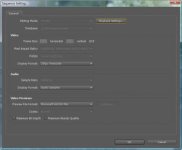
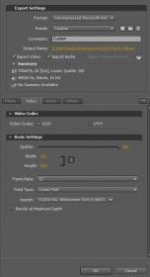
By exporting I tried the Adobe Dynamic Linc -> Send to Encore and the Export -> Media, where I then chose Uncompressed AVI - PAL Widescreen 1.4587 pixel ration.
But both ways gave me the same results.
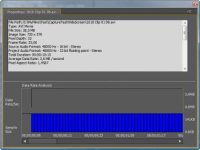
In Encore I also chose the PAL Widescreen option and if right clik a clip in the timeline and chose properties, it also says 720 x 576 and Pixel Acept ratio 1.4587.
As far as I can see I have chosen this format all the way trough.
But both ways gave me the same results.
In Encore I also chose the PAL Widescreen option and if right clik a clip in the timeline and chose properties, it also says 720 x 576 and Pixel Acept ratio 1.4587.
As far as I can see I have chosen this format all the way trough.
Attachments
from what i remember of the dvx you need to first be sure that your shooting your widescreen footage in stretch mode instead of cropped 16:9 if your shooting cropped 16:9 then you are shooting windowed 16:9 inside of a 4:3 video. if thats the case the black bars are actually in your video and its likely playing back properly and looks like its stretched super wide as a thinner band in the middle of your screen. so again either shoot stretch or size the footage in the editor to fill a 16:9 projects entire frame in post. then check the settings of whatever DVD player your playing your disc off of to the TV. make sure its set up to output to a progressive set, and that your tv type is set to 16:9 then be sure that your TV "zoom" or "aspect" setting is set to wide or auto, or smart stretch or somthing to that effect but that is is NOT set to anything taht would make it interpret widescreen footage as anything else.
ap3000
Member
Thanks Neil Rowe.
The footage was shoot in squeeze mode with the dvx100b and not in Letterbox mode. I think that I got all settings in Premiere pro and Encore set to PAL Widescreen with a pixel aspect ratio to 1.4587. And my TV I set to 16:9 and it shows those black bars. If set the TV to zoom hi fill the screen, but cut the image of at the side.
Anders Kjaer
The footage was shoot in squeeze mode with the dvx100b and not in Letterbox mode. I think that I got all settings in Premiere pro and Encore set to PAL Widescreen with a pixel aspect ratio to 1.4587. And my TV I set to 16:9 and it shows those black bars. If set the TV to zoom hi fill the screen, but cut the image of at the side.
Anders Kjaer
Last edited:
check the interpret footage dialog on the clips in PPRO and be sure that the footage is showing up as 1.4587 or whatnot for pal widescreen. if it looks correct on your monitor window them its likely working just fine. but be sure that in encore you preview it as well and make sure its interpreting correctly there as well. it should all be WYSIWYG but as we all know thats not always the case. just preview in both ppro and encore and check the playback there before exporting and if its off be sure to reinterpret the footage there and see if its corrected.

