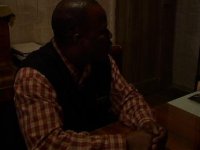
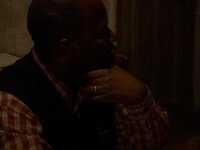
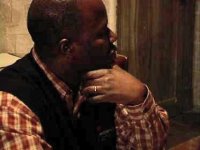
Is this color correctable?

bogatyr

Active member
The lightest parts of the picture are like 30%!!! when i looked at it on a TV, i could see much more detail though. The detail is clearly there, but is there a way to bring it out without making the picture insanely noisy - which happens when I raise the midtones and a little bit of the blacks too in FCP's 3 way color corrector. Are there any tools to make the picture bright yet clean?

thank you for your suggestions
 

Attachments

  • George.jpg
    George.jpg
    9.9 KB · Views: 0
  • George1.jpg
    George1.jpg
    7.3 KB · Views: 0
GeorgeLevels.jpg


Wow. I thought these were way too dark {at first glance}. I'd be curious to see how DV holds up under this much tweaking though. Might get a lot of noise but, hey, you might get your shots back too. Best of luck......

Maybe the De-Noiser filter?

You could also limit tweaking 'from' the red channel.
 
Last edited:
I think your going to need to re shoot that because there is no way to brighten it that much without destroying the picture.
 
Can be done to some degree. Are those block artifacts in the picture or only in the jpeg?

Frank
 

Attachments

  • Unbenannt-1.jpg
    Unbenannt-1.jpg
    36.8 KB · Views: 0
Thanks guys, i really appreciate your input.
Postmaster, I don't get the block artifacts in DV, I get some sort of jittering grain which is very annoying. It's as though the the image becomes a swarm of tiny bees.
I just don't understand the fact that if the information is there (i saw detail in his shirt on TV) but I can't bring it out without completely noising the image.
Fevercity, what is tweaking on the red channel? sorry for my ignorance...

If anyone has too much time to burn...

Here is the color corrected file:
http://www.rapidshare.ru/547883

Here is the original:
http://www.rapidshare.ru/547903

and my infinite gratefulness will reach you at some point in your life:)
 
Back
Top