iggy097
Well-known member
Ok, so I shot a wedding today with my C100 - in Cinema profile.
Footage looks like it should, slightly washed out, average C log stuff before grading.
Now, I imported a slider shot clip into After Effects to stabalize, and when I looked at it, the clip sure looked different in the preview window, almost like it had already been graded with curves. Thinking maybe it was just the preview window, I rendered it out uncompressed to see, sure enough, the footage is different, like the preview, like it had been curve corrected.
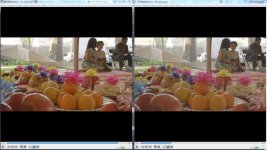
I then took the footage dropped it into Vegas and split the screen so you can see. The uncorrected ( raw ) is on the left, the After Effects ( ungraded, just dropped in and rendered out ) is on the right.
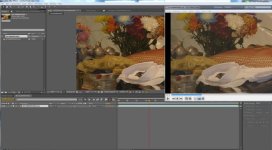
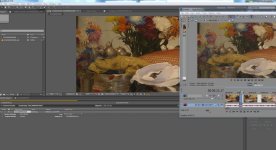
I've also attached my After Effects settings.
Does AE do something funny with Clog stuff?
When viewing it on the card, or on the computer, it looks like it usually does, even after dropping it into Vegas, still has that low contrast look.
Every time I drop Cinema profile stuff into AE is when it happens.
I've even attached the raw C100 footage in the Dropbox if anyone can confirm.
Ideas?
I don't have time to try with any other profile right now, it's late, and I have the 2nd day of the Cambodian ceremony tomorrow.
If someone could take a look that would be awesome.
Side note, I actually really like the "grading" that AE does... odd.
Link to footage in Dropbox - Raw footage - http://db.tt/TEs2uNW0 and side by side - http://db.tt/pXjaB4AK


Footage looks like it should, slightly washed out, average C log stuff before grading.
Now, I imported a slider shot clip into After Effects to stabalize, and when I looked at it, the clip sure looked different in the preview window, almost like it had already been graded with curves. Thinking maybe it was just the preview window, I rendered it out uncompressed to see, sure enough, the footage is different, like the preview, like it had been curve corrected.
I then took the footage dropped it into Vegas and split the screen so you can see. The uncorrected ( raw ) is on the left, the After Effects ( ungraded, just dropped in and rendered out ) is on the right.
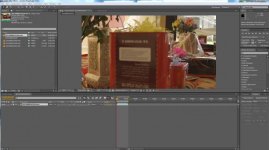
I've also attached my After Effects settings.
Does AE do something funny with Clog stuff?
When viewing it on the card, or on the computer, it looks like it usually does, even after dropping it into Vegas, still has that low contrast look.
Every time I drop Cinema profile stuff into AE is when it happens.
I've even attached the raw C100 footage in the Dropbox if anyone can confirm.
Ideas?
I don't have time to try with any other profile right now, it's late, and I have the 2nd day of the Cambodian ceremony tomorrow.
If someone could take a look that would be awesome.
Side note, I actually really like the "grading" that AE does... odd.
Link to footage in Dropbox - Raw footage - http://db.tt/TEs2uNW0 and side by side - http://db.tt/pXjaB4AK