Interlacing in 720?

ProfessorU

Veteran
I'm working in a 720p project with 720pN24 footage from an AG-HVX200.

I noticed that motion seemed a little blendy, so I looked at a still more closely. I thought it was motion blur at first, but it's definitely some sort of field issue. When I switched the footage to bottom field first, it cleared up instantly. Do I have a setting messed up somewhere? Or should I always be using bottom field first on 720p footage?
 
Yeah. You might have the wrong project setting. Should just be 720p 23.98 960x720 project settings in EDIUS.

Otherwise, is it possible that you didn't shoot 720p/24pn but perhaps accidentally shot 24p or 24pa?

HVX has:
720p/24pn (native, no pulldown)
720p/24p
720p/24pa

as record settings in 720p mode. PN is the native one, and you should be looking at 2.5 minutes or so of record time per gig.

If you are positive that you recorded in pn mode, then you've got a project setting wrong somehwere.

What version of EDIUS are you using?

Later,
Jason
 
I had the screenshots on my USB key drive and forgot to bring them along.

I'm 100% certain I'm shooting Native, since I use variable frame rates all the time. The project is set at 24fps (not 23.98). It seemed like every frame was blurry when shown as a still, not just alternating frames or pulldown issues.

I'm going to double check everything when I get back.
 
Thanks for the feedback so far. I'm sorry I'm still stuck.
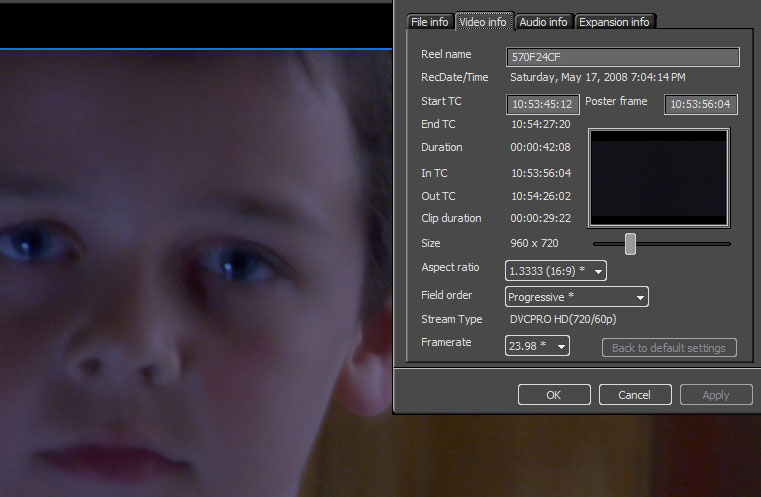
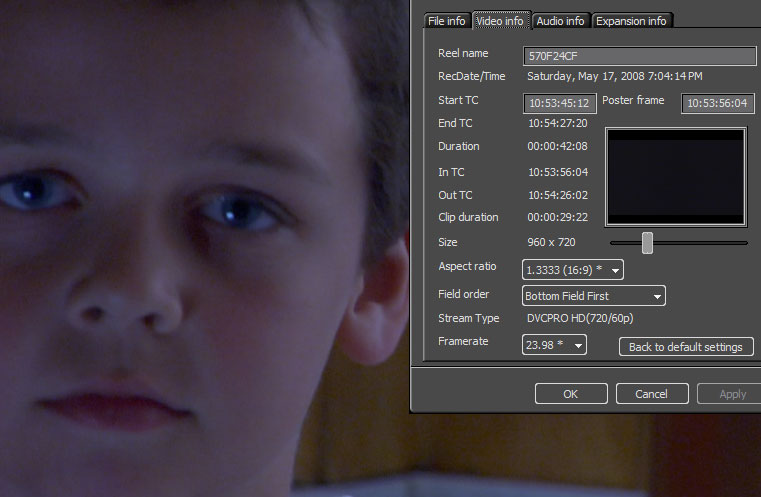
I started a brand new project, just to be sure, and I still have the same issue. I recorded in 720pN24. I'm working in Edius 4.60. This is comparing the same frame, just changing the field order. Stills are attached.

Project Settings
Video
Frame size : 960 x 720
Frame rate : 24.00( 24/1 )
Pixel aspect : 1.3333
Field order : Progressive
Audio
Rate : 48048Hz
Sample size : 16 Bit
Channel : 8
Setup
Rendering format : Canopus HQ AVI
Over Scan Size : 3 %

And according to the clip metadata, the clip was recorded at 23.98p.

progressive.jpg


lff.jpg
 
Last edited:
Your project setting frame rate should be 23.98 not 24... there is a slight difference in speed there, and it will mess with your footage. Set your project settings to match the framerate you recorded (23.98) and you probably won't notice your problem anymore.

That's the only thing I see conflicting in your project settings vs. the clip info. Oh, and that one of those is showing "bottom field first" should be set to progressive.

Later,
Jason
 
Glad you fixed your problem but I still can't get mine resolved.

The problem is worse when I print to a DVD via procoder express for edius OR even printing to DVCPRO tape via firewire (of course I'm having to change the project settings to DV in order to do this) But I've exhaused every option I know. This jagged edges on everything that has a straight thin line on it just ruins the overall look of my project. Notice the volleyball net in the pic below. In motion its VERY jagged and the lines are dancing all over the place. Same issue with edges of buildings, cars, etc. I'm thinking my mistake is shooting in 720p to begin with. Maybe just shooting in DV would eliminate this but I wanted an HD master.

HVX200 shot in 720pN. Edited in Edius using DVCPRO HD 920 x 720 23.98 progressive. Then changed project setting to DV 16:9 23.98 progressive to print to tape. Also Printed to DVD staight from the 720p timeline. Same problem as shown below.


1220548577.jpg
 
Last edited:
Back
Top