franklinsuperfly
Member
I am doing a project in stop motion, and am having issues with the stills. When I try to drag the imported stills into the timeline I get the error message "Insufficient content for edit"
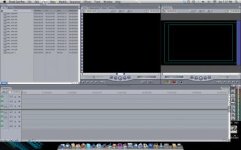
The 'IN' and 'OUT' points that are set for each image upon importing them are weird (See attached picture). The IN is set at 00:01:00:00 and the out is set as 00:00:59:23. I know that this is the reason for the error message. It must have something to do with the whole 23.98 fps thing, but I can't figure out how to stop it. I am working with almost 6,000 images and I don't want to have to go in and manually change each one (which I have tested and will make them work) or I will seriously lose it.
I am not doing anything with transitions, which seem to be the most often reason for this error. I am just trying to drag the files onto the timeline.
PLEASE HELP!!!
The 'IN' and 'OUT' points that are set for each image upon importing them are weird (See attached picture). The IN is set at 00:01:00:00 and the out is set as 00:00:59:23. I know that this is the reason for the error message. It must have something to do with the whole 23.98 fps thing, but I can't figure out how to stop it. I am working with almost 6,000 images and I don't want to have to go in and manually change each one (which I have tested and will make them work) or I will seriously lose it.
I am not doing anything with transitions, which seem to be the most often reason for this error. I am just trying to drag the files onto the timeline.
PLEASE HELP!!!