Imported neoscene avi files into premiere not playing back smoothly

mlipscombmtl

New member
I think part of the problem is I really don't know how to set up my sequence settings properly. I'm using custom settings but I doubt I'm doing it right. I've tried many different settings however, and nothing is working. The files play back, but a little choppy and just not nearly as smoothly as they play back in Sony Vegas. Any ideas?
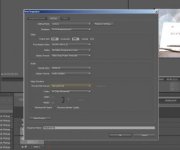
 

Attachments

  • 2011-11-21_145613.jpg
    2011-11-21_145613.jpg
    11.5 KB · Views: 0
This forum has a terrible attachment service, upload to a site like Photobucket, then one can properly see what is shown in the picture.
That said. Drag a file to the New Item icon at the bottom of the Project Window.
This will give you a sequence which will perfectly match your footage.
 
If you double click the file in the project pane are you able to play it in the source preview window? That tells us if the codec is working at all.

If not, I would see if you can find a playback codec for download on Cineform's website or reinstall the program.
 
Codec is working

Codec is working

I can see it everywhere I need to see, problem is it plays back fine about about 2/3rds of the clip, then it stutters. I'm not used to that. When I started editing video I went to great lengths to figure out how to transcode my sony files to get them to work in Vegas. Now I'd like them to work as well in Premiere.
Here's the attachment that didn't work: http://www.mediafire.com/i/?6wec0bzqh8b8rex
I must be doing something wrong setting up premier as I know Neoscene is a sold, well supported program with its **** together.
 
Indeed you have very strange settings.
I see you are on CS5.5.
Drag a CF.clip from the project window into the New Item icon.
This will give you a sequence that matches your footage.
 
Great, I did that, I get a new sequence, but what does that do? I can't drag that new sequence onto the time line or edit it? Surely I'm missing something here:-)
 
Ok, never mind, I deleted the old sequence I had and reimported the same file into the new sequence and now I can drag it into the time line, but the video still stutters, maybe even worse than before. Keep in mind I'm importing a file that was generated with Neoscene, so it must be a good file format...no?
 
No matter which format or which length they'll all have problems playing in anything by Adobe. I use Sony Vegas which plays back the same files as smooth as butter. Here's a file taken from my camera and transcoded using NeoScene. I did what the person above suggested about dropping the file into the new item icon and this didn't change anything. File: http://www.mediafire.com/?upsa3fnwd84d8t1
 
Great, I did that, I get a new sequence, but what does that do? I can't drag that new sequence onto the time line or edit it? Surely I'm missing something here:-)
This sequence is your new timeline with one clip in it. Now drag the rest of your footage into this timeline.
Your downloaded clip plays perfectly in Premiere.
 
Back
Top