Hello,
How do you export a Quicktime file with 5.1 audio from Final Cut Pro 7?
You would think this would be pretty simple, do x, do y, export and walla you
have a 5.1 audio file.
However, I'm running into a few issues and I'm unsure how to verify if it is indeed 5.1
Here's a couple of instructions I found:
http://fcproducer.com/2007/02/export-51-surround-sound-from-final-cut-pro/
https://discussions.apple.com/thread/3284332?tstart=0
I followed the first one.
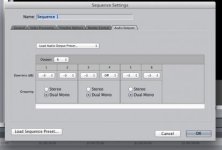
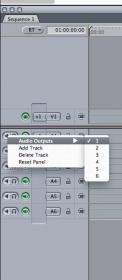
The first thing I noticed is that once I set my 6 tracks to dual mono, I could not hear the dialogue
track anymore within Final Cut 7 program, however I can see that it is present in the waveform.
I'm not sure why this happened maybe because I don't have a 5.1 setup, so my
computer can't output all 6 tracks to 2 speakers?
Then when I export, how can I verify if it is 5.1? When I go to inspector I get

I would think it should indicate this

So I'm confused on the right way to export and verify it.
How do you export a Quicktime file with 5.1 audio from Final Cut Pro 7?
You would think this would be pretty simple, do x, do y, export and walla you
have a 5.1 audio file.
However, I'm running into a few issues and I'm unsure how to verify if it is indeed 5.1
Here's a couple of instructions I found:
http://fcproducer.com/2007/02/export-51-surround-sound-from-final-cut-pro/
https://discussions.apple.com/thread/3284332?tstart=0
I followed the first one.
The first thing I noticed is that once I set my 6 tracks to dual mono, I could not hear the dialogue
track anymore within Final Cut 7 program, however I can see that it is present in the waveform.
I'm not sure why this happened maybe because I don't have a 5.1 setup, so my
computer can't output all 6 tracks to 2 speakers?
Then when I export, how can I verify if it is 5.1? When I go to inspector I get
I would think it should indicate this
So I'm confused on the right way to export and verify it.
Last edited: