How can I improve my Video output for Vimeo - See Example

pifemaster

Well-known member
Hello,

I am just not happy with the way Vimeo is compressing my videos. Here is one that I uploaded today http://vimeo.com/63589010

The video was shot 1080p60 with a Panasonic AG-AC160A

Edited in Premier Pro CS6
Exported to 720p30 using Adobe's H264 codec
VBR 14mb target - 16mb max
Maximum Render Quality Checked

The uploaded video appears darker (more underexposed) than the original.

Any ideas on how I can improve my videos on Vimeo?

Thank you,
Robert Pfeifer
Pifemaster Productions
www.pifemaster.com
 
Hay,

took a look and it looks ok. Are you using a ext monitor that you colored balanced? I ask because if not you must use the wave form in Premiere to check your levels as computer monitors will vary. Even if you use a standard monitor you should color balance. Standard TN have color issue, IPS hold much better this would be my guess at why it looks darker. Here are the settings you can use. You can also always double check and after it has finished the video you can download it and compare it to your original and see if you are losing brightness. I normally encode mine at a much lower rate and have no issues at around 5 Mps for 720 and 10 Mps for 1080, but its something I play with.
 
Hay,

took a look and it looks ok. Are you using a ext monitor that you colored balanced? I ask because if not you must use the wave form in Premiere to check your levels as computer monitors will vary. Even if you use a standard monitor you should color balance. Standard TN have color issue, IPS hold much better this would be my guess at why it looks darker. Here are the settings you can use. You can also always double check and after it has finished the video you can download it and compare it to your original and see if you are losing brightness. I normally encode mine at a much lower rate and have no issues at around 5 Mps for 720 and 10 Mps for 1080, but its something I play with.
Unfortunately, I am using a dual monitor setup on my video editing PC and both monitors (2 ea. HP w2338h monitors) are standard PC monitors that are NOT color calibrated. I guess my next investment need to be a good IPS monitor. Any recommendations on a good 24" Dell IPS monitor around $500.00 each?

I looked at the link you provided. I am not sure what Vimeo is referring to on these items:

  • choose the High Profile H.264 setting instead of Main Profile
  • Closed GOP
  • CABAC (to reduce your file size)

Can you give any guidance on how these are set, changes in Adobe Premier Pro CS6?

I have been rendering at 10 mbs target, 16 mbs max and decided to increase this last video to 14 mbs target, 16 mbs max. I guess I will keep playing with the bit rate settings.

Thank you,
Robert Pfeifer
Pifemaster Productions
www.pifemaster.com
 
You dont have to have a IPS, but you should color balance what you have (unless there are no controls to do so on your monitors). Here is a good tool to have price is also fine. I also do photos and this tool is a must for me and my wife, so each work station look the same. As far as monitors I use a LG IPS 24 inch LED I got used for $89.00 and a 20 inch IPS NEC 6 years ago paid $300 new. 2 different monitors but they look the same when balanced. My wife uses 2 Dells 24 inch IPS same model picked up on ebay as they were last years model. Any monitor in the IPS range would be fine, if you want to save a few bucks look for a older model and it will be just fine.

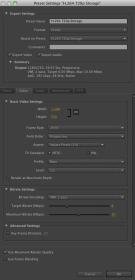
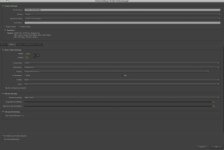
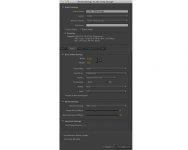
As for Media Encoder settings here is a snap of what I use for archiving my footage (720). Make sure you are selecting the add to Queue so you can get the best setting through Media Encoder. Try these settings.


Sorry the snap is so small you cant see it. I will email it to you.
 

Attachments

  • Screen shot 2013-04-08 at 9.13.11 PM.jpg
    Screen shot 2013-04-08 at 9.13.11 PM.jpg
    5.3 KB · Views: 0
  • Screen shot 2013-04-08 at 9.21.22 PM.jpg
    Screen shot 2013-04-08 at 9.21.22 PM.jpg
    10.5 KB · Views: 0
  • snap.jpg
    snap.jpg
    41.4 KB · Views: 0
Last edited:
rzr219 - Thank you very much for the screenshot & the PM. I compared your settings to mine and they are almost identical. The only difference is the bit rate that I mentioned above.

I did do a Google search and I am currently experimenting with some new settings. I have rendered the same video with the new settings and just started to upload it to Vimeo. It will take a few hours to upload, but then I will compare the 2 videos. I am very hopeful based on waht I see on my local PC. I will post an update as soon as the second version is online.

Thank you,
Robert Pfeifer
Pifemaster Productions
www.pifemaster.com
 
I am traveling right now, so I only have a PC laptop. The footage looks the same on both, I cant see any differance. The only thing I notice it artfacting in the dancing and some sturting. However both look the exact same level wise, have you view it on a different system than yours? Try a friends computer and see what it looks like. I am guessing whagt you are uploading is fine. Vimeo is changing it a bit. To me it looks fine, do your customers get their final product on Blue-ray or web only?
 
I am traveling right now, so I only have a PC laptop. The footage looks the same on both, I cant see any differance. The only thing I notice it artfacting in the dancing and some sturting. However both look the exact same level wise, have you view it on a different system than yours? Try a friends computer and see what it looks like. I am guessing whagt you are uploading is fine. Vimeo is changing it a bit. To me it looks fine, do your customers get their final product on Blue-ray or web only?
Thank you for the response. Actually, I have been replacing the version 2 video all day. In fact, a new file is encoding right now. I am trying to determine the best bitrate to upload to Vimeo. It appears that even if you keep the bitrate at 5-6mbs, vimeo will still re-encode the video when it is uploaded. If that is the case, I am leaning to uploading a 12-14 mbs video, but that is what I am testing.

I am pretty happy with my Bluray redners. It is my online videos that are causing me grief. I really want the online video to look their best because that is what prospective clients see.

Thank you,
Robert Pfeifer
Pifemaster Productions
www.pifemaster.com
 
Well if you can upload a small test file of one of the video to a ftp service and then I can download the same file you are uploading to Vimeo. I can then compare what it really looks like.
 
Ok, I see what you mean. I am not sure. I will upload the same clip you sent me and see what Vimeo does to it once I get home this Saturday.
 
I see only a small quality difference, nothing that you shouldn't expect from Vimeo's recompression.
Jim, thank you for checking out the video. I will mention that I have since replaced the video on Vimeo. The version that you see now was encoded using x264pro that I have purchased and installed within Adobe Premier Pro. Here is what I am now using to encode with http://www.x264pro.com/

Thank you,
Robert Pfeifer
Pifemaster Productions
www.pifemaster.com
 
After viewing it on my home system and playing with the converting it dosent look that bad. If you want to increase the data you can bump up the bitrate, however Vimeo will reduce it if you go over 10 for 720 or 20 for 1080. You could just make a copy separate and bring up the level some just for Vimeo. From what I viewed and see I would just leave it alone as it look fine.
 
After viewing it on my home system and playing with the converting it dosent look that bad. If you want to increase the data you can bump up the bitrate, however Vimeo will reduce it if you go over 10 for 720 or 20 for 1080. You could just make a copy separate and bring up the level some just for Vimeo. From what I viewed and see I would just leave it alone as it look fine.
Thank you for checking out the video. You mention that Vimeo will reduce it if you go over 10 mbs for 720. Have you done any testing regarding this? I read elsewhere online that Vimeo will compress the video regardless of what the bitrate is. I would love to know if there is a magic number that they will let pass as-is. Unfortunately, no one has been able to tell me what that number is. I did read their compression guidelines and the numbers you indicated match their guidelines, i am just not sure that they will not compress it if say you are at 9 mbs.

Thank you,
Robert Pfeifer
Pifemaster Productions
www.pifemaster.com
 
Tough to say, I know the lower I make my bit rate the faster the video is ready. I normally just go at 5-6 and it looks almost the same as 10 but I can upload more videos for my limit each week, because the size is smaller.
 
To the best of my knowledge, Vimeo recompresses everything. (And not all that well for free accounts. I switched to YouTube and get noticeably better quality.)
 
Back
Top