How can I create a vertical video window

pwelander

Active member
This may sound odd, but we're trying to create an online video magazine cover. What I need to do is create a player window using PP CS6 that can crop a standard video frame into what is essentially a vertical 8.5 x 11 aspect ratio. I'd like the keep the full height of the video frame, but pull the sides in and cut off what doesn't fit. I'll be shooting this footage for the application, so I can keep the live matter in the middle. Any ideas of how to do this? I'm not even sure what to call it...

Thanks.
 
you want to create a flash player with an 8.5 x 11 aspect ratio on a web page, to playback a video you are going to center crop to 8.5 x 11 aspect ratio?

if yes,

where are you stuck?

1- can't figure out the best way to record the footage?
2- don't know how to create a flash player, slide show, video gallery?
3- can't figure out the video resolution?
4- don't know how to crop a video file in premiere pro?
 
Under Settings (Editing Mode/Custom) in the New Sequence setting you can create any videoframe you want.
Try 680x880 which is 17:22.
 
Yes, well, I think #4 emerged as the first obvious problem (I'm more of a Final Cut user but I have Premiere Pro CS6 here at work), but there may be other approaches. I have been chatting with some of my colleagues that are better versed in Flash, and that may be a practical approach. In any case, I plan on trying a custom video frame, and seeing what we can do with the footage in Flash. Ultimately this is going to be used in an application called Page Suite.

Thanks.
 
Well, that editing mode/custom suggestion worked nicely. I created a window with the right aspect ratio. Now we just have to figure out how to make it appear properly in the publishing host system, but that's another story.

Although while we're at it, the idea of turning the camera sideways did come up. Is there a way to turn the image 90 degrees in Premiere? That also suggests a question, could one hang a camera upside down for the sake of mounting and invert the image?
 
Is there a way to turn the image 90 degrees in Premiere? That also suggests a question, could one hang a camera upside down for the sake of mounting and invert the image?


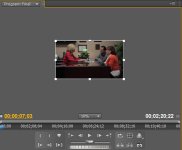
So here is your main viewer window (I don't know the exact name for it).

1. You need to zoom out. See where it say 10% in this picture? press on that and you can select the different type of zoom (smaller number means more zoom out). Or alternatively you can use the zoom tool.

2. Click on your footage in the viewer window. It will then have a rectangle border with dots around it like the picture below.

3. Place your cursor just right outside of the white rectangle border. You'll know you do it correctly when your cursor turn into a curving arrows. Just left click and hold and you'll be able to rotate the image.

To answer your other question. Yes, if you mount your camera upside down, you can flip it right side up again. That's how some lo-mode steadicam shots are done.
 

Attachments

  • viewer.jpg
    viewer.jpg
    97.9 KB · Views: 0
To rotate footage you can also double click on the clip and select the effects tab. Open the position properties and you can enter your rotation in degrees - either 90 or -90 to rotate clockwise or counter clockwise, or 180 to correct footage that was shot upside down. There is also a flip effect which allows you to flip an image that was shot upside down; however this will also give you a mirrored image, so if there is any text or other identifiable features, you are best off rotating 180 degrees instead.
 
Back
Top