Randall_Oelerich
Veteran
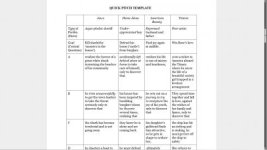
For anybody that likes to do story dev in Google Docs (my main work area for beating, outlining, etc. prior to Final Draft / Movie Magic, etc), I just discovered Qt as a web browser today, how I can get some pretty maximized PC screen real estate space for editing compared to what am used to. See attached screenshot of Qt browser with a Google doc in it. Tabs, Menu, Navigation, Bookmarks hidden (very easy-- Ctrl+m to hide/show menu, Ctrl+n to hide/show navigation, etc). Only thing showing is the vertical scroll bar-- full use of my computer screen for editing (gdoc can also display documents in landscape but i prefer the portrait mode).
I actually downloaded and installed the Qt browser
http://www.qtweb.net/
to have as a separate dedicated browser for ANYthing on the web involving banking or my credit card or PayPal, to keep a minimal browser secure as possible, free from addons, scripts that might contain trojans to spy on credit card and banking account usernames and passwords and credit card numbers, so dangerous these days on the web. Configured it for maximum privacy, minimal cookies, etc.
But it looks to be great for editing in gdocs too, woohoo. It has a nice glyph on the navigation menu for changing compatibility mode to Firefox, IE, Chrome, Safari, etc, as by default the Qt mode is not compatible with gdocs; I just changed compatibility to Firefox and it works great.
Use or lose, just sharing something I discovered today.
randall
I actually downloaded and installed the Qt browser
http://www.qtweb.net/
to have as a separate dedicated browser for ANYthing on the web involving banking or my credit card or PayPal, to keep a minimal browser secure as possible, free from addons, scripts that might contain trojans to spy on credit card and banking account usernames and passwords and credit card numbers, so dangerous these days on the web. Configured it for maximum privacy, minimal cookies, etc.
But it looks to be great for editing in gdocs too, woohoo. It has a nice glyph on the navigation menu for changing compatibility mode to Firefox, IE, Chrome, Safari, etc, as by default the Qt mode is not compatible with gdocs; I just changed compatibility to Firefox and it works great.
Use or lose, just sharing something I discovered today.
randall