
Navigation
Install the app
How to install the app on iOS
Follow along with the video below to see how to install our site as a web app on your home screen.
Note: This feature may not be available in some browsers.
More options
You are using an out of date browser. It may not display this or other websites correctly.
You should upgrade or use an alternative browser.
You should upgrade or use an alternative browser.
Fuji X-T3 released
- Thread starter Ken1212
- Start date

puredrifting
Major Contributor
I don't want this to sound rude, but you can always go to YouTube for 99% of the world's answers, haha:
Random video: https://www.youtube.com/watch?v=MJxRRIIAKBU (w/ Rode VideoMicro)
It would be very strange if the camera didn't provide plug-in power as all of the other models do (or many of them).
I did exactly that after I posted this, you're right, but I just like to hear what my fellow DVXers are actually using, I find about 80% of the YouTubers to basically not know what they are doing, I find a much higher ratio of competence here, with you included, I am always grokking tips from your posts! ;-)
I am going to try the VideoMicro today. I also dug up an old Polsen SMS-45A stereo mini shotgun that had laying around, I am going to compare that to the Røde. Maybe I'll even get ambitious and shoot some tests and post them if I can find the time. A lot of production deadlines this December, that's kind
of unusual, but I am glad for the work.
puredrifting
Major Contributor
Thank you for posting this, it doesn't sound bad.

NorBro
Major Contributor
I find a much higher ratio of competence here, with you included, I am always grokking tips from your posts! ;-)
The feeling is mutual!

marvinhello
Well-known member
Major bug in X-T3 2.00 firmware update: when selecting SD: film simulation, HDMI: F-log, or SD: F-log, HDMI: film simulation. A 1.18x crop is applied on all 4k framerates.
https://www.eoshd.com/comments/topic/27891-i-will-be-getting-a-fuji-x-t3/?page=62
https://www.eoshd.com/comments/topic/27891-i-will-be-getting-a-fuji-x-t3/?page=62
Last edited:

Grug
Veteran
Does anyone have any 10-bit 4:2:2 material that they've recorded externally that I could perhaps download and look at?
I feel like I have a decent sense for how the internal 10-bit 4:2:0 holds up, but I'd be very keen to see what the camera's fully capable of in 4k 10-bit 4:2:2 ProRes.
I feel like I have a decent sense for how the internal 10-bit 4:2:0 holds up, but I'd be very keen to see what the camera's fully capable of in 4k 10-bit 4:2:2 ProRes.
puredrifting
Major Contributor
X-T3 on the Crane 2 is flying nicely but add that Røde VideoMicro to the hot shoe and voila, restricted tilt movement, the back of the mic and cable connector hit the roll motor if you try to go Flashlight mode, the preferred way to smooth out your gimbal walks.
Tried mounting the Røde on the Zacuto side handle accessory and the cable is too short and pulls too much on the camera. I could get an extension 3.5mm cable but jeez, then it gets messy with loose cables all over the place. Anyone flying their X-T3 on a gimbal
trying to get decent ambient sound? If so, how are you mounting a mic and which mic are you using? I may just ditch the Røde and use the internal mic for crappy ambient sound. I can always put a Tascam DR-10L on talent for dialog but for ambient? Have to keep experimenting.
Tried mounting the Røde on the Zacuto side handle accessory and the cable is too short and pulls too much on the camera. I could get an extension 3.5mm cable but jeez, then it gets messy with loose cables all over the place. Anyone flying their X-T3 on a gimbal
trying to get decent ambient sound? If so, how are you mounting a mic and which mic are you using? I may just ditch the Røde and use the internal mic for crappy ambient sound. I can always put a Tascam DR-10L on talent for dialog but for ambient? Have to keep experimenting.

CraigM
Active member
Single handle gimbals by default have fewer mounting points for accessories like mics, monitors, etc. SmallRig makes some nice mounts/handles for fixing that. Zhiyun-Tech makes their own handle as well; https://www.bhphotovideo.com/c/prod...I9IVulpSHnDHKRBxhx0g1Aw0YBoCgjoQAvD_BwE&smp=Y
puredrifting
Major Contributor
Single handle gimbals by default have fewer mounting points for accessories like mics, monitors, etc. SmallRig makes some nice mounts/handles for fixing that. Zhiyun-Tech makes their own handle as well; https://www.bhphotovideo.com/c/prod...I9IVulpSHnDHKRBxhx0g1Aw0YBoCgjoQAvD_BwE&smp=Y
I just bought this handle. The handle part works well but the short, coiled Røde microphone cable, not so much, it's too short to go from the mic to the audio input on the X-T3. I could add an extension, perhaps I'll try that?

brettsherman
Well-known member
X-T3 on the Crane 2 is flying nicely but add that Røde VideoMicro to the hot shoe and voila, restricted tilt movement, the back of the mic and cable connector hit the roll motor if you try to go Flashlight mode, the preferred way to smooth out your gimbal walks.
Tried mounting the Røde on the Zacuto side handle accessory and the cable is too short and pulls too much on the camera. I could get an extension 3.5mm cable but jeez, then it gets messy with loose cables all over the place. Anyone flying their X-T3 on a gimbal
trying to get decent ambient sound? If so, how are you mounting a mic and which mic are you using? I may just ditch the Røde and use the internal mic for crappy ambient sound. I can always put a Tascam DR-10L on talent for dialog but for ambient? Have to keep experimenting.
I took off the shock mount from the VideoMicro. Wrapped the mic with 3M Dual Lock. Then put a square of Dual Lock on the camera (mine is an A7SII at the moment, so I'm not sure where you could find a place on the X-T3) Then when I want a mic, I snap it on. It lowers the center of gravity and makes for a much better balance. You can also attach the mic on the the gimbals camera platform too. Because it's on a gimbal you really don't need shock mount anyways. The only thing is lens noise. But I'm not expecting *great* audio out of the mic. Only adequate.
puredrifting
Major Contributor
I did discover that with the Fujinon 16mm f/1.4, if the Crane 2's camera plate lens support is touching the lens, it creates/records a weird, horrific sound as the lens gears grind for focus.
The key is to NOT use the lens support for this lens. Even the Videomicro was picking it up. I'm going to remove the lens support as I will only be using the shorter lenses like the 16mm f/1.4, 18-55 f/2.8-40.
The key is to NOT use the lens support for this lens. Even the Videomicro was picking it up. I'm going to remove the lens support as I will only be using the shorter lenses like the 16mm f/1.4, 18-55 f/2.8-40.
puredrifting
Major Contributor
Some other observations and questions for you X-T3 Users.
1. Did a shoot yesterday, following two subjects at the beach in windy, gusty conditions (on a sidewalk, not in the sand). X-T3 and 16mm f1.4 mounted to Crane 2. Correctly balanced, used an ND3 filter, exposure good, shot HEVC H.265 4K 29.97. Learned that you cannot do 4K 60p with the HEVC so that was something new for me. My question is probably more of a Crane 2 issue but the moves look okay but I am seeing a lot of micro jitters, even when I am holding the Crane 2 correctly and Ninja Walking heel to ball of foot with both hands on Crane 2 with elbows tucked in a bit to minimize bobbing. I know the 16mm f1.4 has no OS. I didn't discover the jitters until I could see it back on the computer screen. I got enough to use but a lot of walking shots were disappointingly jittery. I tried the same moves with the 18mm-55mm f/2.8-4.0 OS around the house last night, just tracking our cat around (he was super cooperative and walked around nicely following me and letting me follow him!) I looked at this footage and it was much better as far as losing the micro jitters. Do you think there are adjustments I can make to the Crane 2 with the app to smooth out the micro jitters or should I try the Crane 2 with the heavy setting? It is on the stock medium setting. Or maybe even try the Light setting on the motors? or is a non OS lens like the 16mm f/1.4 just no good on a gimbal for walking shots? I could send it back and get the 10-24 f/4.0 OS but I liked the idea of a f/1.4 gimbal lens as I have been shooting in a pretty dark recording studio lately where I really can't light the whole studio up and the speed would be super helpful. But it involves following artists as they go from control room to booth and back so there are definitely walking shots needed.
2. Has anyone used the X-T3 with the Sound Devices Mix-Pre 3 yet? Wondering if the X-T3 sends out TC via the HDMI? I know it sends the record command which is good, but the whole appeal with using the Mix-Pre 3 is the sound files with the same TC as your footage. I don't have the Mix-Pre 3 yet to try it. Anyone know if the X-T3 sends out TC via HDMI?
3. I shot yesterday with the DR at 400, which seemed to work well since I shot at the ugly time of day around 1:00 PM with bright sun. The footage held good detail and my skies didn't blow out and both subjects were wearing black. The only thing that bugs is I can't get to the minimum ISO of 160, which would help in very sunny situations. As you probably know, the minimum ISO with the DR at 400 is 640. So should I just live with the 640 minimum ISO to gain maximum DR, at least in these sorts of situations? The footage is definitely not noisy or grainy even at 800.
Overall, I am really impressed with the images, this is an amazingly good little cheap camera.
Thanks for any advice.
1. Did a shoot yesterday, following two subjects at the beach in windy, gusty conditions (on a sidewalk, not in the sand). X-T3 and 16mm f1.4 mounted to Crane 2. Correctly balanced, used an ND3 filter, exposure good, shot HEVC H.265 4K 29.97. Learned that you cannot do 4K 60p with the HEVC so that was something new for me. My question is probably more of a Crane 2 issue but the moves look okay but I am seeing a lot of micro jitters, even when I am holding the Crane 2 correctly and Ninja Walking heel to ball of foot with both hands on Crane 2 with elbows tucked in a bit to minimize bobbing. I know the 16mm f1.4 has no OS. I didn't discover the jitters until I could see it back on the computer screen. I got enough to use but a lot of walking shots were disappointingly jittery. I tried the same moves with the 18mm-55mm f/2.8-4.0 OS around the house last night, just tracking our cat around (he was super cooperative and walked around nicely following me and letting me follow him!) I looked at this footage and it was much better as far as losing the micro jitters. Do you think there are adjustments I can make to the Crane 2 with the app to smooth out the micro jitters or should I try the Crane 2 with the heavy setting? It is on the stock medium setting. Or maybe even try the Light setting on the motors? or is a non OS lens like the 16mm f/1.4 just no good on a gimbal for walking shots? I could send it back and get the 10-24 f/4.0 OS but I liked the idea of a f/1.4 gimbal lens as I have been shooting in a pretty dark recording studio lately where I really can't light the whole studio up and the speed would be super helpful. But it involves following artists as they go from control room to booth and back so there are definitely walking shots needed.
2. Has anyone used the X-T3 with the Sound Devices Mix-Pre 3 yet? Wondering if the X-T3 sends out TC via the HDMI? I know it sends the record command which is good, but the whole appeal with using the Mix-Pre 3 is the sound files with the same TC as your footage. I don't have the Mix-Pre 3 yet to try it. Anyone know if the X-T3 sends out TC via HDMI?
3. I shot yesterday with the DR at 400, which seemed to work well since I shot at the ugly time of day around 1:00 PM with bright sun. The footage held good detail and my skies didn't blow out and both subjects were wearing black. The only thing that bugs is I can't get to the minimum ISO of 160, which would help in very sunny situations. As you probably know, the minimum ISO with the DR at 400 is 640. So should I just live with the 640 minimum ISO to gain maximum DR, at least in these sorts of situations? The footage is definitely not noisy or grainy even at 800.
Overall, I am really impressed with the images, this is an amazingly good little cheap camera.
Thanks for any advice.
Last edited:
diegocervo
Well-known member
Some other observations and questions for you X-T3 Users.
Learned that you cannot do 4K 60p with the HEVC so that was something new for me.
Yes you can record 4K 60p with HEVC, just use the long gop version. Intraframe doen't support it.
Hope this helps.
Diego
marvinhello
Well-known member
Some other observations and questions for you X-T3 Users.
1. Did a shoot yesterday, following two subjects at the beach in windy, gusty conditions (on a sidewalk, not in the sand). X-T3 and 16mm f1.4 mounted to Crane 2. Correctly balanced, used an ND3 filter, exposure good, shot HEVC H.265 4K 29.97. Learned that you cannot do 4K 60p with the HEVC so that was something new for me. My question is probably more of a Crane 2 issue but the moves look okay but I am seeing a lot of micro jitters, even when I am holding the Crane 2 correctly and Ninja Walking heel to ball of foot with both hands on Crane 2 with elbows tucked in a bit to minimize bobbing. I know the 16mm f1.4 has no OS. I didn't discover the jitters until I could see it back on the computer screen. I got enough to use but a lot of walking shots were disappointingly jittery. I tried the same moves with the 18mm-55mm f/2.8-4.0 OS around the house last night, just tracking our cat around (he was super cooperative and walked around nicely following me and letting me follow him!) I looked at this footage and it was much better as far as losing the micro jitters. Do you think there are adjustments I can make to the Crane 2 with the app to smooth out the micro jitters or should I try the Crane 2 with the heavy setting? It is on the stock medium setting. Or maybe even try the Light setting on the motors? or is a non OS lens like the 16mm f/1.4 just no good on a gimbal for walking shots? I could send it back and get the 10-24 f/4.0 OS but I liked the idea of a f1/4 gimbal lens as I have been shooting in a pretty dark recording studio lately where I really can't light the whole studio up and the speed would be super helpful. But it involves following artists as they go from control room to booth and back so there are definitely walking shots needed.
2. Has anyone used the X-T3 with the Sound Devices Mix-Pre 3 yet? Wondering if the X-T3 sends out TC via the HDMI? I know it sends the record command which is good, but the whole appeal with using the Mix-Pre 3 is the sound files with the same TC as your footage. I don't have the Mix-Pre 3 yet to try it. Anyone know if the X-T3 sends out TC via HDMI?
3. I shot yesterday with the DR at 400, which seemed to work well since I shot at the ugly time of day around 1:00 PM with bright sun. The footage held good detail and my skies didn't blow out and both subjects were wearing black. The only thing that bugs is I can't get to the minimum ISO of 160, which would help in very sunny situations. As you probably know, the minimum ISO with the DR at 400 is 640. So should I just live with the 640 minimum ISO. The footage is definitely not noisy or grainy even at 800.
Overall, I am really impressed with the images, this is an amazingly good little cheap camera.
Thanks for any advice.
Yes X-T3 sends both TC and rec command via HDMI.
DR400 essentially exposes the scene using ISO160 at sensor level, then does a two stop push so you get additional highlight details. That's why the minimum ISO is 640. Use NDs to control exposure outdoor.
F-log is essentially DR400 mode mapped with a custom tone curve and of course, BT.2020 gamut.
Interestingly, the new HLG mode has a minimum ISO of 1000, but the actual underlying sensitivity is still ISO640, it's artificially rated 2/3 stop higher to encourage a slight underexposure.
puredrifting
Major Contributor
Yes you can record 4K 60p with HEVC, just use the long gop version. Intraframe doen't support it.
Hope this helps.
Diego
Thanks Diego! I didn't know this, still making my way through the really quite thick owners manual.
puredrifting
Major Contributor
Yes X-T3 sends both TC and rec command via HDMI.
DR400 essentially exposes the scene using ISO160 at sensor level, then does a two stop push so you get additional highlight details. That's why the minimum ISO is 640. Use NDs to control exposure outdoor.
F-log is essentially DR400 mode mapped with a custom tone curve and of course, BT.2020 gamut.
Interestingly, the new HLG mode has a minimum ISO of 1000, but the actual underlying sensitivity is still ISO640, it's artificially rated 2/3 stop higher to encourage a slight underexposure.
Thanks Marvin, good stuff to know. If the X-T3 sends out TC, then it sounds as if the Mix-Pre 3 is going to be the hot tip for interviews, as long as I remember to hit record after each 30 minutes.
Easy when you are operating, much harder when shooting OMB and you are deep into the interview and not thinking about gear. Interesting explanation about the ISOs and DR.
HLG and all of that holds no appeal for me, too narrow of an audience and playback devices.
https://www.eoshd.com/comments/topic/28426-x-t3-f-log-vs-hlg-comparison/
Looks like the XT3 has about 2/3rd stops more dynamic range in HLG.
images from original post by androidlad
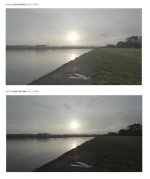
Looks like the XT3 has about 2/3rd stops more dynamic range in HLG.
images from original post by androidlad
Last edited:
Grug
Veteran
https://www.eoshd.com/comments/topic/28426-x-t3-f-log-vs-hlg-comparison/
Looks like the XT3 has about 2/3rd stops more dynamic range in HLG.
I'm afraid that isn't how dynamic range works. HLG can't offer any more dynamic range than the FLOG curve. They're both just gamma curves.
HLG uses an EI of 1000 ISO, whereas FLOG uses 640 ISO. This puts middle grey with HLG, 2/3 of a stop lower than FLOG. This doesn't change the total dynamic range, it's simply redistributing it.
If you shot FLOG at 640 ISO, but rated it at 1000 ISO, you'd achieve exactly the same gains in highlight latitude (at the expense of your shadows).
HLG is simply designed for straight-to-HDR monitoring output. That's what it's optimised for. For a conventional workflow, stick with FLOG, and rate the camera wherever you feel is going to yield you the best balance of highlight latitude to noise floor.
marvinhello
Well-known member
I'm afraid that isn't how dynamic range works. HLG can't offer any more dynamic range than the FLOG curve. They're both just gamma curves.
HLG uses an EI of 1000 ISO, whereas FLOG uses 640 ISO. This puts middle grey with HLG, 2/3 of a stop lower than FLOG. This doesn't change the total dynamic range, it's simply redistributing it.
If you shot FLOG at 640 ISO, but rated it at 1000 ISO, you'd achieve exactly the same gains in highlight latitude (at the expense of your shadows).
HLG is simply designed for straight-to-HDR monitoring output. That's what it's optimised for. For a conventional workflow, stick with FLOG, and rate the camera wherever you feel is going to yield you the best balance of highlight latitude to noise floor.
We need a lab test to determine the SNR in the last couple stops in HLG shadow area. It looks like HLG makes better use of the available bits than F-Log since F-Log has a much higher black level.
According to LUTcalc, HLG maps 18% grey to 22IRE while F-log maps it at 46IRE.
puredrifting
Major Contributor
Can someone please help me out with an xt3 question? I needed to know if the new Fuji xt3 had the 180 degree or 48 shutter speed like the xh1, or is it still only doing 1/50 of a second like the xt2. This is big for me, as I can definitely see some difference in motion. Any help with this would be greatly appreciated. My preorder shipped today and b&h could not offer any answer.
A few months late but yes, you can dial in 1/48th shutter.