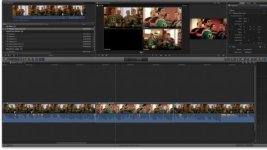
Ok so I completed my Multiclip edit, now I want to go in and Color Correct and add a few effects to my edits, however for my particular project I can't seem to find a simple way to this.
I only want to Color Grade my selected angles in my timeline.
Now I know I can go into the angle editor and do one grade on my angles and be done with it however for my particular multiclip this wont work because the cameras are moving all over the place so what looks nice at one position will not look so good at another.
I ran into this problem when I went to Stabilize some clips after the edit was complete.
Since we have ZERO control of the selected angles (effects/CC, etc) in the timeline I had to go into the angle editor to apply my stabilizations, well in order for stabilize to work I need to apply stabilize to only certain areas of the clips, not the whole clip when the camera is moving all around repositioning and what not.
While the angle editor is extremely powerful I find not being able to manipulate the clips in my "master" timeline a huge PITA.
Anyway my question is, is there any way to "flatten" out the multiclip to work on ONLY selected angles???
And please let me know if I'm missing something, however as many tutorials and as much as I've worked in multicam, I think its a limitation of the software at this point…
Thanks
I only want to Color Grade my selected angles in my timeline.
Now I know I can go into the angle editor and do one grade on my angles and be done with it however for my particular multiclip this wont work because the cameras are moving all over the place so what looks nice at one position will not look so good at another.
I ran into this problem when I went to Stabilize some clips after the edit was complete.
Since we have ZERO control of the selected angles (effects/CC, etc) in the timeline I had to go into the angle editor to apply my stabilizations, well in order for stabilize to work I need to apply stabilize to only certain areas of the clips, not the whole clip when the camera is moving all around repositioning and what not.
While the angle editor is extremely powerful I find not being able to manipulate the clips in my "master" timeline a huge PITA.
Anyway my question is, is there any way to "flatten" out the multiclip to work on ONLY selected angles???
And please let me know if I'm missing something, however as many tutorials and as much as I've worked in multicam, I think its a limitation of the software at this point…
Thanks