
Navigation
Install the app
How to install the app on iOS
Follow along with the video below to see how to install our site as a web app on your home screen.
Note: This feature may not be available in some browsers.
More options
You are using an out of date browser. It may not display this or other websites correctly.
You should upgrade or use an alternative browser.
You should upgrade or use an alternative browser.
Film Convert and ImpulZ
- Thread starter stupla
- Start date

Hunter Hampton
Carbonite Member
I just bought the Impulz Ultimate kit and already have film convert, Id say the Impulz are far better based on initial tests- I respect the initiative of the film convert team but based on my film experience, the Impulz are really getting a more film like color from their luts. It should be noted that Film convert is a program, Impulz are 3D LUTS that you can use with any program or hardware that accepts a 3D LUT. Id say go with the Impulz, more bang for your buck IMO.
The Impulz film grain sucks though, they need to work on that.
The Impulz film grain sucks though, they need to work on that.
keithlango
Well-known member
Ditto what Hunter said. I have both for DaVinci Resolve. I prefer the Impulz LUTs for their flexibility, color and tonality, but I still use the FilmConvert plug-in's grain. So I guess you could say I use a bot of both.
However, if you're new to post color grading then you may find the FilmConvert to be a bit friendlier to learn and use. Impulz offers so many different types and kinds of LUT options that they might be overwhelming to a newcomer, especially if you get their Ultimate package.
However, if you're new to post color grading then you may find the FilmConvert to be a bit friendlier to learn and use. Impulz offers so many different types and kinds of LUT options that they might be overwhelming to a newcomer, especially if you get their Ultimate package.
Many thanks for this.
I think I'll got for the Impulz for the greater flexibility. I'm not that fussed about the film grain, as I probably wouldn't use it that much anyway.
It's great to get some feedback on Impulz, as I'd not heard about it before - had seen Film Convert and used the trail version and was impressed. If Impulz has more options then that's great.
Thanks again!
I think I'll got for the Impulz for the greater flexibility. I'm not that fussed about the film grain, as I probably wouldn't use it that much anyway.
It's great to get some feedback on Impulz, as I'd not heard about it before - had seen Film Convert and used the trail version and was impressed. If Impulz has more options then that's great.
Thanks again!

drapeama
Well-known member
I prefer the Impulz LUTs for their flexibility, color and tonality, but I still use the FilmConvert plug-in's grain.
I'm not much knowledgable into these LUTs, but it's kind of a preset right? Once applied, you can't really adjust them. I'm using After Effects to do my color grading.
What I like with FilmConvert, is that you can adjust the White Balance, add more or less grain and the kind of grain (from 8mm to 35mm Full Frame), select the % of the film color to be applied. I think it's more versatile, but I might not getting how these LUTs really works so I can't benefit from their use as much as I could.
Hunter Hampton
Carbonite Member
I'm not much knowledgable into these LUTs, but it's kind of a preset right? Once applied, you can't really adjust them
That would be incorrect, you can adjust your image however you want, the LUTs are just starting points. With the impulz being LUTS they are meant to be used in your color correction pipeline, whatever that is for you, I use resolve for color correction so its really nice just having these as options to demo in there, and in resolve you can truly make any kind of adjustment you want, far more than white balance.
In theory because Impulz are just LUTs, you could even export one of the Impluz Luts you like and load them into some of the new monitors and EVFs coming out, giving you an image onset (or make one to your liking and export it).
So yeah as far as versatility, Id say LUTs give you more flexibility than a plug in (given your working in color correction program like resolve), Film convert is just putting tools there that you already had access to, but making them easier to use as it does it through a plugin for your editing program.
(Im not hating on Filmconvert BTW, If it works for you great!)
I was wondering if anybody can help me.
My workflow is as follows.
Using the FS700 Raw S-log2 in to Odyssey 7Q RAW .DNG.
In DaVinci resolve
My workflow is as follows.
Using the FS700 Raw S-log2 in to Odyssey 7Q RAW .DNG.
In DaVinci resolve
- Right click on the file and select “Edit Cinema DNG Codec Settings”
- Then under the CAMERA RAW select be sure CinemaDNG is selected from the drop downmenu.
- Set the Decode using method to CinemaDNG Default* (Also be sure your project is setupcorrectly)
- Set the White Balance to As Shot
- Set the Color Space to Rec709
- Set the Gamma to Rec709
- Leave Highlight Recovery off
- Click Apply
Convergent Design has Generated several LUT’s which I then apply one of these...
FS700_1.11.100_Slog.cube
or
FS700_1.11.100_Slog_Proxy.cube
But I'm not sure which one to apply?
Any thoughts?
When importing into Resolve the image is very dark.
After I applied one of the Luts from convergent design the video looks close to the image I saw on the monitor when I was recording.
Does anybody know if I can apply the impulz lut after the convergent design lut?
Or do I just apply the impulz luts only.
What is workflow with my set up?
Is there anybody out there that has the same FS 700 with the Odyssey 7Q raw .DNG workflow that is also using Impulz for color grading and DaVinci resolve 10 light?
I spoke with vision color and this is what they told me.
"ImpulZ includes 16 negative stocks with 4 output profiles each which amounts to 64 LUTs per input profile. These are the various suffixes explained in more detail:
_FC = Film contrast - This is a contrast/saturation curve we engineered (not emulated) to bring the logarithmically encoded cineon representations of the negative emulations to a Rec709 2.2 monitor viewing gamma. The _FC output profile only adds contrast and non-linear saturation to the camera negative so the color response of the negative stock is preserved.
_FPE = Film Print Emulation - This is the negative processed through Vision 2383 industry standard release print film with a gamma response curve for Rec709 2.2 monitor viewing. Since the print stock is not calibrated to the negative you will get a different color response compared to the Film Contrast version. Again, since the FPE converts colors based on a static table of values with no consideration given to the input-negative, each negative processed through the print will look differently based on it's initial characteristics - the overall look of the image is characterized by the print stock though.
_CIN = Cineon LOG compound gamma - emulates how film looks when scanned to dpx files in cineon log. We had to implement custom non-linear saturation (we love doing that) to prevent compressed, low bit-depth material from loosing color information irreversibly and compress values to a range of 95-685 which sacrifices the incredible head room you get, especially with the Vision3 stocks. Not even the Alexa has enough usable highlight latitude to accurately remap the knee to represent 5219/07/13/03 so we decided to compress the values as gracefully as possible.
_VS = VisionSpace - a low contrast version of the Film Contrast profile. As simple as that.
The workflow we generally suggest for complete control and flexibilty is to emulate a camera negative stock in Cineon LOG (_CIN), adding custom color correction like contrast & saturation before outputting the whole grade through one of the included print LUTs (like Vision 2383 from the Cineon Conversions folder).
Ideally this is done in multiple layers or nodes:
1. Emulate camera negative stock, for example Kodak Vision3 500T 5219 (NEG)_CIN
2. Add contrast, introduce more wamth in the highlights using color wheels, add some saturation etc (secondaries like color keys, localized exposure adjustments, vignettes etc also go here)
3. Cineon to Print LUT (Vision 2383, 2393 etc). I suggest adding this before going back to step 2 for manual color corrections because all adjustments prior to this last step are being processed through the color charateristics of the Print LUT.
Even though they provided me with these answers I am still confused..
What is input profile vs output profiles..
Can I just apply the convergent design lut then do other adjusting in the middle and apply the impulz lut to to end output.
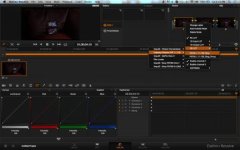
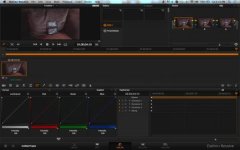
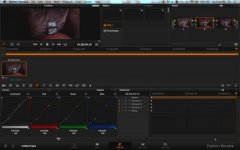
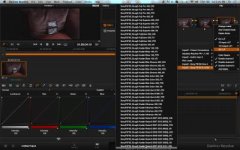
Does this look like the proper workflow?
Any help would be much appreciated..
drapeama
Well-known member
Yes, but you will apply more correction in addition to the LUTs, right?That would be incorrect, you can adjust your image however you want, the LUTs are just starting points.
I've always been in favor of doing it with the available plugins rather than using pre-made presets and kind of copying others' styles.With the impulz being LUTS they are meant to be used in your color correction pipeline, whatever that is for you
I do something close to what you suggested: I start with Levels, Hue/Saturation and then I add a layer of grain and other adjustments as needed. But I was under the impression that if I'd use the LUTs, and make any more adjustment after, it would introduce some issues, like Banding did with the Technicolor Picture Style with 8-bit videos. Maybe I'm wrong.
Hunter Hampton
Carbonite Member
I was wondering if anybody can help me...
I haven't worked with fs700 raw in resolve but are there other options for the raw gamma/ color space instead of 709? Maybe slog2 or slog3 might be available as a gamma? And s-gammut as colorspace? Id also check highlight recovery unless its giving you strange banding around a white clip.
Anyway, if those options are available id start there and proceed as the vision color document you have posted. Starting from 709 is difficult because your already putting a sort of overstaturated and contrasty baked in look on your raw footage.
Hunter Hampton
Carbonite Member
Yes, but you will apply more correction in addition to the LUTs, right?
I've always been in favor of doing it with the available plugins rather than using pre-made presets and kind of copying others' styles.
I do something close to what you suggested: I start with Levels, Hue/Saturation and then I add a layer of grain and other adjustments as needed. But I was under the impression that if I'd use the LUTs, and make any more adjustment after, it would introduce some issues, like Banding did with the Technicolor Picture Style with 8-bit videos. Maybe I'm wrong.
I wouldn't say a Lut is copying anyones style, maybe in this setting its copying a film gamma curve or color- not a bad start IMO. Its no "magic bullet" though.
If your working in Premiere doing color correction you may get banding from various correctors, it depends on your timeline and acquisition codec. One of the benefits of working in resolve is making corrections in 32-bit floating point with YRGB colorspace- as log as your not already getting banding from 8-bit footage resolve should help you get the most of those bits you have. If your working with 10-bit or higher, you won't get banding unless you try your hardest to get it.
Its worth trying resolve anyway, its free for the lite version and you can compare corrections in both premier and resolve to see what you like better.

Spartacus
Veteran
So what´s this upcoming product of the ImpulZ makers then: http://www.vision-color.com/camvert/
Sounds like this will do what FilmConvert does now...?
What exactly that is, I don´t know, since FC always was a bit mystical about what exactly it does.
But unlike a ImpulZ, FC (and now "camvert") seem to somehow factor in some physical properties of the various cameras' sensors.
Or what...?
Sounds like this will do what FilmConvert does now...?
What exactly that is, I don´t know, since FC always was a bit mystical about what exactly it does.
But unlike a ImpulZ, FC (and now "camvert") seem to somehow factor in some physical properties of the various cameras' sensors.
Or what...?
Hunter Hampton
Carbonite Member
Seems to be that camvert is just fast way to balance various cameras when used on the same production. I.e. Drop a LUT on go pro footage to remap the color and gamma to Red footage.
Guessing Its just a pack of input LUTs to balance cameras together before grading.
Guessing Its just a pack of input LUTs to balance cameras together before grading.
drapeama
Well-known member
I get the point. The way I see things is that your camera records with it's own gama curve (picture style) and then, you work from there. But the point is, that it's a starting point to do the color correction.I wouldn't say a Lut is copying anyones style, maybe in this setting its copying a film gamma curve or color- not a bad start IMO. Its no "magic bullet" though.
After Effects also does that. And it really helps with the whites to work in 32-bits mode.One of the benefits of working in resolve is making corrections in 32-bit floating point with YRGB colorspace- as log as your not already getting banding from 8-bit footage resolve should help you get the most of those bits you have.
8-bit recorded footage has banding in it only when you try to use a very flat picture style, which "plays" with the Curve to get "more" room/dynamic range. But it doesn't add much in dynamic range.
I've never really been able to understand how Resolve works. The file extensions and how to load footage into it, how to export it and all...So I gave up, and I've been able to get decent results in AE since.Its worth trying resolve anyway, its free for the lite version and you can compare corrections in both premier and resolve to see what you like better.
But if you can point me some decent information about how Resolve works, in&out from the NLE > Resolve > back to the NLE, I'd appreciate.
Not a bad thing though. Same starting point for different cameras.Guessing Its just a pack of input LUTs to balance cameras together before grading.


starcentral
Veteran
I will 2nd the Impulz LUTs, mainly because now with the F5 or F55 you can load them right into the camera and use on VF or monitoring output, or even baked into internal recordings if you so desire.
That is quite impressive.
That is quite impressive.
starcentral
Veteran
Sorry i don't know if bmc supports internal LUTS. From looking at the website, it looks like you can only do the LUTs in post.
Some cameras, like the PMW-F3 can load 1D LUTs - but its the 3D LUTs (like the ones in Impulz) that are the good ones.
Some cameras, like the PMW-F3 can load 1D LUTs - but its the 3D LUTs (like the ones in Impulz) that are the good ones.
Last edited:
Hunter Hampton
Carbonite Member
Hi hunter. I use final cut 7 still and have the bmpcc in which I may hold if no one buys, but Im not interested in learning resolve at the moment so is it possible to use impulz with final cut 7?
I haven't used it but I believe you can use the plugin LUT BUDDY http://www.redgiant.com/products/all/lut-buddy/ ...and then pull in your Luts from there (Impulz or any LUT)
Resolve will literally take you guys less than an hour or two to learn the basics, some great free tutorials on youtube. Also if you just playing around, you can skip the whole roundtrip thing and just import your footage strait into resolve. It imports pretty much anything natively, including your BMPCC prores -Unleash your color grading fury! ; )
Not to mention its now a fully capable *free* NLE… Im thinking of learning to cut in resolve just for that.
drapeama
Well-known member
some great free tutorials on youtube.
Any link to these good ones?
So far, I'm fine with my actual workflow. A bit more time consuming than this one, but does the job pretty well.