File Plays but no sound

ric8138

Active member
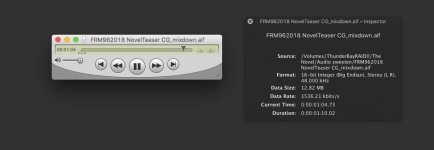
I am stumped by a sound issue in Premeire/Audition. I have a Premiere CC 2018 project that plays back all tracks from the timeline flawlessly. When I export the file, there is no sound, no matter which codec I use. If I open in QT7 player or VLC the level meters show sound levels, but no sound comes out. I have exported .aiff and .wav to no avail. Audio export is checked. I have the sequence opened in Audition, do a mix down to .aiff, nothing. I upload the video file to Vimeo and it says there is no audio track. I am flummoxed.
Screen Shot 2018-09-06 at 3.24.35 PM copy.jpg
 
Did you try to re-install PP/AU? That would be my first troubleshooting step. Is it footage in a format you’ve exported successfully before? If not, then try transcoding some of the clips and see if that helps. WEIRD.
 
First principals... Reboot and try exporting again. I suspect something has gone haywire in the system.
 
Problem solved. I use a Scarlett USB Sound interface. The last time I rebooted the computer it must have gotten kicked off the sound preferences on my Mac. Premiere and Resolve both select the USB interface in their prefs, QT and others use the system sound. When I checked the system sound pref it was not on the external USB interface.
 
Back
Top