
Navigation
Install the app
How to install the app on iOS
Follow along with the video below to see how to install our site as a web app on your home screen.
Note: This feature may not be available in some browsers.
More options
You are using an out of date browser. It may not display this or other websites correctly.
You should upgrade or use an alternative browser.
You should upgrade or use an alternative browser.
FCP Compressor Artifacts
- Thread starter DNathan
- Start date
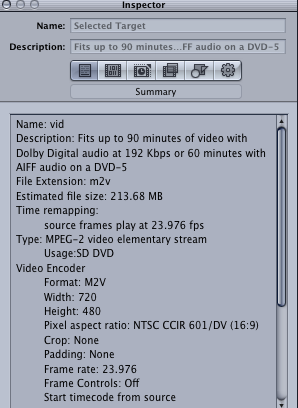
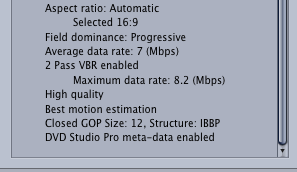
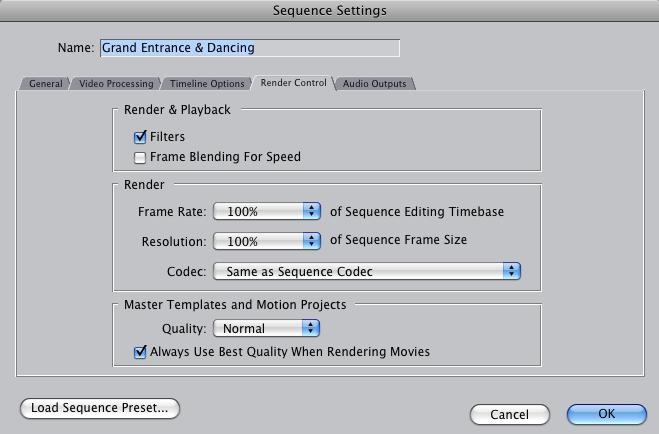
I think I found the problem. I noticed my sequence settings in FCP had 'Frame Blending for Speed' selected. I didn't realize that could cause interlacing. Render & Playback also has an option for 'Filters', which I assume should be checked.
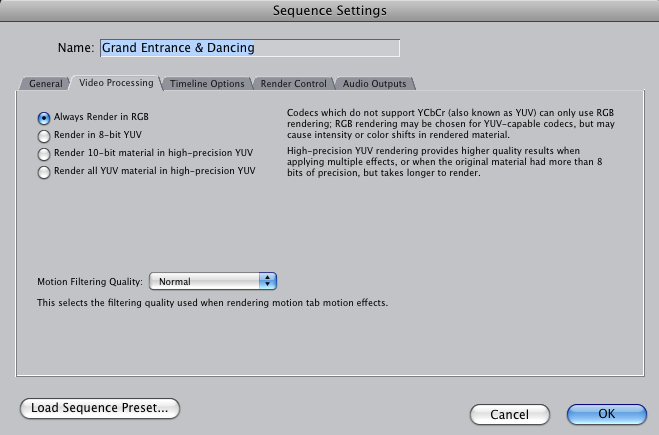
In the 'Video Processing' section I'm not sure whether to 'Always Render in RGB' or Render in 8-bit YUV'.
It was set to the latter, but I switched it to RBG.
In the 'Video Processing' section I'm not sure whether to 'Always Render in RGB' or Render in 8-bit YUV'.
It was set to the latter, but I switched it to RBG.

JeganRX
Well-known member
Sorry my lack of responses, DNathan, I've been on vacation.
To be honest, I'm kind of at a loss right now as to what is causing this issue (Assuming we're still talking about the blacked-out frames), but your render settings in FCP have little to do with it. I'm pretty sure frame-blending for speed is an optimization (or rather, drop in accuracy) in FCP's frame-blending technique. Someone correct me if I'm wrong on that one, but it should have little to do with your final output.
Your colorspace has nothing to do with these black frames (nor would it affect interlacing of any kind). At this point, this is the kind of situation that unfortunately would require looking at the exact workflow.
To be honest, I'm kind of at a loss right now as to what is causing this issue (Assuming we're still talking about the blacked-out frames), but your render settings in FCP have little to do with it. I'm pretty sure frame-blending for speed is an optimization (or rather, drop in accuracy) in FCP's frame-blending technique. Someone correct me if I'm wrong on that one, but it should have little to do with your final output.
Your colorspace has nothing to do with these black frames (nor would it affect interlacing of any kind). At this point, this is the kind of situation that unfortunately would require looking at the exact workflow.
Thank you Douglas. I just received CS5 in the mail, and the problem is gone. I think something went awry in CS3. The main evidence was that you successfully did it in CS4. I'm grateful for the problem, though, because I learned so much along the way! It turns out that I'm pretty dangerous now. 
I can't see any changes between Encore CS3 and CS5, which is disappointing. I guess that's the result of no competition (for Blu-Ray at least).
I can't see any changes between Encore CS3 and CS5, which is disappointing. I guess that's the result of no competition (for Blu-Ray at least).
JeganRX
Well-known member
Thank you Douglas. I just received CS5 in the mail, and the problem is gone. I think something went awry in CS3. The main evidence was that you successfully did it in CS4. I'm grateful for the problem, though, because I learned so much along the way! It turns out that I'm pretty dangerous now.
I can't see any changes between Encore CS3 and CS5, which is disappointing. I guess that's the result of no competition (for Blu-Ray at least).
http://www.adobe.com/products/premiere/encore/