Ebrahim Saadawi
Carbonite Member
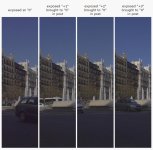
Some old tests I dug out on Exposure. I conducted the same test on many platforms, Canon 60D/5D mk III/Canon C100 Clog/Nikon D5300/D810/Sony A7s at SLOG2, and Panasonic GH4 wat CineD & CineV and even did a quick on-set test on an Alexa, shooting 2.8K arriraw, and ALL these camera systems give the exact same results as follows:
ETTR Log ungraded

"Correct exposure or slightly under" Log ungraded

ETTR corrected to match the correctly exposed

ETTR

Correctly exposed

ETTR to correct exposure

I mean it's such a huge difference in image quality that I never expose correctly or slightly under anymore, the higher you go in exposure and the more you feed the sensor light the better quality, thicker colour, less noise and more DR you get, to my eyes anyway.
It even works if you achieve ETTR by pumping up the ISO/gain (but it's best achieved by opening iris/lowering shutter/increasing light), a 320ISO underexposed image shows way more noise than a 3200ISO overexposed image, so it's underexposure that creates noise, not high ISOs!
Exampe for 320ISO (under) vs 3200ISO (over):
320ISO

3200ISO

Here's both when you grade them to normal point:


The first noisy one of the two graded images above is at 320 ISO, while the bottom clean one is at 3200 ISO, with the same settings/light and everything, yet the 320ISO shows significant noise because the image is underexposed, while using the ETTR technique the I can get perfectly clean images at 3200ISO using a Canon rebel (as seen on last image, at 3200ISO with a Rebel)
again to my eyes, It's underexposure that creates noise, not high ISOs.
Plus, ETTR increases Dynamic Range (as long as you don't clip the HL) because once you start dialing down exposure, the highlights don't gain anything while the shadow noise floor is increased = lower DR, so with ETTR you're using the entire DR of your sensor, squeezing every last drop of performance)
Achieving ETTR is best done using a Waveform monitor or an RGB Histogram in-camera, you increase exposure until the image touches the upper boundary (WF) or right boundary (Histo), and Zebras if set to 100% could be used too, you increase exposure until they show up, then back down one notch. Yes the image looks ugly, flat and over exposed at first, but that's the way we shoot now anyway in a Log/LUTs dominated world. So this technique is only viable if you are doing correction to the image in post and not handing them off for direct delivery obviously, for these type of jobs get a "correct" exposure with skin at 70IRE and that stuff...
So what do you guys think? I see many professionals don't expose that way so there must be a counter argument, lets hear it please!
Or can I just use this simple technique for setting exposure and rest my mind in peace after all these years struggling to get "correct" exposure?
ETTR Log ungraded
"Correct exposure or slightly under" Log ungraded
ETTR corrected to match the correctly exposed
ETTR
Correctly exposed
ETTR to correct exposure
I mean it's such a huge difference in image quality that I never expose correctly or slightly under anymore, the higher you go in exposure and the more you feed the sensor light the better quality, thicker colour, less noise and more DR you get, to my eyes anyway.
It even works if you achieve ETTR by pumping up the ISO/gain (but it's best achieved by opening iris/lowering shutter/increasing light), a 320ISO underexposed image shows way more noise than a 3200ISO overexposed image, so it's underexposure that creates noise, not high ISOs!
Exampe for 320ISO (under) vs 3200ISO (over):
320ISO
3200ISO
Here's both when you grade them to normal point:
The first noisy one of the two graded images above is at 320 ISO, while the bottom clean one is at 3200 ISO, with the same settings/light and everything, yet the 320ISO shows significant noise because the image is underexposed, while using the ETTR technique the I can get perfectly clean images at 3200ISO using a Canon rebel (as seen on last image, at 3200ISO with a Rebel)
again to my eyes, It's underexposure that creates noise, not high ISOs.
Plus, ETTR increases Dynamic Range (as long as you don't clip the HL) because once you start dialing down exposure, the highlights don't gain anything while the shadow noise floor is increased = lower DR, so with ETTR you're using the entire DR of your sensor, squeezing every last drop of performance)
Achieving ETTR is best done using a Waveform monitor or an RGB Histogram in-camera, you increase exposure until the image touches the upper boundary (WF) or right boundary (Histo), and Zebras if set to 100% could be used too, you increase exposure until they show up, then back down one notch. Yes the image looks ugly, flat and over exposed at first, but that's the way we shoot now anyway in a Log/LUTs dominated world. So this technique is only viable if you are doing correction to the image in post and not handing them off for direct delivery obviously, for these type of jobs get a "correct" exposure with skin at 70IRE and that stuff...
So what do you guys think? I see many professionals don't expose that way so there must be a counter argument, lets hear it please!
Or can I just use this simple technique for setting exposure and rest my mind in peace after all these years struggling to get "correct" exposure?



 ).
).