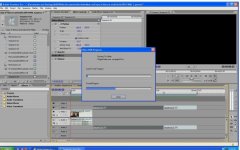
Hey guys, I did everything I could with premiere. Every time I try to burn a DVD it keeps giving me an error about 2 hours later. I can't remember exactly what it said but it was along the lines of "plug in dll...error"
It's been acting crazy on me. At first it was a nightmare just trying to get the burn button to turn on. Even that was strange because at times that it said insufficient space it would still go ahead and start encoding. Then I finally used Dolby to save space and had the settings changed to VBR 2 pass with min 1.5,average 7 and max 9 bit rate. The space no longer was an issue but then the error came up again! I've reinstalled premiere 2 times in different paths and that didn't give me any luck. This is the first time I burn a project that's 45 minutes long so I don't know exactly what the problem is.
It's been acting crazy on me. At first it was a nightmare just trying to get the burn button to turn on. Even that was strange because at times that it said insufficient space it would still go ahead and start encoding. Then I finally used Dolby to save space and had the settings changed to VBR 2 pass with min 1.5,average 7 and max 9 bit rate. The space no longer was an issue but then the error came up again! I've reinstalled premiere 2 times in different paths and that didn't give me any luck. This is the first time I burn a project that's 45 minutes long so I don't know exactly what the problem is.