DVD printing

DVD printing

  • Thermal

    Votes: 1 5.3%
  • Inkjet

    Votes: 17 89.5%
  • LightScribe

    Votes: 2 10.5%
  • Other

    Votes: 0 0.0%

  • Total voters
    19

mystico

Well-known member
I'm not sure if this is the correct area for this thread, but it seemed like the closest. I do wedding videos and am trying to settle on a good DVD printer with a shoestring budget. In reading other forums and online "guides," it seems the consensus on inkjet printers is that the initial product looks great and allows for more design creativity than thermal, but that the ink tends to fade more quickly than thermal. Well, I tried the Primera Signature Z1 (small, ~$130 thermal), and the results were horrible. :thumbdown It left certain areas of the disc blank and smeared others. The one time I tried to print an image, it smeared the entire thing. And this was tested with two different printer ribbons and two types of disc surface (silver shiny and white thermal printable). The silver shiny actually yielded better results than the other, which I found strange--but they were both subpar. The next up thermal printers cost $1500+.

I recently learned of a technology that is actually only 1-2 years old. It's called LightScribe. Included in some DVDRW drives, this allows you to turn over a disc after burning, and it will use the drive's laser to burn a design on the other side of the disc (http://www.lightscribe.com/). Has anyone had any experience with this?

Otherwise, what are your recommendations?
 
I have both the Primera and Epson R300.

I use the Primera mainly for Labeling and 'One Up' discs for internal use (marketing, Sales, training) where nothing fancy is needed. Looks better than a Sharpie.

The Epson is great for 25 discs or less. A quick coat of spray polyurethane makes them waterproof.

Any larger quantities, I sub out to a local duplication house. Our corporate Photoshop Guy provides the .psd's for artwork.

( Gratuitous plug: www.litespeed.com )
 
This topic deserves a bump due to newer printers

Thinking about buying a new small inexpensive printer (already have a larger photo quality printer), anybody had good or bad experiences with say epson R260 for printing directly onto DVDs, is there a better solution?

What is the best brand of white surface DVDs to print inkjet on (Verbatim)?

Oh, maybe some suggestions on software or other stuff while on this topic are greatly appreciated.

thanks
 
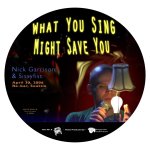
I print Verbatim discs on the Epson R220 and it works great. I've used other white printable discs (I don't recal which, now) and had problems with the ink smearing LONG after they had been printed. So for a long time I was just printing very simple designs with minimal text and graphics. But the Verbatim's are in pretty decent shape right out of the printer, even on a heavy coverage design like this...
 

Attachments

  • wyslabelround.jpg
    wyslabelround.jpg
    113.8 KB · Views: 0
Last edited:
I spent many a few years using Epson printers on Taiyo Yuden - with beautiful results, although potentially smearable. Currently, there are a number of waterprooof high-gloss surfaces from different manufacturers. Using silver-inkjet-printable media turned out to be a little more unique and pleasing to the clients, as well as forgiving of slight print mis-alignment - no white edges!

However, about six months ago I made the jump to the Primera Bravo SE, and I have to say it's a world of difference! Not in quality - I'd say the Epson has a slight advantage there - but the automated duplication possibilities have been a dreamlike timesaver. Being able to sleep while large batches of discs print, to queue multiple batches, even the streaming mode have proved invaluable! All this aside from my original reason for getting it... to avoid having to keep umpteen stacks of burned-yet-unprinted discs around, somehow carefully labeled as to what they are...

I don't know about the frequency of your jobs, but I average one per day, and of course these tend to bunch up into busy production and busy post-production periods - so I'm often needing to burn and print 4 or five short runs a night. Torture for the one-by-one approach! So, now that there are some low-cost, highly reliable duplicators around, I'd highly recommend looking into them to whover burns a lot of discs...

As for lightscribe - unimpressive results, extremely slow, no easier than printing any other way (well, except for not having to maintain ink supply), expensive media. I'd never use it for any professional purpose.
 
Cannon

Cannon

I Use a Cannon ip5100 (ithink thats the code) works like an absolute treat! only problem was when printing straigh t from photoshop it prints the label about an inch or two too high! so i had to make the document with the print +- A4 shape, a few registration marks and test prints and i now have it lined up perfectly. When using the program that comes shipped with the printer it wont allow me to print inside the inner circle where some discs are clear... But like i said print quality is amazing!!! and it was fairly cheap too R1,000.00 local = about $140.00
 
Back
Top