
Navigation
Install the app
How to install the app on iOS
Follow along with the video below to see how to install our site as a web app on your home screen.
Note: This feature may not be available in some browsers.
More options
You are using an out of date browser. It may not display this or other websites correctly.
You should upgrade or use an alternative browser.
You should upgrade or use an alternative browser.
DVD Architect 5 (came w/ Vegas 9) AVI rending issue w/ Bluray
- Thread starter greeches
- Start date

In what format at you clips?
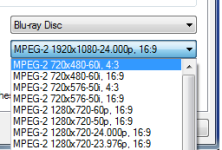
It is necessary in vegas to prepare correctly their (miscalculation) for DVD architect, having saved quality and not to allow DVD architect to count them repeatedly!!!
As much as possible having saved quality!
You should receive:
One video a file (the same name) MPEG-2
One audio a file (the same name) AC 3
To load it in DVD architect!
It is necessary in vegas to prepare correctly their (miscalculation) for DVD architect, having saved quality and not to allow DVD architect to count them repeatedly!!!
As much as possible having saved quality!
You should receive:
One video a file (the same name) MPEG-2
One audio a file (the same name) AC 3
To load it in DVD architect!
Last edited:

qazwsx
Well-known member
I think it's a bug in DVDA 5.0b. I had the same issue when I would try to import more than 10 cineform AVI wrapped clips. They would all load as black screen with just audio. If I only put in a few clips they'd load fine and DVDA would convert them to the appropriate format (including bluray) based on the project settings and options from the make disc stage.
I tried it later on a friends computer who has 5.2 installed and it let me import way more than 10 clips, but it put a horizontal and vertical stripe down the middle of the video. It also did not adjust the PAR to widescreen.
I tried it later on a friends computer who has 5.2 installed and it let me import way more than 10 clips, but it put a horizontal and vertical stripe down the middle of the video. It also did not adjust the PAR to widescreen.