DSLR audio - Mixer for Double system sound with 3 audio sources?

Hi folks-

I'm about to leap into filmmaking with the new Canon 550d / T2i. I can't decide what to do about audio.

I want to do a lot of documentary work, so the audio is critical to sync. Really I need on-board (is this the right term?) solution to minimize audio work in post. I'm also working alone, so I need to manage audio while shooting.

Audio input #1: Wireless lapel
Audio input #2: Cheap Rode shotgun that will mount on the camera
Audio input #3: Zoom H4n to record ambient audio
Audio input #4: [optional] Cheap wired lapel to record my notes.

What is the cheapest Mixer to do all this?
And can the Zoom H4n record 1 track via it's mics, and 3 more tracks simultaneously? I mainly want the H4n to serve as a backup if the camera audio is bad.

Do I need phantom power in this setup?

Needs:

  1. Mixer must mount in-line with camera
  2. Portability (light to travel)
  3. 1-person operation
  4. Monitor audio from mixer and also camera?
  5. plus: 4th audio input from cheap wired lapel

I have spent some time drawing the configuration I envision.
[EDIT: I realize the challenge is how to separate out the audio out from H4n to the mixer, without looping the audio into the H4n. Is this possible?]

audio-setup.png


Any advice is appreciated.

Thanks-
paul
 
Not much, unfortunately.

Zoom H4n: $300
Sennheiser EWG2 wireless lav: $510
RODE VideoMic: $150
Headphones: $80 (is this enough?)
Wires: $0 (Think I have these.)
MIXER: $300? (It's probably not enough, I know.)
-------
$1340

I was thinking of using a cheap Juicedlink unit, but that wouldn't let me do all this stuff. Maybe if I went up to $1500 would that cover it?
 
Why do you need a mixer? don't even need shotgun mic either, the Zoom on board mic is good, this clip http://www.vimeo.com/9534336
I'm using the Zoom H4N with a wireless mic taking a feed from the band mixer into the zoom XLR, in post I mix it with the Zoom on board mic for ambient, if you want to take notes just speak right into the zoom mic or the camera mic, I don't think you need all that other stuff to carry around, you can also change the onboard zoom mic to be more directional instead of stereo.
 
PSA1, Maybe I don't need the Zoom AND the Rode. Are you saying you use the H4n as a recorder and as a mixer? I didn't think you could control the levels directly from the H4n as easily as a mixer. Are you recording to the camera and the H4n simultaneously?

That Vimeo link sounded great. So do you record the band mixer to track 1, and ambient to track 2, then feed a mixed stereo feed into your camera?

Really, I'm stretching myself too thin financially anyway. I decided to get an H4n because I may need to get quick audio snippets, and didn't want to use the camera for that. So if I have the H4n, I guess I don't need the Rode, but I like that the Rode is directional.

So would you suggest a revised list:
Zoom H4n
Wireless Lav
Headphones

That's it?
 
Well, an ENG-44 or DVPromix 3 would be around $500, but neither is a particularly stellar unit. If you can somehow stretch to pick up a MixPre, $665 @ B&H, its a solid starter mixer.

But in all honestly, I don't know that it's worth it record to the camera in this situation. Most DSLRs have pretty terrible audio sections. If you come at this with the goal of just recording to the zoom, you free up a little $$ for some other improvements.

So consider this setup:
NTG-2 with mount / fur / boom / cables $579
H4n: $300
MDR-7506: $89
Senn G3 Wireless: $599
------
$1567

The NTG-2 is a more versatile mic, and the kit linked includes a shockmount that can be used on-cam or on a boom. It also includes wind protection, cables, and a boom for when you want to get the mic off the camera and into a position to record useable sound.

The G2 kit you were looking at is discontinued, and I think you might have been looking at the wall-powered units, so I linked the basic G3 kit.

And set a little asside for cables, there's almost always something unaticipated that you don't have laying around.


On edit:

Also consider if you really need the wireless lav. Going wired gives a more reliable result, and would save some $$.
 
Maybe I should have added, I'm documenting Arabic and it's my second language. So I wanted as much ambient sound included on a SEPARATE track just as a backup so I can refer to other people in the room. I would prefer to use MOSTLY audio recorded directly to the camera, to minimize audio sync in post.
 
Thanks for the comments. This is very helpful.

Should I just suck it up and plan to sync all audio in post? I'm afraid it will be a nightmare to try to 1) translate 2) sync 3) edit

Also, I've heard some great audio recorded on both Canon 5D and 7D. I even wonder if this much cheaper camera will record better audio.
 
Thanks for the comments. This is very helpful.

Should I just suck it up and plan to sync all audio in post? I'm afraid it will be a nightmare to try to 1) translate 2) sync 3) edit

Also, I've heard some great audio recorded on both Canon 5D and 7D. I even wonder if this much cheaper camera will record better audio.

Where does "translate" enter into the workflow, during recording or in post? If you are translating into another language, the translation won't (exactly lip)sync to the video original anyway so you have a lot more flexibility and there is a less compelling need for recordiing in perfect sync in the field. If the original recording is audible at all it will be so far buried under the translation narration that no one will be able to tell if it's in perfect sync or not.
 
Where does "translate" enter into the workflow, during recording or in post? If you are translating into another language, the translation won't (exactly lip)sync to the video original anyway so you have a lot more flexibility and there is a less compelling need for recordiing in perfect sync in the field. If the original recording is audible at all it will be so far buried under the translation narration that no one will be able to tell if it's in perfect sync or not.
Steve-
I will be gathering spoken Arabic. The outlet will be both Arabic television and US media. So that means I will need to edit all Arabic, but potentially have sub-titles for English. I may have a translator there to assist me, so that would be nice to have that translate track separate.

Jordan-
Basically everything. I'm supposed to be a one-man band until we can build a bigger team. I need to gather everything from interviews to purely aesthetic filler shots. I'm going with the DSLR because of the ability to shoot stills, only having to buy glass once, and also for the great depth of field and try to achieve a film look.
 
Having dealt with the DSLR workflow a bunch lately I can recommend a few things.
First use the VideoMic directly into the camera for a guide track. The onboard audio is never going to be much use except as a guide track so just keep it simple. Feed the other mics directly into the Zoom. If you need to make a note talk into one of the mics, you can't take verbal notes while recording anyway (it will bleed into your recording).

Get PluralEyes
tutorial

Article of interest

Your also going to want to avoid X.0 frame rates UNLESS your working in PAL or are not using FCP. It's complicated but FCP needs to set up just right for x.0 frame rates (24.0, 25.0, 30.0) or it will destructively mis-stamp your audio files and sync will be an issue. IF set up corectly it's not a problem but it has to be set up BEFORE you bring in any audio. If you live in NTSC land then it's best to just avoid the problem and stick with NTSC friendly formats like 29.97 and 23.98.

Skip the mixer for now OR get the MixPre and set the limiter up for blowout proof with the Zoom and make life a bit easier.
 
PSA1, Maybe I don't need the Zoom AND the Rode. Are you saying you use the H4n as a recorder and as a mixer? I didn't think you could control the levels directly from the H4n as easily as a mixer. Are you recording to the camera and the H4n simultaneously?

That Vimeo link sounded great. So do you record the band mixer to track 1, and ambient to track 2, then feed a mixed stereo feed into your camera?

Really, I'm stretching myself too thin financially anyway. I decided to get an H4n because I may need to get quick audio snippets, and didn't want to use the camera for that. So if I have the H4n, I guess I don't need the Rode, but I like that the Rode is directional.

So would you suggest a revised list:
Zoom H4n
Wireless Lav
Headphones

That's it?

The Zoom is a 4 track recorder, it has level adjustment for the 2 onboard stereo mic, and level adjustment for the 2XLR, on that clip the ambient stereo is recorded to the first 2 stereo track, the wireless feed from the band recorded to the XLR1, I still have an unused XLR2, all recorded simutaneously. When you download to your NLE you will have seperate tracks for the onboard mic and XLR and so I do all of my mixed in post, you can also mix it right on the zoom using the audio level adjustment but much easier to do this in post, and no big deal syncing it to the camera audio track, just remember to clap your hands at the start of the recording and when editing just look at the waveform for the peak and sycn it, or there are software that does it for you.
I don't think you need to spend more for what you are doing.
 
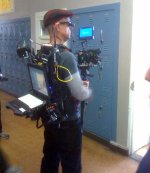
Mixerman, how did you take that photo of me? :)

Maybe if I appear overboard it's because I know I won't be able to buy gear in the Mideast like elsewhere, and I don't want to get out there and not be able to buy gear quick.

Thanks so much for the advice. I'm looking into all of your suggestions.

Noiz2, one thing on that tutorial video..Why is the guy processing in Mpeg Streamclip before importing into FCP? I thought you could just import directly.

I am working in FCP, but will need to produce PAL material for TV broadcast, and potentially NTSC for USA.

Also, this new camera will shoot native 1080p 24fps. Am I understanding correctly, that this makes it much easier to record audio directly into the camera and import without changes in FCP if the final project is 24fps?

I think I'll have time to get the camera and H4n/wireless lavs first...practice a bit, then if I need I'll invest in more before travel.
 
one thing on that tutorial video..Why is the guy processing in Mpeg Streamclip before importing into FCP? I thought you could just import directly.

You can but you don't want to. Compressor might be a better choice but the best would be GRINDER. It's in public beta from Red Giant. You should email them and ask to get on the beta. It will take you h.264 camera footage and convert it to ProRes which is what you want to be editing in. It can also at the same time make proxy clones so you can send them off or edit with very low bitrate files on a laptop and then just repoint the project to the hires when you done with the edit.


I am working in FCP, but will need to produce PAL material for TV broadcast, and potentially NTSC for USA.

Well you should figure out which is your gold standard and go with that. There is some serious speed change between PAL and film speed (24) and NTSC. If PAL is my sponsor or primary outlet then I would shoot in a PAL format (if the camera has one) and convert to NTSC when needed. If your coming from the US/NTSC world spend some time getting FCP set up for PAL. If you have already been working in PAL you should be good to go.

Also, this new camera will shoot native 1080p 24fps. Am I understanding correctly, that this makes it much easier to record audio directly into the camera and import without changes in FCP if the final project is 24fps?

Except for some special cases you should never shoot video at 24fps. But does it actually shoot 24? or is it 23.98 (commonly called 24p). The thing is there are three speeds in the visual world (at least common ones).
FILM speed (24.0 fps, 30.0fps). I'm adding ".0" even though it's not normal to do so, to distinguish between the common frame rates that have been named by marketing departments because they are confused by fractions.
NTSC Video speed (23.98, 29.97, 59.94 (generally called 60i and 60p))
And
PAL Speed (25.0 fps)

So you do not want to shoot at 24fps (unless it's really 23.98). And if your primary is PAL you want to shoot at 25 because your going to get a noticeable pitch shift going 23.98 to 25.

Cheers
SK
 
Just wanted to update this forum with my results.

Basically I went cheap and didn't buy any mixer. I'm finding that I like the simplicity and separation of on-board camera audio and remote audio recorded to the Zoom. It's pretty easy to sync up in post. I don't feel like I have a need for a mixer until I start recording more than two people at a time.
 
Just a comment here regarding your workflow. If you are shooting solo, a conventional video cam will make your life oh so much easier. Maybe not what you wanted to hear, but the truth.

Grant
 
Back
Top