double page view on screenwriting softwares

diego80

Active member
hello to everyone,
sorry to bother you with such a technical question.

I was wondering if those screenwriting softwares -such as movie Magic ScreenWriter 6 (the one I use), final draft 8 or adobe story

give the possibility to adopt a double pae view for your documents, like it is in microsoft word

eg4457223286_55f32b831f.jpg
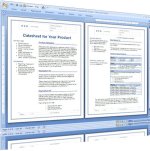

final draft offers a vertical split view but that's not it..

thanks
alex
 
From the top of my head, final draft 7 may. But I'm little foggy on that. The split screen you referred to might be what's on my mind. I'll need to check to give u a definite.
 
Any multipage document which can be output as PDF which is pretty much all of them that I'm aware of can be viewed as both double page view and continuous double page view regardless of the authoring software.
 
Any multipage document which can be output as PDF which is pretty much all of them that I'm aware of can be viewed as both double page view and continuous double page view regardless of the authoring software.
<br />
<br />

Yes but: are we talking about a double page view in pdf reader
Or straight on the final draft software?

Please post a screen capture of what you refer to
Thanks
 
I know on FD7 on the tool bar there are three page icons... unspilt (normal)... split vertically & split horizontally... if you don't see them... you probably can add them to the tool bar... not sure how to post a frame grab...
 
... Yes but: are we talking about a double page view in pdf reader
Or straight on the final draft software?

Please post a screen capture of what you refer to
Thanks

Absolutely in PDF reader. Everything I do with a script from registering to printing and binding for table reads with actors has Zero to do with any particular authoring software. PDF is universal enough to be platform agnostic as well.

See screengrab below: (Guess what program authored the script?)

tpdr.png
 
If you mean a R and L view for editing, I have both Movie Magic 6 and Final Draft 8 and there is no way to edit in a double page view.
Word processors like OpenOffice let you edit in split view, or heck even with 16 pages in view (small fonts!), but not in screenwriting software that I can see, for editing.
 
thanks very much for the answers: I was waiting for automatic daily reply notifications, which I did not receive of course..

yes, I would like to be able to use a double page feature in editing mode, which I have not found in MMSW 6 or Final Draft

I feel this is really something missing.
 
hey guys,

would you like to submit a group requeste to the software house, to ask this feature implemented?
 
Try this: www.trelby.org. It is free (but do donate if you like it). It is KISS. It does double page editing. I hove just two scripts experience writing screenplays...the one I still need to finish and used some software I can't remember, the second I'm almost done with using Trelby....I find it superb.
 
Try this: www.trelby.org. It is free (but do donate if you like it). It is KISS. It does double page editing. I hove just two scripts experience writing screenplays...the one I still need to finish and used some software I can't remember, the second I'm almost done with using Trelby....I find it superb.

thanks: I just knew about this application from another forum.

I don't understand anyway why I don't get reply notifications.


anyway: I've tried it, it is not bad at all but some fundamental features are missing: first of all, you cannot browse your scenes, there's no data base for your characters names, and I guess that margins setting does not fully meet professional standards
 
Back
Top