DMT/DIT station

David J. fulde

New member
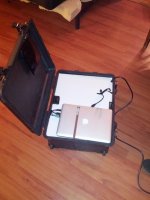
Greetings all! so, I've been getting a lot of DMT work lately and decided to get myself my own DMT setup. this is the result (Photo's are terrible but what the hell)

Some specs:
3X 2TB harddrives (1 connected through FW800 and 2 are connected through USB 3.0)
an SxS card reader (Connected through thunderbolt)
A CF/SD card reader (USB 3)
USB 3, eSata, and FW800 cables set up to connect to production drives.

Underneath the hood are also various adapters and hubs to help keep things working smoothly.
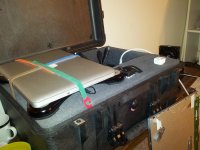
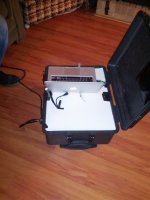
IMG_20130220_013609.jpg
In this first photo you can see the CF/SD card reader as well as the SxS card reader sunk into the foam (Unseen is a small canister of silica sand)
and, if you look closely, you can also see the Firewire 800, USB3, and eSata cables I have jutting out to hook into production drives
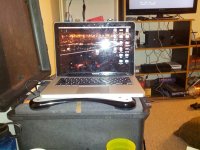

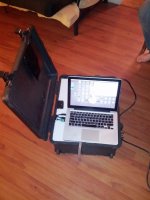
IMG_20130220_013416.jpg
In this second photo you can see the computer set up and ready to go!

Video of me setting it up:
 
Last edited:
that's pretty cool. I always love these setups. I can't imagine how much easier it must be to show up on set with that, open the lid, plug in and be ready to roll.

Looks kinda thick though, could you post a shot of the top layer of foam taken off so we can see the wiring below?
 
That's awesome David, Cool set up.

Like treynolds, I'm also very interested in seeing more under the hood shots if you can give them.

Thanks for sharing
 
It could be thinner if UPS' were smaller. But this is fine. Chuck it in the back of a car and done!

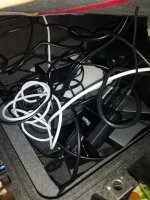
And yes, it was designed to be able to just plug in and go. Here's a photo of the underside... It's not pretty. but it's functional!
IMG_20130220_134433.jpg
In the photo you can see the three harddrives the two silver boxes and the white box) the complete mess of cables and the two USB hubs.
I think I'm going to tear it down and put it all back together again in video form to both clean up the cables a bit and show how it's all put together.

EDIT: Here's a small video of me rebuilding it.
http://www.youtube.com/watch?v=sVNCjWloYo4&feature=youtu.be
 
Last edited:
Yes, your right, the wiring isn't the prettiest thing in the world but it sure does work. I don't know if you are up for it but i would look at replacing those power bricks with a single one that has a breakout cable on it. You obviously would have to wire it up yourself. But it could save you some space in there. How long does the UPS hold out for? I would imagine quite a while because i have one about that size on my editing rig and it gets me about 10 minutes. Plenty of time to save my work and shutdown carefully.
 
The UPS holds out for bit. I have yet to test that particular length (with the power draw I'd expect a good half hour) but it's whining makes it tough to test ha ha)

As for replacing the two bricks with one: I'm already having some power draw concerns so... no :P
 
Yeah, you would have to find a wall wort with the same voltage but twice the amperage in order for it to run both HDDS.
 
I thought about that, but I felt that adding a monitor would just add to the power draw, and make it more awkward to use. the idea of a mac mini was proposed by another DMT I know to use it for extra processing and not much else.
 
Yeah i agree that a monitor built into the case would be a bit much. it wouldn't hurt to have a monitor with you separate of the case for playback on set however.
 
Greetings all, instead of making myself a new post I thought that I would just post here. So, long story short, makeover!

IMG_20130812_224423.jpg
Back, open
IMG_20130812_224408.jpg
Front, open
IMG_20130812_224455.jpg
Front, closed
 
Back
Top