Connected clip moving bug

ian_h

Active member
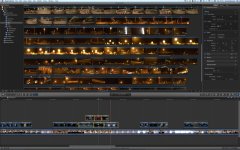
When I have, say, five connected clips (all touching) on two layers above the primary storyline... and select all these connected clips to move them to the right, the timing between those clips changes. I have to go back and manually put them in the right place relative to each other. This a bug, or am I doing something wrong?
1.jpg2.jpg
 
Last edited:
You mean make a compound clip? And then 'uncompund'? Yeah, it is a workaround, but it's quite a few extra, completely unnecessary key strokes. Other people having the same problem?
 
You mean make a compound clip? And then 'uncompund'? Yeah, it is a workaround, but it's quite a few extra, completely unnecessary key strokes. Other people having the same problem?
No I think what he means is to take the clips from the secondary storyline and append them to the main story line. There's a command that let's you do this.
 
Ah, I see what you're doing, and I know what's going on. Your "Connection Stems" are what you need to pay attention to. Some are moving to a new clip, some aren't, and they're moving out of sync.

Here's what you do. First, I'd put them into a Compound Clip and leave them there for good. Then you only have one connection stem, and nothing to worry about.

BUT, I'm trying to duplicate this exactly, and when I move them altogether, they stay in tact, no matter what I do.

I suspect that with so many clips with so many stems, your moving them in some odd fashion, and not as a whole. So, put them into a Compound Clip, and leave them there for good.

Heck, I'm even pulling them altogether to underneath the Primary Storyline and they stay in tact.

Or perhaps some detail is needed about what exactly you're doing?
 
Last edited:
Actually, this is a music video. The primary storyline is one continuous clip - a bed of the artist singing. The connected clips are cutaways and I simply want to move them all (exactly as they are, in their existing relationships) a few seconds later in the track. I don't want them in a compound clip because I may then want to move some of them out of the compound clip. I simply want to move them to the right, but they all jump out of time.

All I did was select the 5 clips, and move them to the right with one click-drag of the mouse. It doesn't make sense that they should jump out of alignment to each other. This is definitely a bug. The same thing happens if I have just two connected clips next to each other, and try to move both of them left or right at the same time. They also move relative to each other. And it is all one long clip that they are connected to, not different underlying clips, so there's no reason it should happen.

To be honest I'm loving many aspects of FCPX - especially the media management, which is a fantastic paradigm shift in the way I work which I think is really great. I love the speed too. But it's buggy as hell and crashes ALL the time. 20 times a day in a full day of work, at least. I'm still on the fence about the magnetic timeline - I'm not sure Apple have got this one right.

(By the way this is all on the latest FCP X patches, latest Lion, and on a newish Mac Pro with loads of RAM and blazing RAID)
 
Actually, this is a music video. The primary storyline is one continuous clip - a bed of the artist singing. The connected clips are cutaways and I simply want to move them all (exactly as they are, in their existing relationships) a few seconds later in the track. I don't want them in a compound clip because I may then want to move some of them out of the compound clip. I simply want to move them to the right, but they all jump out of time. This is really not some complicated or fancy operation!

All I did was select the 5 clips, and move them to the right with one click-drag of the mouse. It doesn't make sense that they should jump out of alignment to each other. This is definitely a bug. The same thing happens if I have just two connected clips next to each other, and try to move both of them left or right at the same time. They also move relative to each other. And it is all one long clip that they are connected to, not different underlying clips, so there's no reason it should happen.

To be honest I'm loving many aspects of FCPX - especially the media management, which is a fantastic paradigm shift in the way I work which I think is really great. I love the speed too. But it's buggy as hell and crashes ALL the time. 20 times a day in a full day of work, at least. I'm still on the fence about the magnetic timeline - I'm not sure Apple have got this one right.

(By the way this is all on the latest FCP X patches, latest Lion, and on a newish Mac Pro with loads of RAM and blazing RAID)
 
Well, try as I might, I can't replicate this "bug" on either of my 2 Macs, or 3 others I've tested on. Doesn't mean the bug isn't there. Report it on the feedback page. You can also try to move them numerically. With all the clips highlighted, simply type in the amount of time you want to move them. Use a minus sign to move to the left (backwards). I'd be curious to see if this works.
 
Back
Top