Color correct in vegas 9

New_Zealand

Veteran
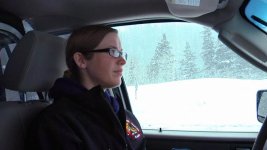
I been trying to figure out a good color correction in Vegas 9 on this footage I shot last weekend. Here is a frame I pulled from it. I thought maybe pulling most of the color out? I also have Vegas 11 but I like 9 much better at this time. Anyway any feedback would be good.

 
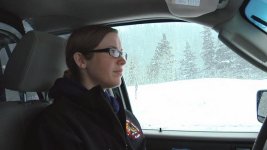
Here are the Video Event FX Plug-Ins I used to modify your JPEG image in the Vegas Pro 11 timeline. I could get better results if I had actual footage to work with...

SONY LEVELS

Input Start: 0.053
Gamma: 1.200

-------------------

SONY HSL ADJUST

Saturation: 1.200

-------------------

SONY COLOR BALANCE

Red: 0.016
Green: -0.058

Type: Midtones


NewZealand_Image2.jpg
 
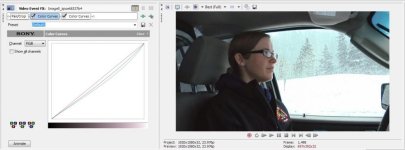
You can also use curves, just dip the blue highlights a bit, then the blue shadows. then repeat with green. You can also add a second instance of curves and brighten the highlights with all RGB.
 

Attachments

  • curves2.jpg
    curves2.jpg
    49.1 KB · Views: 0
  • curves3.jpg
    curves3.jpg
    43 KB · Views: 0
Last edited:
I would use curves.

But the question is kind of moot if no one knows what you want it to look like, or what kind of a project it is, or how it fits into the project, or anything about artistic intent.
 
Back
Top