Automate cuts at 3 seconds 1 frame in FCP

Lootz

Member
Hey all,
Well my external drive took a crap and I need some help. I did a recovery on a disk from a H4N after a recording using the 4 ch option. The recover software found the two files and combined them. In other words for 3;01 I have lav sound then 3;01 of nat sound then lav then nat etc. I can sit here for the next 10 hours using the razor blade ever 3 seconds one frame then move them and combine them then export but not sure if anyone knows of an automated process to clip at intervals or mark at intervals etc... I can post an example if you need but it's pretty much just that. Any help in FCP or Soundtrack would be great.

e
 
Thanks for the reply DJD. I wish I could run a different recovery software on it but being on the run for this project I have had to use the disk repeatedly since that interview. I thought the original file would be safe on the external drive. Thanks for the tips in FCP. I was using a cut and paste +3;01 then mousing back down blade - > repeat etc... Since the audio was recorded on an H4N it can be on whatever frame rate I choose in FCP without vid. I figured 3 seconds one frame was as close as I could get it using 60FPS. If there is a way to break it down via the sample rate that could make things easier in Soundtrack Pro or another audio editor possibly? I hate to go with the on cam mic for this but I might have to.
 
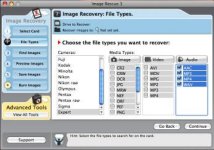
I can certainly try. Using the H4N I recorded in 4 channel mode. Nat sound for for the first two channels then a lav on the third channel and a lav on the fourth channel. I have a fifth mono channel going straight into the D3S for sync but that stays with the video and those files were recovered properly. Conducted the interview running all 5 channels. Went back to the hotel. Dumped my files on the external drive. Formatted the disks, (camera and H4N) charge batts, etc... preparing for the next day of shooting. Shot the next day but did not use the H4N. Got back to the office. Drive was crapped. I did a disk recovery on the H4N disk only using the software I had. (See screen grab) When the H4N records in 4 ch mode it creates two wav files. One for the nat sound and one for the lavs. After running the initial recovery on just the H4N disk it combined both files at the rough 3 second +1 frame. I had to turn the external drive over to the techs to see what they could recover. All of the vid I shot prior to that day made it. The audio files from the interview are no where to be found. So I can either break this file down at the intervals and recombine + export or use the shotgun mic used only for sync on top of the camera. Sound is ok but nothing like the lavs as you know. This looks like it will be our best bet. The project publishes on the 27th and the editors are freaking out with all of the other content. Thanks very much for your help. An audio tech I am not for sure.
 

Attachments

  • Picture 3.jpg
    Picture 3.jpg
    20.7 KB · Views: 0
  • Picture 5.png
    Picture 5.png
    10.7 KB · Views: 0
Back
Top
