I have been struggling with trying to implement JackAudio patch setups between the Realtek 7.1 audio system in my laptop and several programs: VMix streaming software, Harrison Mixbus DAW, and Lightworks NLE. My MSI laptop has a discrete audio board with a high end 8 channel ESS Sabre 32 DAC. When run under ASIO or WDM direct mode drivers the sound quality is quite good.
JackAudio is primarily a Linux platform app. There is a Windows port of it, but the current release installer has issues and development is not keeping pace with the changes to Windows itself. I have run through several sets of Jack applications without coming up with a workable configuration.
I abandoned Jack and tried VAC (Virtual Audio Cable), which works directly with WDM drivers, but is difficult to configure, and is also not being actively developed. The sound quality with this app was spectacular, probably the first that actually worked well with the Sabre DAC. But it doesn't support 32 bit float audio as the Realtek setup and all of my audio software do.
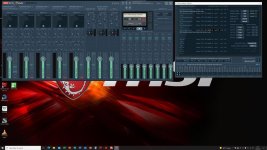
Then I discovered VB-Audio VoiceMeeter. A replacement for the default Windows mixer that can cross patch between WDM and ASIO applications and hardware. It accepts audio iI/O in the native driver for the app or hardware interface connected. The highest version provides up to 34 channels of ASIO patching, 5 2-channel hardware inputs from the PC chipset or external interfaces, and 3x8channel virtual I/O for software interface. It also includes a nifty 8-channel recorder and can support I/O routing between up to four 8 channel applications. The sound quality is on par with VAC.
On top of all that it is free to download and use without restriction, but includes a donationware payment interface with recommended contributions for each version if you want to support it.
This is now my default Windows mixer. Still working out routing setups I want to implement. This is a highly sophisticated program that can link between workstations over Ethernet, and supports hardware MIDI interface controls.
JackAudio is primarily a Linux platform app. There is a Windows port of it, but the current release installer has issues and development is not keeping pace with the changes to Windows itself. I have run through several sets of Jack applications without coming up with a workable configuration.
I abandoned Jack and tried VAC (Virtual Audio Cable), which works directly with WDM drivers, but is difficult to configure, and is also not being actively developed. The sound quality with this app was spectacular, probably the first that actually worked well with the Sabre DAC. But it doesn't support 32 bit float audio as the Realtek setup and all of my audio software do.
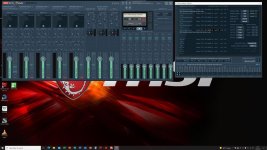
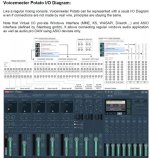
Then I discovered VB-Audio VoiceMeeter. A replacement for the default Windows mixer that can cross patch between WDM and ASIO applications and hardware. It accepts audio iI/O in the native driver for the app or hardware interface connected. The highest version provides up to 34 channels of ASIO patching, 5 2-channel hardware inputs from the PC chipset or external interfaces, and 3x8channel virtual I/O for software interface. It also includes a nifty 8-channel recorder and can support I/O routing between up to four 8 channel applications. The sound quality is on par with VAC.
On top of all that it is free to download and use without restriction, but includes a donationware payment interface with recommended contributions for each version if you want to support it.
This is now my default Windows mixer. Still working out routing setups I want to implement. This is a highly sophisticated program that can link between workstations over Ethernet, and supports hardware MIDI interface controls.