Audio Postproduction

J.D. said:
Thanks again for all the input.
I want to pose my question in another form.
I need to do a final mix on my feature length project,( 80+min) and I have a choice. To pay a pro that I know that does this for major cable networks, $1,500. Or do I do I buy the software. learn it and do it myself.
Is it realistic to learn to do this? Just thinking about how many years I have been writing, editing and directing, and I still have lots to learn.
So maybe I'm better off going with a pro
Still, I appreciate any feedback

JD


Given that choice go with a pro. It's a little like building a house, part is having the right tools but most is knowing how to use them. For $1500 you could get the tools (just barely) but then you would have a huge amount to learn and not under the best circumstances. If you want to learn more about post sound then make a deal with the "pro" so you can work with him/her on the film.
 
You can find this info on Digi's site. But the short answer is...
For currently supported systems (not including stuff that is no longer being sold new).
TDM systems will work on the HD hardware (pretty expensive)
Le systems will run on M-Box & Digi 002 (pretty cheap to semi pricey)

"M-Powered" systems will run on selected M-Audio hardware (pretty cheap to semi pricey)

All have a variety of hardware that they will run on and have a range of prices.

Go to digi's site and you can see the options and the prices. You can get a bit of a break on list but not much usually.

Once you go back to PT 6.4 there is a different bunch of hardware, then at 3.2 there is yet another generation of hardware.

The buy in can be a bit steep but when you upgrade the hardware Digi gives you about 50% off as trade in for your old hardware so staying in the family is more affordable. Also there are a lot of used systems out there and they work very well and though not "officially" supported they are supported by the Digi Users Conference.


matthewd5 said:
can someone point me at a matrix or some other sort of chart that shows what pro tools goes with what hardware etc?

maybe there is an article reprint availble in pdf that shows this?

i'd love to try it out as i'm getting deeper and deeper into sound but its so damn confusing.

i've picked up MIX and a few other magazines that mention protools a LOT but they never explain how to get into it.

the biggest question i have is v7.0 of protools the same with different hardware?

i mean other than the drivers is v7 v7 or are there versions of the version?

like once you get pro tools v7 with whatever hardware can you just buy a pro tools v7 book or is it harder than that?

i think they would sell a lot more copies or hardware whatever if it was a little less confusing.

that said i'm pretty damn happy with the way audition has progress from version 1.5 to v2

matthew
 
I am editing with AVID xpress pro and feel that the editing tolls are enoug if its a mono as i am planing. But my problem comes with voice editing because its difficult to understnad when i have the final dvd...well i was just asking for some clear resourses on the do and ont of sound levels or equalizing in voice editing ..better if its the same avid program.. :-)
 
if you put it that way regarding the sountrack of a feature then it is an absolute no brainer.

spend the $1,500 on the pro.

$1,500 sounds kinda cheap to me. i assume you have heard this guys work before?

make sure that price is firm and that it won't creep up if the project takes longer than he thought.

re: pro tools

the latest version seems to be version 7

so if i get the m powered stuff, like they have a simple box that is firewire powered, that seemed like the easiest thing to do because i already have an emu card that i really like and it is supported fully by adobe premiere and audition.

so who do you buy pro tools 7 from after you get the m powered hardware?

matthew
 
I don't mean to sound snotty but you really need to go to Digi's site and look into this. You can get any of the Pro Tools systems just about anywhere that sells pro audio. The M-Powered is at GC et all. But you can't get a Time code time line with the M-Powered version, you need to be in the Le proper line to use the DV toolkit that adds TC and a lot of post features.
 
I use Samplitude Pro for everything - full front-to-back, record/mix/master, and sync. to video.

I write all my own music, so it's great having a video-friendly full audio production tool at hand. (And it dances circles around Pro Tools :))

Greg
 

Attachments

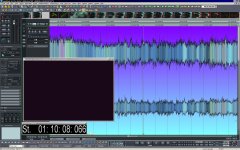
  • Video_post2.JPG
    Video_post2.JPG
    207.6 KB · Views: 0
It always depends on what kind of slicing and dicing your doing. Pro tools is a great program and if your doing a ton of short edits, voice talent voice over and will edit 50 to 100 clips to output from each track then I'd say protoos for sure. For a feature or anything with length with multiple tracks it can be done in protools or fcp and tracks can be imported to stp each or all to be worked on. I have done two hour events with hundreds of audio clips in 8 tracks layed over the main audio in fcp and its fine. Most of it relies on what you can do with it. Post and foley are art forms and editing them in takes talent.

If you don't have the time to learn programs then use a pro. Like Noiz2 said make a deal with the pro to sit and learn during editing. It's like all software, its the persons skills using it that makes the difference. You want the best audio that you can get because great audio is what makes or breaks a movie. If your a fast learner and since you already know stp some then with fcp and stp you can create a great sound track. But the pro can also and will teach you things you wont learn on your own right away. Things that you shouldn't do, and thats more important than doing some things correct. Anything you happen to do right won't hurt you but wong things will create bad audio. Also using a pro will open up some time for you to do other things and you never have enough time.
 
I've used most of them for years for different reasons. Pro Tools is a fantastic tracking app, but I find I prefer to do surgical artifact removal in other apps like Adobe Audition. The cheapest Dididesign hardware PT LE solution is the newer MBox2 Micro which is output only, but allows you to use the entire app. Like others have already mentioned, the route you take is solely dependent on what will suit your individual application best.
 
Siriusbliss, That you think it "dances circles around PT" is a personal pref based on your experience with the two apps and what you do, which sounds like music. The fact is that any decent multitrack editor that can sync to video will work. The differences with those apps have more to do with very specific features and how users like to work. I guess what I'm saying is that making pissing contest kinds of statements is generally not very useful. If it works for you then you should use it. Back when I was on a PC, and this is a PC app so if you've been following the thread then you know that it's not much use to the poster, I played around with an early version, though I don't think it was multi track then. I ended up using SAW. But those are PC only and we are talking about a Mac system here. That your on Windows might be part of the reason for your low opinion of PT. The Windows version (Le anyway) is much more limited than the Mac version. Not sure why but PT Le on Windows is pretty near useless for audio post.

And SouthBySoWhat, The best PT deal is to get the academic version. It is essentially the M-Powered version plus a bunch of stuff from the DV toolkit tossed in. Last I looked it ran ~$150, and you need to buy a supported M-Audio interface. I think they start around $100.
 
That your on Windows might be part of the reason for your low opinion of PT. The Windows version (Le anyway) is much more limited than the Mac version. Not sure why but PT Le on Windows is pretty near useless for audio post.

I disagree. I've been using Pro Tools in Windows XP for years, and once properly installed (with a fresh install of windows) it works just as good as the mac version (most of the time). It's really not as bad as you seem to think. I'd like to say that the mac version is nearly bulletproof, it runs solid and smooth all the time, while the Windows version, sometimes has buffer errors, and once in a while will crash. I use both right now on my Mac Pro for different things. The Windows side has the *ahem* special plugins, while the mac side does not. I can run up to four monitors on the Windows side, the Mac side for some reason is not compatible with my second video card (this really isn't a PT issue, it's more of an operating system issue).
 
My understanding is that Pro Tools Le on Windows does not support video. That pretty much kills it for post. Sure you could use TC and sync to tape but I haven't gotten a tape from a client in about four years.
SK


I disagree. I've been using Pro Tools in Windows XP for years, and once properly installed (with a fresh install of windows) it works just as good as the mac version (most of the time). It's really not as bad as you seem to think. I'd like to say that the mac version is nearly bulletproof, it runs solid and smooth all the time, while the Windows version, sometimes has buffer errors, and once in a while will crash. I use both right now on my Mac Pro for different things. The Windows side has the *ahem* special plugins, while the mac side does not. I can run up to four monitors on the Windows side, the Mac side for some reason is not compatible with my second video card (this really isn't a PT issue, it's more of an operating system issue).
 
My understanding is that Pro Tools Le on Windows does not support video. That pretty much kills it for post. Sure you could use TC and sync to tape but I haven't gotten a tape from a client in about four years.
SK

Nope, PT is exactly the same in XP, video and all.
 
Well no they are not exactly the same. I have worked on Le on XP. A lot of plugins are not compatible. Correct me but I don't believe you can send video out the Firewire port so your option is basically stick it on a computer monitor (and Digi doesn't "support" more than two monitors) or putting it out an Avid MOJO.
This isn't an OS complaint, but my experience with PT on Windows was very frustrating and I know a number of folks who switched to Mac because of PT Le Windows video issues. Now these may be fixed? I switched from PC's to Mac's because at that time PT TDM was not stable at all on Windows. I liked Windows but I needed to run PT and at that time there wasn't really a choice of OS.
 
Well no they are not exactly the same. I have worked on Le on XP. A lot of plugins are not compatible. Correct me but I don't believe you can send video out the Firewire port so your option is basically stick it on a computer monitor (and Digi doesn't "support" more than two monitors) or putting it out an Avid MOJO.
This isn't an OS complaint, but my experience with PT on Windows was very frustrating and I know a number of folks who switched to Mac because of PT Le Windows video issues. Now these may be fixed? I switched from PC's to Mac's because at that time PT TDM was not stable at all on Windows. I liked Windows but I needed to run PT and at that time there wasn't really a choice of OS.

Yeah, all that stuff works just fine. I was running PT with 4 monitors the other day. Not sure what plugins you're specifically talking about, or if the Avid Mojo works on Windows.
 
A bit of an update to this thread.

Pro Tools is now at version 9, and you can get pretty much all the features of PTHD by going PT9 native and getting the DV toolkit. Those together are I think about $2,500, which is the same ballpark as Nuendo. PT no longer requires Digi Hardware so you can go get whatever interface you want. And I believe the license is cross platform so you can use it on Windows OR Mac. All the authorizations are iLok based so you can run it on any computer you can install on.

Apple just announced a HUGE drop in the price of FCP and it looks like it's no longer sold bundled with the "suite". The fate of the other apps (related to this thread that would be STP) is unclear. It has been rumored for some time that they would drop STP and fold it into Logic. That makes a lot of sense but Apple rumors are rampant and few pan out.

Adobe has a sound app (Sound booth?) that is part of their suite and possibly available solo. Not a lot of word on the street about it but they have been very aggressive about adding features to Premiere Pro that would attract low budget filmmakers and Doc makers in particular so I would not be surprised to see this app coming into the field.

PT is still the most common post sound app for large films and really any film that has a decent post budget. It is THE program you must know if you want to have a career in the US in post sound. If that is not what your goal is then there are a lot of decent options.
 
Soundbooth will be no more after CS5.5 comes out. It will be replaced by Audition, which is also going cross-platform (Mac and Win). I never really touched Soundbooth, but use Audition frequently, so that's a big win in my opinion.
 
Adobe has a sound app (Sound booth?) that is part of their suite and possibly available solo. Not a lot of word on the street about it but they have been very aggressive about adding features to Premiere Pro that would attract low budget filmmakers and Doc makers in particular so I would not be surprised to see this app coming into the field.

Saw a demo for Premiere Pro + Audition at NAB. One thing that was discussed in the Premiere Pro section, was the fact that in Final Cut Pro one could add audio tracks to a 'clip' so that one could bring together the sound track from a dual system, lock it to the video, and then hence forward it was treated like any other 'clip'. I never used FCP, and FC Express did not have this feature...

The CS 5.5 Premiere now has a 'merge' clip feature so that one can lay in additional audio tracks, then 'merge' the tracks into a 'clip', and after that it behaves like a 'clip'... Where this is important is in the ease of setting the in/out points on a 'clip' vs.
nesting sequences... There is a way to do this in Premiere Pro CS 5, but it is not exactly 'intuitive'...

Anyway, I don't think I got a clear answer on another issue, which was, 'once merged', can I export that merged clip as a file with multiple audio tracks.

In the Audition <-> Premiere interface, one can take a multi tracked Premiere sequences, maintaining the multitrackedness, and use Audition, but on the return the 'audition' processing has to be performed on the tracks, so back in Premiere, tracks that were created in Audition, or had effects added, would be 'rendered'. There's also the obvious mixing to final output...

Another item that escaped by my mind at the time was 'sub video frame' audio editing 'with ease'... I'm pretty sure that is the case... but you know... sometimes these sorts of things just pop out at the least opportune moment...

I've only used 'soundbooth' a couple of times, and it didn't strike me as all that wonderful for detailed audio editing...
 
Was using Digital Performer and Pro Tools for years, but as things have changed over time I mainly use Pro Tools 9 now with complete production toolkit for audio post work.

All the Best!

Dave
 
I haven't used PT9, but from what I've seen, it would be my choice. If I was still doing video game audio, I would have done the upgrade. The fact that you can use whatever interface you want with it is pretty nice.
 
Back
Top