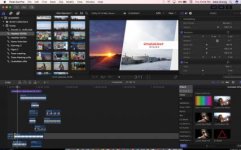
"Apple pushes the reset button on the Mac Pro"

Funny. FCPX was what made me decide to get into video work professionally... There was finally an NLE that was exciting to use.
I'm moving away from Adobe... have replaced Photoshop and Illustrator with Affinity Photo and Designer...

You and me both. FCPX, Motion, Resolve, Compressor, Affinity Photo,
and Affinity Designer. I don't have to touch anything Adobe. I love it.
 
Very happy to hear this update from Apple. Most likely I would be buying a MacPro next year.

And if Apple is listening, please give me a 17 inch Macbook Pro with at least 32GB ram, this year.
 
As long as Apple makes stuff for both categories, they will always produce much more 'stuff' for (and generate income from) consumer devices.

My point is that Apple hasn't been making "stuff" for both categories since 2012 when they last spec' bumped the classic Mac Pro, which was the last Mac capable of being upgraded in a professional manner (ie. dual CPUs, dual graphics cards, PCIe cards, etc.).

And they've been moving the rest of their products away from being upgradeable as well. Macbook Pros with propriety SSDs, glued-in batteries, and soldered RAM. iMacs and Mac Minis with soldered RAM.

IMO consumers buy devices that are disposable after a couple years. Professionals buy devices that can be used & upgraded for many years.
 
Funny. FCPX was what made me decide to get into video work professionally... There was finally an NLE that was exciting to use.
I'm moving away from Adobe... have replaced Photoshop and Illustrator with Affinity Photo and Designer...

I cut my teeth on FCP as well. It was fun to learn and play with. But when Apple released FCPX 1.0 it was effectively a Beta program that lacked much functionality. Couldn't open old FCP7 project files, no multi-camera, no XML, no dual screen support, and radically difficult media management. It was almost as if Apple didn't care about the professionals who used FCP7 and needed that functionality. I took the hint and moved on.

But if I were starting out as an editor today I would probably give FCPX a try. After all, it's dirt cheap and so "intuitive".
 
For Pro users, Apple should forget about pre-built computers you can buy in the store, and just do web sales with systems that customers can configure themselves. If the prices weren't drastically more than what I would pay to build a hack myself, I would definitely buy one for the convenience and upgrade reliability. But knowing Apple they'd probably charge an exorbitant premium.
 
I cut my teeth on FCP as well. It was fun to learn and play with. But when Apple released FCPX 1.0 it was effectively a Beta program that lacked much functionality. Couldn't open old FCP7 project files, no multi-camera, no XML, no dual screen support, and radically difficult media management. It was almost as if Apple didn't care about the professionals who used FCP7 and needed that functionality. I took the hint and moved on.
I never liked FCP7 (or earlier) or Premiere... When they released FCPX and all old users complained I got curious and thought "this sounds great" and it was! Just love FCPX...
The only mistake Apple did was not being clear that it was a brand new app... But as an app it's just fantastic!
 
havent tried it yet...still on fcp7 believe it or not. magnetic timeline thing plus only two tracks scares me. i needs my 27 layers of video and audio.
 
Forgive the dumb question, but is my transfer speed limited by the speed of the connection? That is, will the speed of the USB cable always be the limiting factor? I am looking at getting a new Macbook Pro and I am wondering if there is any point in my spending more to get a faster processor if that will not impact the speed of transferring media from an XQD card to a travel drive ( Lacie ).

I don't edit or do any post. I just shoot and transfer the media to a drive for clients. But that always comes at the end of a day's shooting and I'd like it to be as fast as possible. I've had Producers almost miss a flight because they were having to wait on media transfer. And my Sound Op hates it when media transfer cuts into his beer-thirty time.

What is the fastest setup for transferring media from an XQD reader to an external drive for the client? Will transfer using a 3.7GHz laptop be the same speed as transfer using a 2GHz laptop? Is there a point of diminishing returns as far as CPU speed and transfer speed?
 
havent tried it yet...still on fcp7 believe it or not. magnetic timeline thing plus only two tracks scares me. i needs my 27 layers of video and audio.

Not to pick on you, because there is a TON of misinformation going around about FCP X from
all the 'haters' (who call it iMovie pro without having the slightest clue about what it can do)
but......2 tracks? Not hardly! Throw as many as you'd like at it! Well, they aren't really 'tracks'
I think they call them 'lanes' but the point is, you can have all 27 'layers' and more!

FCP X screenshot.jpg
 
Last edited:
havent tried it yet...still on fcp7 believe it or not. magnetic timeline thing plus only two tracks scares me. i needs my 27 layers of video and audio.
As mentioned, you can throw as much as you like onto the timeline...

As FCPX is a radical new way to work (in my opinion, a far superior and faster way) than traditional NLEs, it takes a bit of unlearn your old ways to "get it". I believe most of the haters are trying to use it the old way, and then you just end up fighting the app... You have to be willing to relearn...

So a lot of people is calling it unprofessional because they are unwilling or incapable to learn. Which isn't very professional either ;)
 
I wouldn't call FCPX unprofessional, I think you are right it is very powerful and very different and I use it but often struggle with it and in my attempts to become proficient spend time searching google for answers. All fine and good. However, this is cool when I am working alone but when I have to hand a project over to others, or hire someone due to new commitments and they have to complete to continue work on it.... then its a pain finding someone. I mean FCPX specific people. With FCP7 projects I can easily hand them over to PP users or Avid users or now Resolve users, who are usually comfortable with FCP7 or can be within an hour. X is a beast that requires its own trainer. I love all the power and stuff it does, but really like Resolve since it works on any computer platform and BM seem seriously committed to improving and optimizing it. I also know that nobody should ever under estimate Apple and we could all be eating crow next year if they decide to bring out the NEXT major advance in media post production... they certainly can if they want to although the iPhone company seems to have left us out in the cold for a while.
 
You and me both. FCPX, Motion, Resolve, Compressor, Affinity Photo,
and Affinity Designer. I don't have to touch anything Adobe. I love it.

Except when you need to provide a client an Illustrator AI file format and Affinity can't do that. Affinity is nice but I have moved back to Adobe for a lot of reasons. Editing raw photos one at a time in Affinity Photo is a bit frustrating as well. They are great programs but not 100% there yet.
 
Apple says they are also bringing out a professional iMac. I hate this idea. I may be wrong but my assumption is that the only reason pros buy iMacs is because they are the only desktop machines that Apple produces that have dedicated GPUs at the price those people can afford.

Personally I think the time of the iMac is gone for the most part. It might have been a worthy machine prior to 2008 when most college students had desktops in their dorm rooms and families had a single desktop machine they shared at home. It worked in 1984 and 1998 when Steve Jobs came back to Apple and introduced the first iMac, but nearly 20 years later things have changed a lot. Smart phones, tablets and laptops are everywhere and powerful enough for most consumers and even some pros. Apple has made a fortune on iPhones and iPads which we can argue is really the culmination of Steve Jobs' vision of a computer-as-a-microwave-oven.

The problem is, Apple is still stuck in that mindset with their desktops. That's why we have the current Mac Pro as an all-in-one machine.

There is no need to have a professional all-in-one desktop. At this point the selling feature of a desktop over buying a laptop is to have a more powerful upgradeable machine. Something laptops can't easily do.

I think that outside of a single bottom on the line mac mini as a home theater box or a single bottom of the line iMac as a fancy receptionist desk computer, every mac desktop should be an upgradeable tower. Start them at $700-800 with an i5, integrated graphics and HDD and go up from there in price using the same box for every machine. Call it just a Macintosh. Allow even those lower end machines to take a graphics card if the user wants to buy one and put it in or swap out the ram or add hard drives internally. Sell some 27" 5K displays on the side and you're good to go. Then just make sure you upgrade the CPU/GPU options every year.
 
Not to pick on you, because there is a TON of misinformation going around about FCP X from
all the 'haters' (who call it iMovie pro without having the slightest clue about what it can do)
but......2 tracks? Not hardly! Throw as many as you'd like at it! Well, they aren't really 'tracks'
I think they call them 'lanes' but the point is, you can have all 27 'layers' and more!

View attachment 122526

The biggest issue I have with FCPX is the way audio always has to attach itself to a clip. For the way I work, moving picture around but keeping music and sound effects locked in place, it is a massive hassle. While there are workarounds it's extra steps to deal with. FCPX seems to operate on the assumption that audio is an afterthought to the editing process, that you cut and lock your picture, then go in and layer your sound effects and music. But I cut to music, and sometimes cut the music first, and layer in picture and sound design over that and at the same time. For this reason I still edit on FCP7 unless I need FCPX for 4k h.264 or R3D based projects, which is rare. I mostly get PRORES files and FCP7 still handles any flavour of PRORES just great. FCPX is also great for quick 5.1 mixes, but I again, rarely need that. I've become very familiar with FCPX after using it on many projects, so it's not an, "I just have to adapt to it" issue, its workflow just doesn't work for me all that well.
 
Except when you need to provide a client an Illustrator AI file format and Affinity can't do that. Affinity is nice but I have moved back to Adobe for a lot of reasons. Editing raw photos one at a time in Affinity Photo is a bit frustrating as well. They are great programs but not 100% there yet.

I've never had a client demand an AI file from me, but I'm a 'one man
video production company' not a professional graphic designer. I'm
merely creating graphics to use in my videos or on DVD/Blu Ray jackets
or something similar. But what I DO occasionally have, is clients asking
for ProRes deliverables. Which can be a bit of a problem if you are using
Adobe Premiere and working on a PC. In fact, I've seen quite a few PC users
ripping on Apple for not making RoRes 'opensource'. Maybe Affinity users should
rip on Adobe for not making AI files 'opensource'?

Honestly though, I get what you are saying. When 'worlds collide' choices have
to be made. If you are working in the world of 'being compatible with agencies or
others', you may very well be forced into using certain tools. I'm lucky in that
I am kind of my own world. I love being able to choose my tools instead of being
forced into using things 'because that's what everyone else is using.'
 
The biggest issue I have with FCPX is the way audio always has to attach itself to a clip. For the way I work, moving picture around but keeping music and sound effects locked in place, it is a massive hassle. While there are workarounds it's extra steps to deal with. FCPX seems to operate on the assumption that audio is an afterthought to the editing process, that you cut and lock your picture, then go in and layer your sound effects and music. But I cut to music, and sometimes cut the music first, and layer in picture and sound design over that and at the same time. For this reason I still edit on FCP7 unless I need FCPX for 4k h.264 or R3D based projects, which is rare. I mostly get PRORES files and FCP7 still handles any flavour of PRORES just great. FCPX is also great for quick 5.1 mixes, but I again, rarely need that. I've become very familiar with FCPX after using it on many projects, so it's not an, "I just have to adapt to it" issue, its workflow just doesn't work for me all that well.
I don't know exactly what type of project you are doing, but in cases 'similar to what
it sounds like you are saying'.....I have just put the music track in the primary storyline.
This allows me to cut the music first and layer the video and sound effects off the music
track, leaving music locked in place while I move around picture.
 
The problem is, Apple is still stuck in that mindset with their desktops. That's why we have the current Mac Pro as an all-in-one machine.
There is no need to have a professional all-in-one desktop.
That's why I think that the "trashcan" would have been great if it was basically a monitor-less iMac but with a bit more powerful GPUs at iMac prices. Sort of an in-between iMac and Mac Pro...

Good thing now is that Apple has acknowledged the issue... And next MacPro probably will be a fantastic machine. Most likely I won't be able to afford it so an iMac will most likely be my next machine...
 
I don't know exactly what type of project you are doing, but in cases 'similar to what
it sounds like you are saying'.....I have just put the music track in the primary storyline.
This allows me to cut the music first and layer the video and sound effects off the music
track, leaving music locked in place while I move around picture.

As I said, there are workarounds, but they create extra steps. The magnetic timeline becomes more of a hassle. I can cut faster and more intuitively in FCP 7. FCPX offers little benefit for me.
 
Back
Top