
Jay Laville
Well-known member
Hi guys hope you can help as Im having a real tough time with this at the moment.
Okay here goes, I am doing a music video for a friend and Im trying to be a little creative. I have 3 different footages that I want to put together to make it look like a memory in one visual.
So I take say 3 seconds of each 3 clips, I crop them and divide the screen fitting all three images on the screen and I freeze frame the last image on each clip for 5 seconds or so. When one clip has finished the next clip on same screen appears whilst the previous clip goes to a freeze frame mode and so forth. Whilst in freeze frame I then duplicate the clip and have a sin city look where it slowley fades to black and white whilst keeping one image in colour. Great no problems. But when I do the same to the second, it seems to conflict with the first making the first clip disappear completely and so forth with the third clip. I cant figure out why. I have attached example of this. Im running FCP studio 6 HD
hope you guys can help. They seem to when I render it. Before render all three clips are present. dont make sense to me.
Example:
first clip:

Second clip whilst first clip changes colour:

Third Clip whilst second clip changes colour:

Third clip after renders complete

1st and 2nd image has disappeared, time frame view after render:
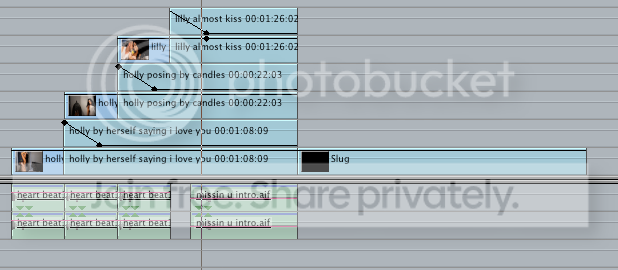
Before 3 images render and what I want:

Time frame before render:
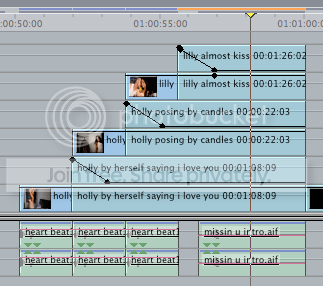
Hope you can help as Ive been playing for hours on this sodding clip
Okay here goes, I am doing a music video for a friend and Im trying to be a little creative. I have 3 different footages that I want to put together to make it look like a memory in one visual.
So I take say 3 seconds of each 3 clips, I crop them and divide the screen fitting all three images on the screen and I freeze frame the last image on each clip for 5 seconds or so. When one clip has finished the next clip on same screen appears whilst the previous clip goes to a freeze frame mode and so forth. Whilst in freeze frame I then duplicate the clip and have a sin city look where it slowley fades to black and white whilst keeping one image in colour. Great no problems. But when I do the same to the second, it seems to conflict with the first making the first clip disappear completely and so forth with the third clip. I cant figure out why. I have attached example of this. Im running FCP studio 6 HD
hope you guys can help. They seem to when I render it. Before render all three clips are present. dont make sense to me.
Example:
first clip:
Second clip whilst first clip changes colour:
Third Clip whilst second clip changes colour:
Third clip after renders complete
1st and 2nd image has disappeared, time frame view after render:
Before 3 images render and what I want:
Time frame before render:
Hope you can help as Ive been playing for hours on this sodding clip
