
Hey everyone,
I have been editing a short video for a local dance company. Inside Premiere Pro CS4 the video looks fine. Once exported from PPro as H.264 the video still looks great and exactly as it looked within PPro during editing.
However once I upload it to my Vimeo account, it gets a huge highlights / contrast boost. Anyone know what might be causing this? Is this just Vimeo's compression? Some sort of gama shift? I looked around in PPro CS4 and couldn't find any way to change the workspace color or gama to make the preview match the blown out look of Vimeo. At least then I could edit as my audience will see the final product and compensate by lowering the highlights a bit. Please let me know if you can help. Thanks!
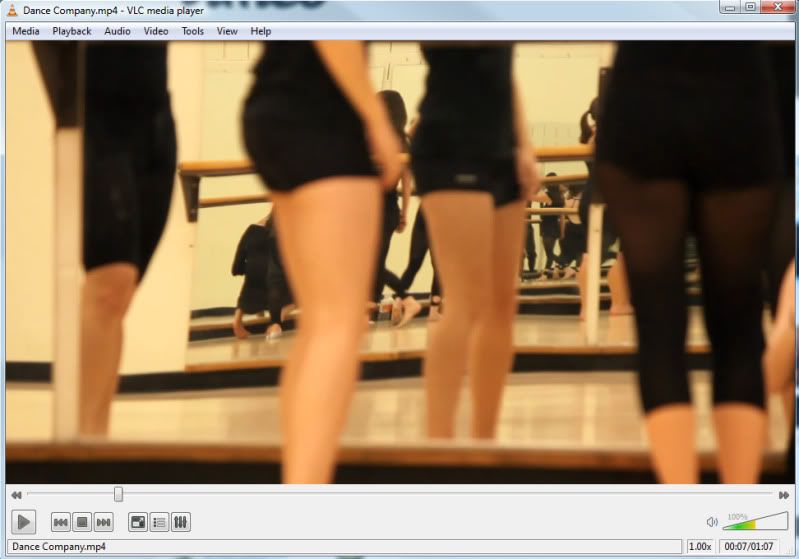
Exported video as viewed on my desktop:
Video as viewed on Vimeo page. (looks this way on both firefox and google chrome)

I have been editing a short video for a local dance company. Inside Premiere Pro CS4 the video looks fine. Once exported from PPro as H.264 the video still looks great and exactly as it looked within PPro during editing.
However once I upload it to my Vimeo account, it gets a huge highlights / contrast boost. Anyone know what might be causing this? Is this just Vimeo's compression? Some sort of gama shift? I looked around in PPro CS4 and couldn't find any way to change the workspace color or gama to make the preview match the blown out look of Vimeo. At least then I could edit as my audience will see the final product and compensate by lowering the highlights a bit. Please let me know if you can help. Thanks!
Exported video as viewed on my desktop:
Video as viewed on Vimeo page. (looks this way on both firefox and google chrome)

