After Effects spaghettification: Being sucked into a Black hole

john threat

Carbonite Member
Hi Guys!

I have a swirling black hole and I have a matte of a person. What i'd like to do is have them look like they are sucked into the black hole via spaghettification - sucked up into the vortex as they are stretched from the top until the bottom catches up.

Anyone have an idea how this can be rocked out?
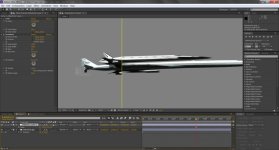
 
Try this.

Create an Adjustment Layer above the element you want to spaghettify. Apply the effect Distort\Transform to the Adjustment Layer. Create a mask around the black hole. The edge of this mask will be where the stretching begins. Uncheck Uniform Scale in the Transform effect and then play with the scale in just the axis you need. You'll have to also play with the Anchor Point and Position in the effect to get the distorted image to match perfectly. Kind of a pain but it works.

If you are wanting the stretch to be in a vortex just use the Twirl effect instead of Transform. Same application. Apply the effect to an Adjustment Layer that way you have the ability to animate the position of the element independently of the effect.

spaghettify.jpg

This should at least get you started. You can also layer on more distortions say if you wanted to have it also sqeeze down to a point, not just wider like in my pic. I would just say to add each distortion on it's own Adjust Layer that way you can control them easier. And then drop all of that into a Pre-comp and into your main comp.

-dan
 
Back
Top