After Effects introducing noise???

fixxxer76

Member
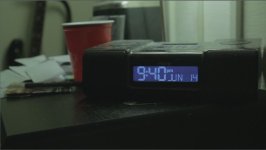
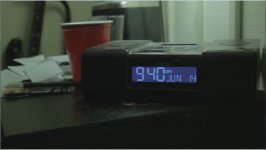
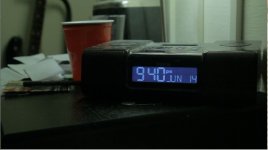
Ok guys I'm stumped. I have 3 pictures here, the first is raw footage from my T2i played raw and unedited opened in VLC. the 2nd picture is that same .mov file opened up in After Effects at same resolution. The third is the rendered file mpeg output using 40 Mb/s, at best settings opened in VLC again. Why does the file gain so much noise and overall loss of quailty when it is opened up and then rendered in AE. At first I thought it might have been sharpening/noise reduction from the VLC program but why does the rendered version being played have the same noisiness and why does it not look like the original even though I put no effects on it, and simply rendered it in AE. FYI the project settings in AE were 1920x1080 , 32 bit floating depth. What am I doing wrong? Anyone know? All screenshots were of same resolution. And I should note, this does not happen in sony vegas.
1. original .Mov opened directly with VLC
1-VLC only.JPG
2. Screen shot from AE.
2 -in AE.JPG
3. Rendered 1920x1080 m2v.
3 - rendered VLC.JPG
 
Last edited:
Ok I have figured out my own question. I guess I'll leave this up for anyone else that has this issue. Basically , After Effects doesn't handle .MOV files well. When I converted my original raw footage file to Mpeg2 first using vegas pro, and then brought it into After effects, all was right with the world and the issue I was having above was fixed.
 
Ok I have figured out my own question. I guess I'll leave this up for anyone else that has this issue. Basically , After Effects doesn't handle .MOV files well. When I converted my original raw footage file to Mpeg2 first using vegas pro, and then brought it into After effects, all was right with the world and the issue I was having above was fixed.

I sort of don't know how to 'interpret' this... an 'mov' file is a container for meded encoded with a particular 'codec'...

In looking at the first 'raw' frame, and the last 'rendered' frame, if you flip back and forth, the rendered frame appears to be slightly 'lighter' than the raw. Don't know how that 'shift' entered in, but the two images have a slightly different 'alignment'. So, what processing was done? Slight rotate...

As for why there is a level shift 'up', so, more of the 'shadow' is given a higher value and thereby making more 'grain' visible in that area... I don't know that either...

On issue of converting to Mpeg2 before After Effects... what is your original 'codec'... and since Mpeg2 is a 'lossy' codec, perhaps there is some 'smoothing' that goes on, which eliminates the 'noise'... along with other image detail...

As it is, this shot looks like it is on the 'low' side, and so there will be more 'noise' in the image, and I presume that the T2i is putting out some form of H.264, there may just be 'noise' in the image...
 
J1clark,
To follow up your response, I guess I should have said my original codec is a h264 .mov file directly from a cannon T2i. It was just odd to me that when the .mov file is directly imported into after effects it seemed to add a gamma shift and lighten the whole image and introduce the noise. I did not add any effects at all to the rendered image. Also I don't think it is the mpeg2 codec smoothing out because when I play the original h264 .mov file in vlc the picture looks fine. Not sure ,but I like the way it looks after converting to mpeg2 in vegas. I wish I had cineform neoscene to convert my footage first , maybe I'll pony up the $100 and get it someday.
 
When you render there is a setting - Output Module settings -> Color Management tag. Preserve RGB, when clicked, retains the original RGB of your footage.
 
Back
Top