

Clint Nitkiewiz Hernandez
Well-known member
I am editing a feature i shot at 1080pa, i am editing with the dvc pro hd 1080pa codec and set size at 1280x1080 which is really 1920x1080, (1.788)
Here is my question,
I need to export clips from the timeline so the vfx artist can work on keying, and other misc compositing shots,
What would be the best to export for him?
Quicktime Uncompressed 23.976 1920x1080
DVDPROHD 1080p 23.976 1920x1080
I already did a test with both settings, and in Shake the footage looks somewhat jagged on the edges, this is not good, why does it do that? The edges of white lines have a weird jagged edge when seen in shake, In shake it is even specified in the globals tab hdtv1080i/p 23.98, and toggle this between dvcprohd1080i/60 and there is no difference at all, the jagged lines, seen mostly in the whites is still there, this is not good especially for my keying shots I need, whats the deal with this? And no the proxies are not enabled.
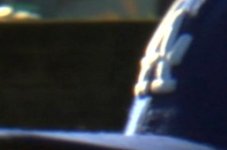
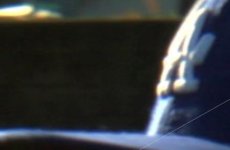
Please check out how the native file in fcp edit looks smooth

Once I export it and shake reads it, it is jagged

but if I import that same file I exported for shake, it looks normal,

So I think the problem is in shake?
Here is my question,
I need to export clips from the timeline so the vfx artist can work on keying, and other misc compositing shots,
What would be the best to export for him?
Quicktime Uncompressed 23.976 1920x1080
DVDPROHD 1080p 23.976 1920x1080
I already did a test with both settings, and in Shake the footage looks somewhat jagged on the edges, this is not good, why does it do that? The edges of white lines have a weird jagged edge when seen in shake, In shake it is even specified in the globals tab hdtv1080i/p 23.98, and toggle this between dvcprohd1080i/60 and there is no difference at all, the jagged lines, seen mostly in the whites is still there, this is not good especially for my keying shots I need, whats the deal with this? And no the proxies are not enabled.
Please check out how the native file in fcp edit looks smooth
Once I export it and shake reads it, it is jagged
but if I import that same file I exported for shake, it looks normal,
So I think the problem is in shake?
Attachments

Last edited: