Advice on negative scanners

robmneilson

Veteran
So, I just recently picked up a 35mm Horizon panoramic camera that I have been having fun shooting with. My old developing standby, Dwaynes Photo told me that they are unable to scan the 24x58mm panoramic negative frame. So I figure I will save money in the long run anyway if I purchase a scanner myself and just have the developing done.

Does anyone have advice for a quality, but inexpensive negative scanner? Looking for something in the sub $300 range that I can use.

Right now I'm looking at the Canon 9000F since it's fairly cheap, and seems like it does a good job.
 
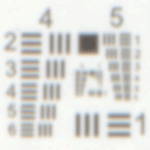
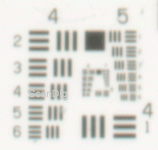
Real resolution of Canon CanoScan 9000F for film scans is only 1700 ppi!!!
Aprox. 17% of nominal value of 9600 ppi.
Yea just another big marketing scam.

http://www.filmscanner.info/en/CanonCanoScan9000F.html

UsafCanonCanoScan9000F2.gif

For good results you will need at least 4000 ppi and better density. Just another example of "You will get what you pay for."

This very good web about scanners
http://www.filmscanner.info/en/FilmscannerTestberichte.html

I was searching for cheapest digitizing of my 35mm slides and find out that best way will be just to shoot slides with my DSLR in RAW. With good setup the result is almost as good as on best drum scanners.
 
Last edited:
Whoa thanks for the heads up there! I ended up buying a Canoscan 8600F yesterday for $75.00 used, since it seemed to have decent specs. But I guess time will tell once it shows up....
 
Last edited:
[/QUOTE]
I was searching for cheapest digitizing of my 35mm slides and find out that best way will be just to shoot slides with my DSLR in RAW. With good setup the result is almost as good as on best drum scanners.[/QUOTE]

What setup do you use to photograph your slides? I had been considering a Canon 900f until I read this thread!

cheers

bill
 
I was using my 400D Canon with Sigma 17-70mm lens just for test. Probably best will be some sharp prime macro lens or you can use some macro rings. For best results use RAW and beware of diffraction.
There is a lot of diy setups on the internet, Flicker or Youtube. GIY shoebox scanner.
You can use strong flash, softbox or strong light.
You can very efectively setup Lightroom workflow with color correction and indexing, etc.

Here you can see comparison with drum or flat scanner :)
http://petapixel.com/2012/12/23/why...our-film-using-a-camera-instead-of-a-scanner/
http://petapixel.com/2012/12/24/how-to-scan-your-film-using-a-digital-camera-and-macro-lens/

not my setups
http://petapixel.com/2012/05/18/how-to-scan-film-negatives-with-a-dslr/
https://www.facebook.com/photo.php?fbid=4334523404915&set=pcb.4334530085082&type=1&theater
http://www.thedambook.com/downloads/Camera_Scanning_Krogh.pdf
http://www.flickr.com/photos/mdarnton/7183241686/in/photostream
http://nonphotography.com/blog/crea...al/if-you-don´t-have-a-film-scanner-then-diy/
 
Last edited:
Epson V700 is over your budget but produces nice scans provided you aren't going too large. Tweak the neg to platen distance for better scan quality. Some large format folks have been experimenting with macro gigapan style copying using a digital camera to shoot sections of the negative which are then stitched for high res scans.
 
Epson V700 is over your budget but produces nice scans provided you aren't going too large. Tweak the neg to platen distance for better scan quality. Some large format folks have been experimenting with macro gigapan style copying using a digital camera to shoot sections of the negative which are then stitched for high res scans.

+1 Epson V700
 
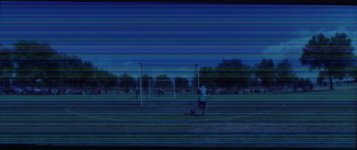
Whelp, I bought a canoscan 8600f for $75 on amazon used, and of course once I get it the scans are all messed up, from what I can assume is dirt. I cleaned the hell out of the glass, and the screenshot below is what I get. Anyone have any tricks or tips?
Screen Shot 2013-06-17 at 7.34.17 PM.jpg
 
Back
Top