Adding LUTs to Lumetri Look Menu

Does anyone know the path to the folder that contains these Lumetri Looks? I haven't been able to find it. I'd like to add a gamma correcting LUT to the drop down menu so that I don't have to navigate the folder structure.
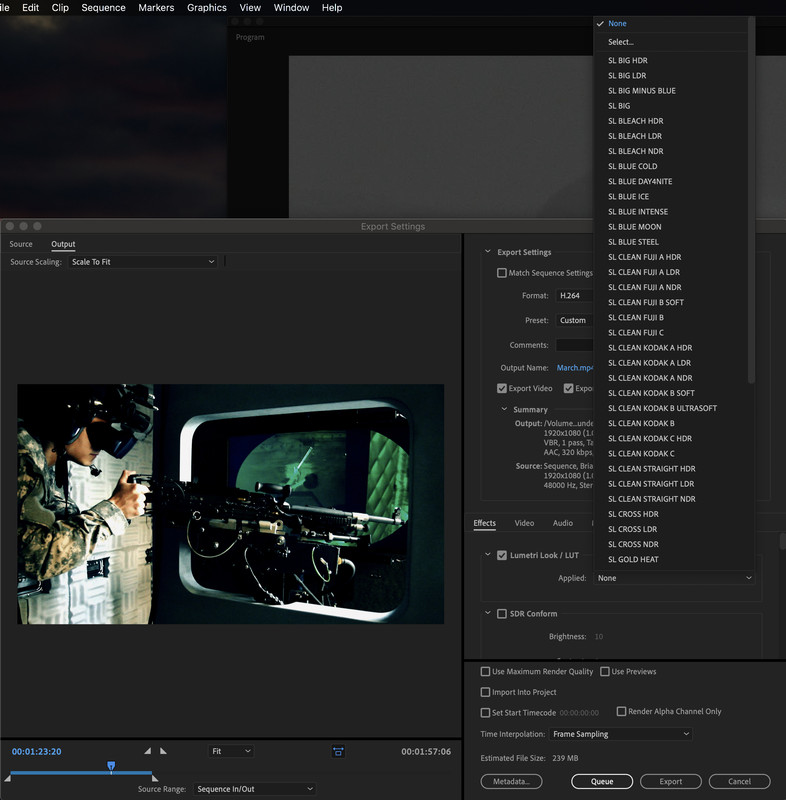
 
Navigate to your Library and then 'Application Support' (and then maybe 'ProApps') and look for Adobe [sub]folders.
 
ProApps is empty, but I tried placing the .cube file in there. I booted Premiere but no luck.

Neither of these seems to work either (they put it in the LUT dropdown menu, not the Looks menu):

Library > Application Support > Adobe > Common > LUTs > Creative
Library > Application Support > Adobe > Common > LUTs > Technical
 
Last edited:
I tried searching for the few FCP X has built-in but they were no where to be found and are most likely hidden and protected from modification (without overriding the system).

With that said, there is a Custom LUTs folder in AS/ProApps where I can see all of my personal LUT folders and LUTs how I like to organize them.
 
ProApps is empty, but I tried placing the .cube file in there. I booted Premiere but no luck.

Neither of these seems to work either (they put it in the LUT dropdown menu, not the Looks menu):

Library > Application Support > Adobe > Common > LUTs > Creative
Library > Application Support > Adobe > Common > LUTs > Technical

This is the right place, but Premiere only supports limited amount of types of LUT's so you may need to translate to another format.
 
Back
Top